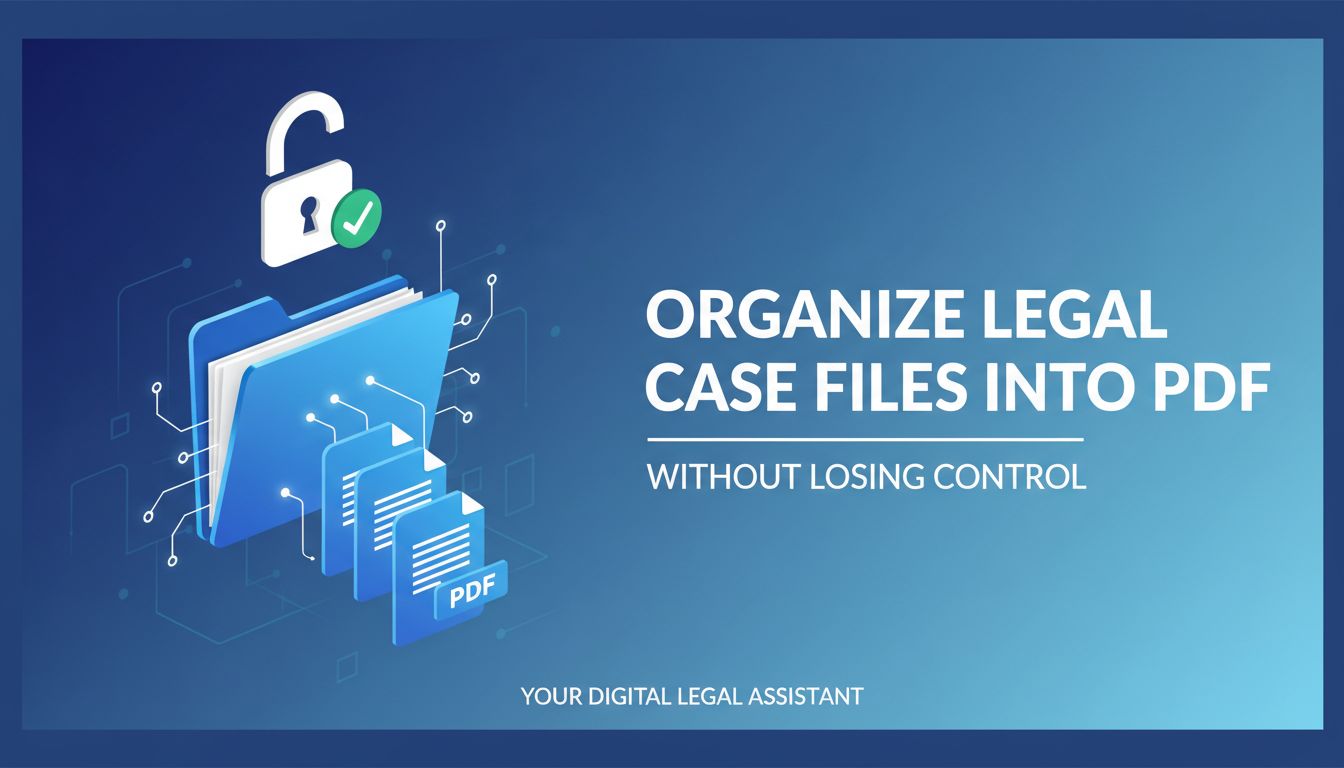
Organize Legal Case Files into PDF Without Losing Control
You do not lose a case because of bad PDF organization.
You lose time. Credibility. Write offs. And sometimes that one email or exhibit that would have changed the conversation in mediation.
If your team is quietly suffering under chaotic PDF folders, half baked naming, and everyone doing things their own way, you already know you need to organize legal case files into PDF more intentionally.
The good news. This is fixable, and you do not have to rebuild your entire tech stack to do it.
You do need to think like a firm, not like a single hero assistant who “just knows where everything is.”
Why organizing case files into PDFs matters more than you think
Most firms think PDF organization is an admin problem.
It is not. It is a profitability and risk problem that happens to live inside PDFs.
From chaotic folders to matter centric records
Picture a common scenario.
Your associate is prepping for a key deposition. The case has been open for 18 months. There are:
- Email chains printed to PDF and saved in four different places
- Two “final” settlement agreements, both called “Settlement_Final.pdf”
- Scanned discovery responses that are 300 pages with no bookmarks
Your associate spends 45 minutes hunting, merging, re saving, and asking the paralegal “Where did we put the signed version again?”
That is not “overhead.” That is billable time that either gets written off or burned on work that adds no value.
A matter centric PDF record looks very different.
Every PDF is:
- Tied to a matter
- Stored in a predictable structure
- Easy to open, search, and navigate for anyone on the team
So when that same associate logs in, they go straight to:
Matter 2023 184 / Pleadings / 2024 06 10 Plaintiff Deposition Notice (Filed).pdf
Open. Review. Work. No hunting.
The tech is not magic. The structure and discipline are.
How poor PDF organization increases risk and write offs
Sloppy PDFs are not just annoying. They are quietly expensive.
Here is how that cost shows up.
- Missed or late responses. If a notice or order is buried in an unlabeled scan, it is much easier to miss. Calendaring systems cannot help if they cannot reliably find the right document.
- Version confusion. Two “final” drafts floating around can lead to the wrong version being sent to a client or filed with the court. That is not a theoretical risk. It happens.
- Non billable busywork. Partners write off associate time spent locating or reconstructing files. Admin staff re scan exhibits that already exist. Small inefficiencies compound across every matter.
- Client confidence hits. When a GC hears “Can you resend that signed agreement, we are having trouble locating it,” they do not think “tech problem.” They think “control problem.”
Well organized PDF case files reduce those frictions. They make your work look as professional as it actually is.
What “well organized” PDF case files actually look like
Most firms say “we should be more organized,” then skip the hard part.
What does “organized” actually mean, in practical terms, across 500 matters and dozens of people?
You want a system that is:
- Predictable for humans
- Searchable for machines
- Flexible enough for different practice groups, but consistent enough for the firm
A practical structure for pleadings, discovery, and correspondence
You do not need 40 folders per matter. That just creates new places to misfile things.
A simple, matter centric structure works extremely well.
For a litigation matter, that might look like:
- 01 Pleadings & Court Filings
- Complaints & Answers
- Motions
- Orders & Judgments
- 02 Discovery
- Written Discovery (Rogs, RFPs, RFAs)
- Depositions (Transcripts, Exhibits)
- Productions (By Party)
- 03 Correspondence
- Client
- Opposing Counsel
- Third Parties
- 04 Agreements & Key Docs
- 05 Research & Memoranda
- 06 Admin & Billing
Inside those folders, PDFs should be single coherent documents wherever it makes sense.
For example:
- One consolidated PDF per filed motion, with all exhibits bookmarked
- One PDF per full email thread, not 17 separate “RE_” messages
- One PDF per produced set, with a clear label like “Defendant_Prod_003.pdf”
[!TIP] A good test: Could a new associate start on the matter tomorrow, open the main folders, and find what they need in 5 minutes with no handholding?
If the answer is no, the structure is either too loose or too clever.
Naming, versioning, and bookmarking that work across the whole firm
This is where most firms go off the rails.
People get creative with filenames. Or worse, lazy.
Good naming is boring on purpose.
Pick a standard and commit. For example:
YYYY MM DD, Short Description, Status/Type
For pleadings:
2024 06 10, Motion to Compel, Filed.pdf
2024 07 02, Court Order re Motion to Compel, Signed.pdf
For correspondence:
2024 05 18, Email to OC re Dep Schedule, Sent.pdf
2024 05 20, Email from OC re Dep Schedule, Received.pdf
For versions, stop playing the “final v2 FINAL” game. Use controlled versioning:
Client Agreement, v01, Draft.pdf
Client Agreement, v02, Draft w Client Edits.pdf
Client Agreement, v03, Final Signed.pdf
Better yet, use a DMS for working versions and export a single signed final PDF to the matter’s “Agreements” folder once executed.
Inside PDFs, bookmarks are your silent heroes.
For a 250 page motion with exhibits, bookmarks for:
- Main brief
- Each exhibit
- Supporting declarations
mean anyone can jump exactly where they need in seconds.
Tools like File Studio, Nitro, or Acrobat can create bookmarks from headings, table of contents, or even filenames. That turns a painful afternoon into a 10 minute process.
How to choose the right approach: manual, semi automated, or fully automated
Not every firm needs AI powered document automation.
Some do. Some just need discipline and a few smart tools.
Choose your approach based on what your reality actually looks like, not on vendor hype.
Decision criteria: volume, confidentiality, and existing tech stack
Here is a simple way to think about it.
| Factor | Low volume / simple matters | High volume / complex matters |
|---|---|---|
| Volume of PDFs | Dozens per matter, few matters at a time | Hundreds or thousands per matter, many matters at once |
| Confidentiality | Standard professional obligations | Heavy regulatory, PHI, cross border, or big ticket risk |
| Existing tools | Shared drives, Office, basic PDF editor | DMS, case management, e billing, multiple repositories |
| Pain level | “Annoying but manageable” | “We are losing time and control, this hurts” |
If you are on the left side, a manual or semi automated approach can work well, as long as you standardize.
If you are on the right side, you likely need automation and integration to keep humans from becoming bottlenecks.
[!NOTE] A good rule: Humans decide structure and rules. Machines do repetitive sorting, naming, merging, and stamping. Whenever a person repeats the same PDF task more than a few times a week, that is a candidate for automation.
Comparing PDF tools, DMS, and e billing or case management integrations
You have three main layers to consider.
1. PDF tools
These live on the desktop or in the browser. Think File Studio, Acrobat, Foxit, Nitro.
Good for:
- Merging and splitting PDFs
- Adding bookmarks, Bates numbers, and watermarks
- Redacting and securing documents
- Converting emails, Word, or scans into standardized PDFs
File Studio, for example, can take a pile of mixed PDFs and quickly stitch them into structured sets with consistent naming and bookmarks. That turns “I will get to this later” into “done before lunch.”
2. Document management systems (DMS)
NetDocuments, iManage, and similar systems sit above your file structure.
They:
- Enforce matter centric organization
- Handle versions and check in / check out
- Control permissions at matter or client level
- Provide search and audit trails
If you have a DMS, your PDF organization should respect its logic. Folders and filenames inside the DMS should mirror your classification. Not fight against it.
3. Case management and e billing integrations
Tools like Clio, Litify, or e billing platforms are your workflow layer.
The key question. Can you:
- Push or pull final PDFs directly into the right matter or billing event
- Preserve your naming and structure in those systems
- Avoid downloading, renaming, and re uploading every time
If the answer is no, you will end up with one “official” version in the DMS and another “shadow record” in your case tool.
That is how confusion starts.
The sweet spot for many firms is:
- Use a DMS or structured file system for the source of truth
- Use a tool like File Studio to normalize and organize PDFs on the way in
- Integrate with case management or e billing so documents appear where lawyers work, without duplicate filing projects
The hidden cost of getting PDF organization wrong
A mess rarely looks expensive on the surface.
Until you do the math.
Confidentiality gaps, access delays, and audit headaches
Poor PDF organization tends to break in three predictable ways.
1. Confidentiality leaks
When files are scattered across personal drives, email attachments, and random folders, permissions become guesswork.
- A temp staffer gets access to matters they should not see
- A departing lawyer walks away with unencrypted copies of entire case folders
- Confidential settlement terms live in a “Shared with Client” directory by mistake
Good structure makes it easier to apply good permissions. If you know “all agreements live in this folder, behind this matter level permission,” you have fewer holes to patch.
2. Access delays
Think about how many people touch a matter. Partners, associates, paralegals, support staff, sometimes contract lawyers.
Every time someone has to ask, “Where is the signed version?” or “Which of these is the court stamped copy?” you pay in real time.
That same delay hits when clients or auditors request records.
You can either:
- Respond confidently, with a complete PDF set in minutes
- Or scramble, re assembling PDFs from various systems and inboxes
3. Audit and regulatory pain
If you deal with regulated data or frequent outside counsel guidelines, you already know.
“Please provide a complete, chronological record of all pleadings, discovery, and key correspondence in this matter.”
If your PDFs are cleanly named, structured, and secured, this is easy.
If not, someone loses days reconstructing the story.
Realistic time and cost scenarios for different workflows
Let us get concrete.
Imagine a mid sized litigation practice with:
- 40 active matters
- About 300 new PDFs per matter over the life of the case
That is 12,000 PDFs flowing through your system.
Scenario A. Ad hoc, manual chaos
- Each PDF takes, on average, 2 extra minutes for someone to find, rename (maybe), and file in an inconsistent structure
- 12,000 PDFs x 2 minutes = 24,000 minutes, or 400 hours
- At a blended internal cost of, say, 75 per hour, that is 30,000
Not billable. Mostly untracked. Usually written off.
Scenario B. Standardized structure, semi automated PDF handling
You invest in:
- A clear folder naming policy
- Templates for matters
- A tool like File Studio to bulk rename, merge, and bookmark PDFs according to your rules
Now each PDF takes 30 seconds to land in the right place in the right format.
- 12,000 PDFs x 0.5 minutes = 6,000 minutes, or 100 hours
- Same 75 internal cost = 7,500
Even if you spend some of that saved time on training and governance, you are still ahead by tens of thousands over a year or two.
And that ignores the value of reduced risk and better client perception.
A step by step workflow to organize legal PDFs without disrupting matters
You do not need a firm wide revolution.
You need one well chosen pilot, a clear workflow, and the discipline to expand it.
Pilot on one matter: intake, assemble, secure, and share
Pick a live matter with:
- Multiple parties
- Some discovery
- Active pleadings and email flow
Then do this.
1. Define the folder and naming standard
Use a simple matter centric structure like the one above. Write it down. Make a one page reference.
Decide on:
- Top level folders
- Naming pattern
- Versioning rule
- Who owns which part (lawyer vs assistant vs paralegal)
2. Centralize new PDFs at intake
Every new PDF related to the matter must:
- Enter through a controlled intake point, for example a shared “Matter Inbox” folder or DMS workspace
- Be normalized, for example converted to searchable PDF, correct orientation, no weird page sizes
- Be quickly tagged or renamed according to your convention
This is where a tool like File Studio shines. It can watch an intake folder, apply naming rules, and route PDFs into the right LOB folders with minimal human intervention.
3. Assemble key sets as they develop
Do not wait until the eve of trial to assemble:
- “Complete pleadings set”
- “Discovery record to date”
- “Key correspondence with client”
At natural milestones, use a PDF tool to:
- Merge related documents
- Add bookmarks to key sections and exhibits
- Apply Bates or internal reference numbers if needed
- Apply consistent headers or watermarks
Save the assembled set in a clearly named folder, for example:
04 Key Sets / 2024 06 30, Pleadings through MTC, Set v01.pdf
4. Secure correctly, not excessively
Decide on:
- Which PDFs need passwords or restricted printing
- Which need redaction before sharing
- Who can access which folders
Then apply that consistently.
You do not need to encrypt every file. You do need to avoid sending un redacted, unrestricted PDFs to the wrong audience.
5. Share through controlled channels
For client sharing or opposing counsel exchanges, use:
- Client portals
- Secure links
- e filing uploads
all from the organized source, not from someone’s desktop.
That way, what leaves the firm matches what your internal record shows.
Governance: permissions, retention rules, and training your team
The first pilot will surface friction. That is good data.
To make this stick across the firm, you need light, thoughtful governance.
1. Permissions by matter and role
Do some role mapping:
- Partners and lead associates. Full access on assigned matters.
- Paralegals. Full document access, limited admin rights.
- Support staff. Access to final PDFs, limited access to sensitive subfolders like “Privileged.”
Apply this through your DMS or file system. Avoid “everyone has full access to everything” unless you like sleepless nights.
2. Retention rules that match reality
Not every PDF needs to live forever.
Work with your risk team to define:
- Default retention periods by matter type
- Exceptions, for example regulatory, minors, long tail liabilities
- What “archived” looks like in your system
Then apply those rules so you do not carry unnecessary risk in perpetuity.
3. Train for behavior, not buttons
The biggest mistake firms make is training people on software, not on how the firm works.
Your training should focus on:
- Why the structure exists, in plain business terms
- How to name and file documents in common scenarios
- What “good” looks like, using real examples from your matters
Show them:
- A bad folder and PDF mess, and the pain it caused
- A clean, organized case file, and how fast you can answer questions from it
Then, of course, show how tools like File Studio or your DMS make the behaviors easier.
[!IMPORTANT] The goal is not perfection. It is consistency. You would rather be 90 percent consistent with a simple rule, than 50 percent consistent with a complex “ideal” system no one follows.
Where to go from here
If you feel like your PDFs are quietly running your firm instead of the other way around, you are not alone.
Start small.
- Pick one active matter
- Define a simple structure and naming convention
- Use a tool like File Studio to take the grunt work out of merging, bookmarking, and routing PDFs
- Run the pilot for 30 to 60 days, track what feels easier and what still hurts
Then decide, deliberately, what to roll out across the practice.
The firms that win the next decade are the ones that treat information like an asset they control, not a pile of files they react to.
Your PDFs are a big part of that.