Imagine this. A new hire emails you their passport and social security card because "IT said they need it asap." You are between meetings, so you drag the attachments into a shared team folder and promise yourself you will clean it up later.
Six months go by. That passport is still in a shared drive that half the company can see.
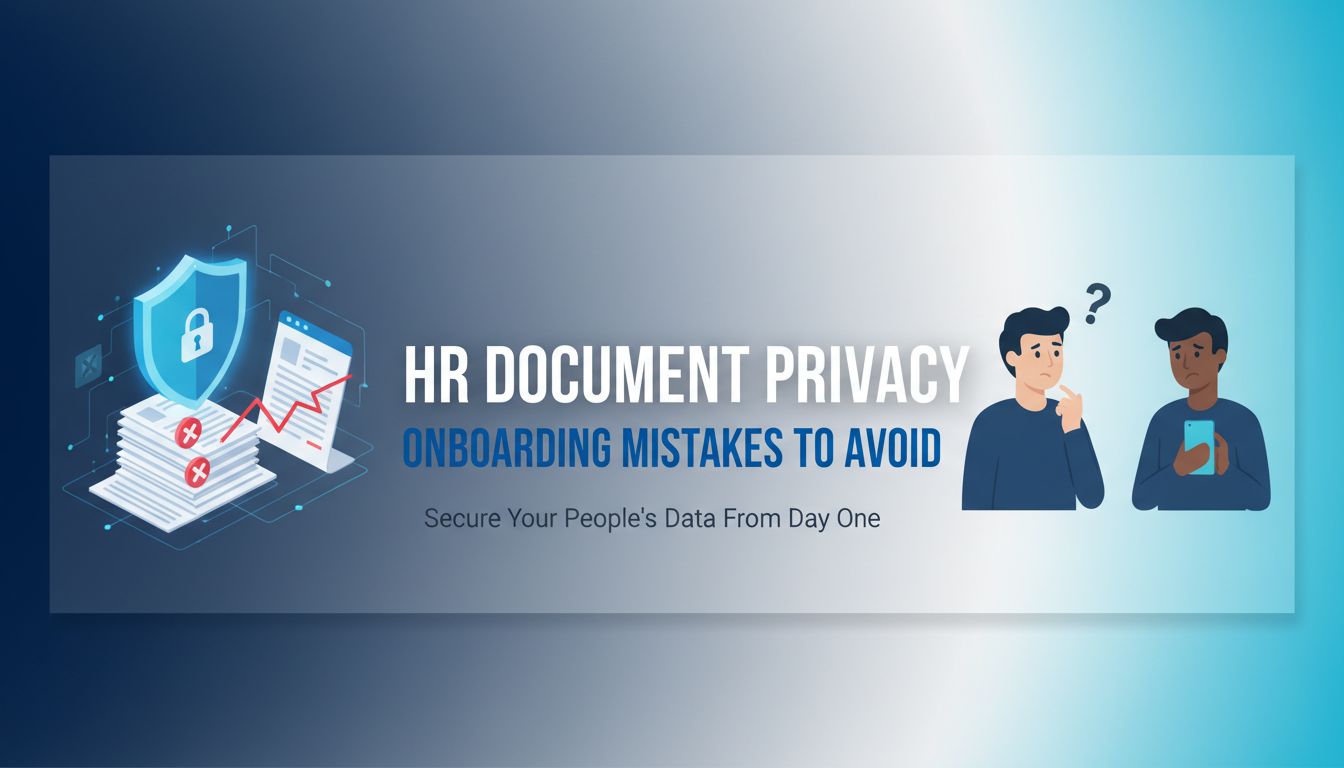
That is hr document privacy onboarding in a nutshell. It feels routine, even boring. Under the surface, it is one of the riskiest workflows in your entire organization.
File Studio works with teams who live this every day. The pattern is always the same. People are not malicious. They are just moving quickly, on old habits, without realizing how exposed they are.
Let us walk through where the real risk lives, what it costs you, and how to fix it without slowing hiring to a crawl.
Why document privacy in onboarding matters more than you think
Onboarding is the one time every employee hands you almost everything about their private life.
Government IDs. Passports. Bank details. Tax forms. Visas. Sometimes medical or background check info.
You collect more sensitive data in that first week than in most of the employment relationship that follows. Yet the process is usually powered by email, PDFs, and folders that grew organically over years.
That is a problem.
The real-world stakes behind a “simple” ID check
On paper, "collect ID and right to work documents" sounds simple.
In practice, here is what is really happening.
A candidate sends you a high resolution image of their passport. That single image contains:
- Legal name and date of birth
- Passport number
- Nationality and place of birth
- Signature
- Photo with biometric data
Combine that with a W-4, direct deposit form, and maybe a background check, and you have a complete identity theft starter kit.
You would never leave a box of physical passports on a desk in a shared hallway. But the digital version of that, a "New Hires" folder on a shared drive, happens every day.
[!NOTE] Treat every onboarding file like a live identity, not just a document.
When you begin to see each upload as "someone's entire financial and legal life," the stakes feel very different.
How one small slip can spiral into a major incident
Most privacy stories do not start with a big hack. They start with something tiny.
An HR coordinator uploads a batch of I-9s to the wrong folder. Someone shares "All onboarding docs" with the whole People Ops Slack channel. An offer letter PDF is forwarded to the wrong "Alex" in Gmail.
Then what happens.
- That link gets reshared in a chat
- Someone outside HR opens it "just to check" a start date
- A departing employee downloads everything in their accessible folders
Suddenly you have dozens of personal IDs exposed. Even if you catch it quickly, you must:
- Inspect access logs
- Notify affected employees
- Work with legal and possibly regulators
You went from "I just moved those files to make room in my inbox" to a privacy incident that eats a month of leadership time and permanently shakes trust.
The root cause usually is not bad intent. It is a workflow that makes the unsafe option the easiest.
The hidden costs of getting HR document privacy wrong
It is easy to think "we are small, regulators will not care" or "we are in a low risk industry." The real damage rarely starts with a fine.
It starts with people, time, and reputation.
Beyond fines: time, trust, and team morale
When something goes wrong with onboarding privacy, three hidden costs show up fast.
1. Time black holes
Investigating who accessed which document, when, and why is tedious.
You dig through email threads, slack messages, shared drive logs, Docusign accounts. HR, IT, legal, and sometimes external counsel all get pulled in.
What could have been solved with a more intentional workflow turns into days of detective work.
2. Erosion of trust
If an employee finds out their passport was exposed, they rarely say, "No worries, these things happen."
They think:
- "If HR mismanaged this, what else are they sloppy with"
- "Should I trust them with my medical accommodation request"
- "What happens if there is a layoff, will my data be safe"
People might not file a complaint. They will just share their story quietly over coffee with coworkers. That feeling spreads.
3. Morale inside HR and operations
Your team did not sign up to be "the ones who caused the breach."
When something slips, even if the system failed them, individual people feel the blame. That drives risk aversion and fear.
Suddenly, simple tasks feel loaded. Hiring slows down because everyone is double checking every email. The work feels heavier.
[!TIP] Strong privacy processes are not just compliance. They are a kindness to your HR team. Less ambiguity, less blame, less firefighting.
How privacy slip-ups damage your employer brand
Candidates talk.
If a new hire experiences a sloppy onboarding process, with sensitive docs scattered across platforms, they will notice.
They may not understand the technical details, but they will feel:
- "I just emailed my passport to a generic inbox"
- "There was no secure portal or clear explanation"
- "Different people kept asking me for the same document"
That is not just inconvenience. It sends a signal.
"We do not really have our systems together."
Here is the part many leaders underestimate. Privacy and security are now part of your employer brand, whether you like it or not.
Especially for:
- Senior candidates who have seen better systems elsewhere
- People in tech, finance, or regulated industries
- Anyone who has already experienced identity theft
A clumsy hr document privacy onboarding process tells them, "This company is behind the curve." That can affect offer acceptance, referrals, and long term loyalty.
Where onboarding workflows usually leak sensitive information
Most HR teams are not walking around with USB sticks of passports. The risk is in the seams. The little handoffs between tools, teams, and habits.
Let us look at the most common leak points.
Risky moments: from email attachments to shared drives
Certain moves are almost guaranteed to create exposure.
Email as the default inbox
- Candidates send IDs as attachments
- People reply with long chains that quote previous messages, including attachments
- Someone forwards the thread to "loop in IT" without realizing they just shared the passport
Email feels "private" but it is designed for sharing, not safeguarding.
Informal shared folders
Think "HR" or "People Ops" folders inside Google Drive, SharePoint, or Dropbox, that have grown organically.
- Access is granted to groups, not roles
- Old employees still have access
- There is no clear separation between "admin level private" and "manager level private"
One misconfigured folder, and every manager can see full I-9 packages.
Screenshots and quick workarounds
It is late. The government portal is glitching. Someone slacks a screenshot of a passport photo "so I can just type this into the system."
That screenshot sits forever in a chat history that is searchable by dozens of people.
Copying data between systems
You have:
- An ATS
- An HRIS
- A payroll system
- A background check provider
Someone manually copies a date of birth from one to another and accidentally pastes it into the wrong profile, or into a Slack message, or into a spreadsheet that gets exported and emailed.
Each copy of data is another possible leak.
[!IMPORTANT] If your "source of truth" for onboarding documents is unstated or unclear, you almost certainly have more copies of sensitive documents floating around than you realize.
Common blind spots with IDs, passports, and tax forms
Certain document types behave like magnets. They get reused and recirculated.
Here are common blind spots.
| Document type | Typical blind spot | Resulting risk |
|---|---|---|
| Passport photo | Used "just to verify" in chats or side emails | Copies exist outside any structured system |
| Driver's license | Stored in both I-9 system and generic file storage | No single place to revoke or track access |
| Tax forms (W-4 etc.) | Kept in email as "records" for payroll disputes | Inbox becomes a shadow archive of sensitive data |
| Bank details / void check | Shared with finance over unencrypted channels | Direct risk of financial fraud |
| Visa or immigration docs | Shared widely for "support" across teams | Overexposure of particularly sensitive info |
The pattern: documents used for onboarding often get repurposed for other "quick checks." Once they leak into those secondary workflows, they are very hard to track.
This is where tools like File Studio earn their keep. Centralizing storage, tying documents to a single workflow, and sharply limiting where those files can be shared gives you a fighting chance at controlling sprawl.
Practical ways to tighten document privacy without slowing hiring
You do not need a massive transformation program. Most teams get a big privacy upgrade from a handful of very achievable workflow tweaks.
The goal is simple.
Make the secure way the fastest way. If privacy slows people down, they will route around it.
Simple workflow tweaks that drastically cut risk
Here are changes that are surprisingly high impact.
1. Kill "send us your ID by email" once and for all
Instead, give candidates a single, clearly branded, secure upload link.
- One destination
- Automatic encryption
- No attachments in inboxes or forward chains
Explain why. "We do not accept IDs by email, because it is not secure enough for your documents."
That one line shows you care, and it trains behavior.
2. Separate "access for onboarding" from "access for HR"
Not everyone involved in onboarding needs to see everything.
Tighten access like this:
- Recruiters see offer details, not full ID packages
- Hiring managers see start dates and job info, not passports
- Payroll sees tax and bank info, not immigration docs
Role based access sounds technical, but the principle is basic. Show each group only what they actually need to do their job.
3. Set a default retention rule
Endless retention is the enemy.
Pick clear rules, for example:
- Keep copies of right to work documents for the legally required period, then delete
- Delete raw uploads after they are verified and stored in the core HR system
- Purge staging folders on a regular schedule, automatically
Automation here is huge. A system like File Studio that can tie retention to workflow status ("Onboarding complete, start 3 year timer") saves you from relying on manual cleanups that never happen.
[!TIP] Your future self will never "find time later" to clean up old onboarding files. Design the process so they do not accumulate in the first place.
What to automate, what to lock down, and what to train
Not everything needs a tool. Some things need a rule. Others just need a conversation.
Here is a simple way to think about it.
| Area | Automate | Lock down | Train |
|---|---|---|---|
| Collection | Secure upload portals and forms | Disable email attachments for certain inboxes | Explain to candidates why you use secure links |
| Storage | Encryption at rest, role based access | Limit who can create new folders for HR docs | Teach "source of truth" for each doc type |
| Sharing | Expiring links, access logs | Block public link sharing for HR directories | Give scripts for saying "no" to insecure requests |
| Retention | Auto deletion based on rules | Prevent manual changes to retention policies | Explain what you keep, why, and for how long |
A few specific moves that work well:
- Use SSO based access for any system that stores IDs or passports
- Turn off "anyone with the link" sharing in your general drive for HR folders
- Make it impossible to download certain docs except by designated roles
- When possible, store extracted data, not the original image, once verification is complete
File Studio, for example, can act as a front door for document intake, then push verified data to your HRIS while keeping the original files locked and logged. That lets HR move quickly while staying inside guardrails.
The last piece is training.
Not a one hour compliance lecture. Small, specific, repeatable messages.
- "We never send IDs in Slack. Ever."
- "If someone external asks for a copy of an employee ID, involve HR leadership."
- "If you accidentally see something you should not, report it. You will not get in trouble for speaking up."
Normalizing those expectations matters more than any technical feature.
Designing an onboarding culture that treats privacy as a promise
You can have perfect policies and decent tools, and still leak data if the culture around onboarding is "just get it done."
Privacy works best when it feels like a promise you keep to people, not a rule you follow for regulators.
Turning policies into everyday habits
Most privacy policies live in PDFs that no one reads after they click "acknowledge."
Habits live in small, visible practices.
Some examples that shift culture:
- Every onboarding checklist includes "Confirm secure upload sent, no email attachments"
- Managers get a one liner script to reassure new hires: "Our HR team uses a secure portal for your documents so your info stays private."
- HR shares anonymized, non-scary stories of "near misses" and what changed, so everyone sees the system improving
[!NOTE] People copy what they see leaders do. If a VP casually asks for a passport over email, your policy is dead.
So, coach leaders too.
Give them:
- The right links to share with candidates
- The right language to use
- A quiet nudge when they bypass the process
Tools help here as well. If File Studio is the standard intake flow, and it is easier than email, leaders will naturally adopt it over time.
Helping new hires feel safe sharing sensitive documents
Privacy is not just about avoiding harm. Done well, it becomes part of the experience.
Imagine two scenarios as a new hire.
Scenario A
You get a plain email: "Hi, please send a copy of your passport and social security card to this address by Friday."
You hesitate. You do not love sending that over email. But it seems standard. You hit send and hope for the best.
Scenario B
You get a clear note: "To protect your identity, we do not accept IDs via email. Use this secure upload link instead. Your documents are encrypted and only visible to our HR compliance team. If anything ever goes wrong, we inform you immediately and make it right."
You feel taken seriously. You feel like this company is thinking ahead.
The second scenario builds trust, before day one.
That mindset pays off later, when employees:
- Request accommodations
- Share personal circumstances with HR
- Flag issues they see
They already know, from the way you treated their onboarding documents, that you see their privacy as part of your responsibility.
That is the quiet power of getting hr document privacy onboarding right. It is not just about avoiding breaches. It is about sending a consistent signal.
"We know a lot about you. We will treat that knowledge with care."
If reading this made you mentally list all the places onboarding docs might be hiding in your org, that is a good sign. You are seeing the landscape more clearly.
The natural next step is simple. Pick one high risk habit to change this month. For most teams, that means replacing "email us your ID" with a secure, centralized intake process. Whether you use File Studio or another tool, give your team a single front door for sensitive documents, then build your habits around it.
From there, tighten access, automate retention, and teach the simple scripts that make privacy feel normal.
You do not need perfection. You need a clear promise, and systems that make it easy to keep.