Why your document workflow choices matter more than you think
If you care about privacy, the phrase "just upload it" probably makes your eye twitch a little.
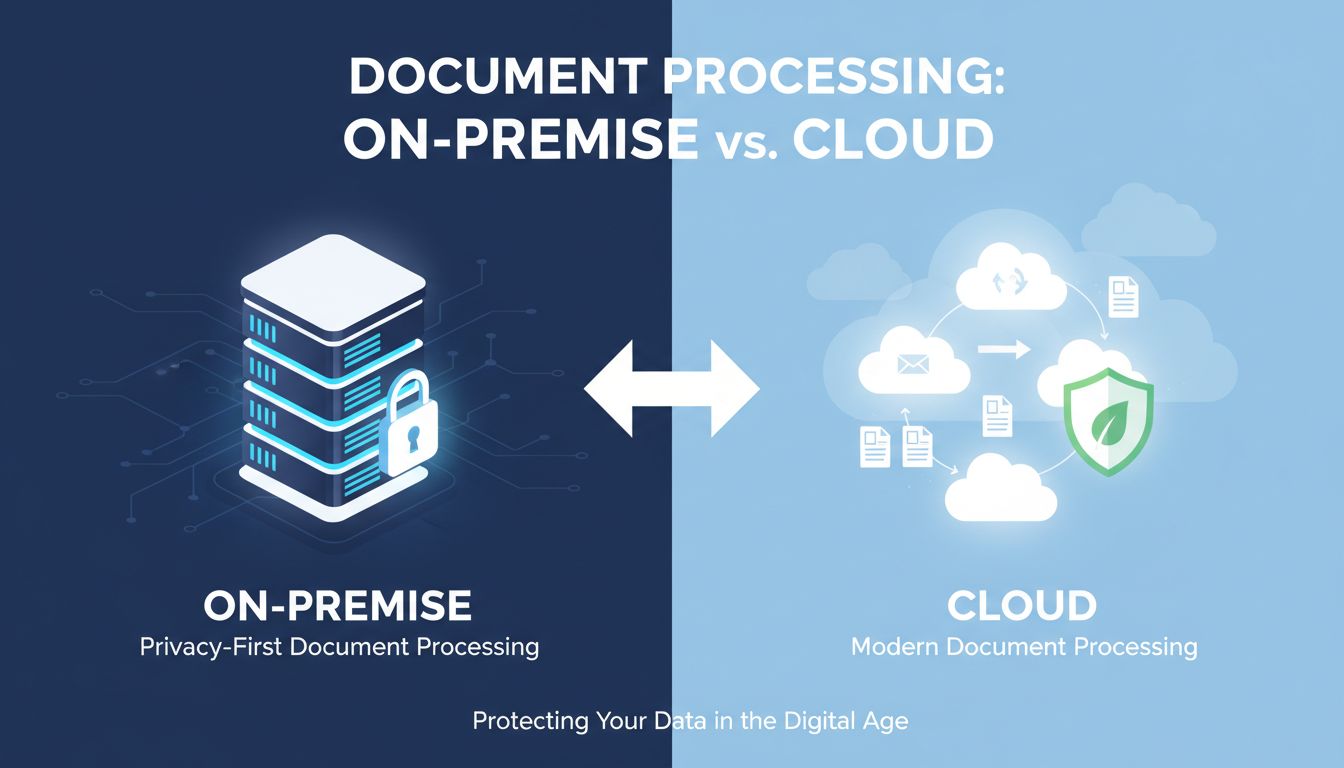
On premise document processing vs cloud might sound like an IT architecture debate. In practice, it decides where your contracts, medical records, financials, and internal strategy decks actually live. And who might see them, today or five years from now.
You do not need to be a CISO to care about this. You just need to send a PDF for conversion and feel that tiny hesitation before you drag it into a browser window.
That hesitation is your risk radar. You should listen to it.
How small workflow decisions shape big privacy outcomes
Privacy rarely gets broken by a single catastrophic decision. It gets eroded by a hundred tiny "this is probably fine" moments.
You send one NDA to a free PDF tool. You OCR a patient document in a random cloud service because your local tool choked. You forward a scan to your personal email so you can convert it at home.
Each moment feels harmless. Combine them and you have an undocumented, unmonitored, and often non‑compliant data trail.
The tools you pick either:
- Keep sensitive files on your devices, under your control.
- Or ship them across the internet to someone else’s servers, under their policies, their logs, and their breach history.
That is why workflow decisions matter. They decide who is in the room with your data.
[!NOTE] Privacy outcomes usually follow workflow design. If people cannot do their job efficiently with approved tools, they will quietly route around them.
Real-world moments when “just upload it” backfires
A few scenarios that happen more often than anyone admits:
Scenario 1: Contract review leak
A small legal team uses a cloud PDF redaction tool. One associate uploads a contract with client names, rates, and internal comments. Months later, the vendor changes hands. The new owner trains a model on "anonymized" documents. The contract is in the mix.
Will your client ever see their exact document? Probably not. Would they be comfortable knowing their data fueled a third-party AI model? Also probably not.
Scenario 2: Healthcare "workaround"
A clinic has strict policies about PHI staying onsite. Their desktop OCR is slow and inaccurate, so a staff member uses a cloud conversion site "just this once" to clean up a scanned lab report.
That "once" quickly becomes "when it really matters." Soon you have protected health data moving through a vendor that never signed a BAA and was never security reviewed.
Scenario 3: Competitive intelligence leak
A startup uses a cloud-based transcription and summarization tool for internal strategy meetings. The tool stores audio and transcripts to "improve models."
Six months later, they see suspiciously similar positioning from another customer of that vendor in the same niche. Did someone read their transcripts? Maybe not. Did their own brainstorming help sharpen a model that also serves their competitor? Very possible.
These are not hypothetical horror stories. They are just what happens when convenience quietly beats policy.
Cloud is not the villain here. Blind trust is.
What’s really different about on-premise vs cloud processing?
At a high level, the difference sounds simple. On-premise processing runs on your hardware. Cloud processing runs on someone else’s.
In reality, the gap is about where your files live, how long they live there, and how many people and systems they pass through while they are alive.
Where your files actually live and who can touch them
Here is the practical difference, without marketing language:
| Question | On‑premise document processing | Cloud document processing |
|---|---|---|
| Where does processing happen? | On your device or your own servers | On vendor infrastructure |
| Default data location | Local storage, your network | Remote data centers, often multiple regions |
| Who can access raw files? | You, your org’s admins, maybe IT support | Vendor systems, admins, support, and sometimes integrated partners |
| Log trail | You control what gets logged | Vendor logs requests and metadata by default |
| Default data retention | As long as your system keeps it | As long as vendor policy says, often longer than you expect |
With on-premise tools, like a local-first converter such as File Studio, a document can go from "unprocessed" to "converted" without ever leaving your laptop or local server.
With cloud tools, even privacy-conscious ones, your document often:
- Leaves your device over TLS.
- Lands on a load balancer.
- Gets pushed into processing instances or containers.
- Might be cached for performance or retries.
- Might be stored in object storage for "future access."
- Creates logs and traces that record metadata.
Is that automatically bad? No. But it is a lot more exposure than opening a file in a local app that never phones home.
Latency, reliability, and control: not just IT buzzwords
If you are privacy-first, you might be tempted to ignore performance and reliability as "IT concerns."
You should not. They shape whether people actually use the private option or bypass it.
Latency
- On-premise: Processing is limited by your hardware, not your internet. For repeated operations on big files, this can be dramatically faster.
- Cloud: Network round trips hit you twice, upload and download. For a single lightweight conversion, no big deal. For 200 scanned contracts at quarter-end, you will feel it.
Reliability
- On-premise: If your device turns on and the app works, you can process. Internet outages are irrelevant.
- Cloud: You inherit your vendor’s uptime, DNS, their cloud provider, and your own connection. Most days fine. On a bad day, you are stuck.
Control
This is the real one.
On-premise, you can decide:
- When to update.
- What to log.
- Whether processing machines touch the internet at all.
- Which folders or drives are allowed.
Cloud vendors give you settings, not control. You can usually configure retention, some logging, sometimes a data residency region. You cannot rewrite their architecture.
[!TIP] If your risk model assumes "this machine never talks to the internet," then on-premise or local-first processing is not optional. It is structural.
The hidden costs of staying fully offline (and of trusting the cloud)
Privacy purists sometimes imagine a utopia of air-gapped laptops running entirely offline tools.
Nice idea. Brutal in practice.
On the other side, cloud-first teams imagine a world where every document flows through slick APIs and nothing bad ever happens because they "signed a DPA."
Reality lives between those two fantasies.
When on-premise safety turns into friction and shadow IT
On-premise can become its own problem when it slows people down so much they quietly defect.
Imagine this:
- Your compliance team insists that all document processing stays on a secure server.
- That server is only accessible from the office network.
- The approved tool has a clunky interface last updated in 2012.
- Conversions take minutes per file and sometimes fail.
So people start:
- Using personal laptops with random offline tools at home.
- Emailing themselves documents to convert elsewhere.
- Installing unvetted apps that claim to "work offline" without any review.
The result is ironic. Your "no cloud" rule creates more privacy risk than a well-managed cloud solution, because behavior follows friction, not policy.
A privacy-first stack has to be usable. Fast. Pleasant. Otherwise, you are designing for policy, not for humans.
Tools like File Studio exist partly for this reason. They keep processing on your device, but give you a modern interface and high-quality conversions so people do not feel punished for doing the right thing.
Cloud convenience vs compliance, audit trails, and vendor risk
Cloud tools remove a lot of friction. No installs. Easy sharing. One click to upgrade. Integrations everywhere.
They also introduce an entire new category of work: vendor risk management.
If you are putting sensitive documents into a cloud service, you now have to care about:
- Where their data centers are.
- How long they keep your files and logs.
- Whether they train models on your data.
- Who their sub-processors are.
- How fast they notify you if they are breached.
- What happens if they are acquired or shut down.
Cloud can help with compliance in some ways. You get:
- Built-in access logs that show who did what.
- Centralized policies across teams and locations.
- Easier backup and disaster recovery.
But the surface area of "things that can go wrong" expands dramatically.
Here is a simplified comparison.
| Cost type | Fully on‑premise | Cloud‑centric |
|---|---|---|
| Financial | Licenses, hardware, IT time | Subscription fees, potential overage, integration work |
| Operational | Slower to upgrade, harder to scale across locations | Vendor downtime, API changes, data migration headaches |
| Privacy | Limited to your own network and practices | Dependent on vendor safeguards and promises |
| Human | Friction can drive workarounds and shadow IT | Convenience can drive over‑sharing and lax judgment |
The point is not "cloud is unsafe." The point is that cloud safety has to be actively managed, not assumed.
How to choose the right setup for a privacy-first workflow
If you process documents all day, you do not want a philosophical answer. You want a practical one.
Should you lean on-premise, cloud, or mix?
Start by tightening the questions you ask before any file leaves your device.
Key questions to ask before sending any file off your device
Next time you are about to upload a PDF or image, mentally walk through this checklist:
What is in this file, really? Not just "a form." Is there PII, PHI, financials, trade secrets, legal strategy, internal comments?
Who would be harmed or embarrassed if this leaked or was reused? Clients, patients, partners, employees, you?
Does this vendor have to keep a copy to give me value? If you are doing a one-time conversion or OCR, probably not. If you are doing collaborative editing, probably yes.
Can I get the same outcome with local-first tools? If you only need conversion, OCR, compression, or format changes, local options like File Studio often cover 90% of everyday needs without touching the cloud.
What is the worst-case scenario if this vendor misbehaves or gets breached? Could it create a regulatory issue? A reputational one? Or just mild annoyance?
Do I have a written reason that would stand up in front of a regulator or client? "It was faster" is honest but weak. "We use vetted, encrypted services for non-sensitive docs and keep critical data local" is better.
[!IMPORTANT] If answering those questions makes you uncomfortable, that is your cue to default to on-device processing.
Designing hybrid workflows that keep sensitive data offline
The most robust setups do not pick a single side. They partition.
Here is a pattern that works well for privacy-conscious teams:
Classify documents into sensitivity levels. Example:
- Level 1: Public or destined for public (marketing PDFs, brochures).
- Level 2: Internal but not sensitive (internal templates, policies).
- Level 3: Sensitive (contracts, HR docs, financials, medical records).
Define allowed tools per level.
- Level 1: Cloud or on-premise, whatever is fastest and most integrated.
- Level 2: Prefer local tools, allow vetted cloud with strong controls.
- Level 3: On-premise or strictly local-first only.
Invest in great local tools for Level 3. This is where something like File Studio earns its keep. If your "safest" path is also your "fastest," no one has a reason to cheat.
Use cloud where it truly adds value. Maybe you use cloud-based collaboration for Level 1 and 2 documents. That is fine. Just be explicit about it.
Make the private path the default path. Put the local tool on everyone’s desktop. Integrate it into your scanners. Set it as the default "Open with" for PDF and image formats.
When privacy-preserving workflows are smooth, people stop seeing them as security theater. They see them as how work simply gets done.
Looking ahead: what privacy-conscious document tools are becoming
The good news. The industry is slowly shifting toward your instincts.
Developers are rediscovering a simple idea. Not everything needs to live in the cloud.
Local-first, encrypted, and edge AI: what’s emerging
A few trends worth watching if you care about keeping files close:
Local-first apps
These tools run on your device by default, with the cloud used only for sync or backup, not core processing. They treat the local copy as the source of truth.
For document processing, that means:
- OCR that runs directly on your CPU or GPU.
- Conversions that never hit a remote API.
- Settings to fully disable telemetry.
File Studio is firmly in this camp. It processes documents and images on your machine, so privacy is not a toggle. It is the baseline.
End-to-end encryption, when sync is needed
For collaboration or backup, encryption is becoming less of a bonus feature and more of a structural one. Keys stay with you. Servers see scrambled blobs, not readable PDFs.
That is not a magic shield against all risk, but it changes who can realistically see your content.
Edge AI and on-device models
We are starting to see:
- OCR models that run fully offline.
- On-device summarization and redaction helpers.
- Classification models that can tag documents by sensitivity without phoning home.
This is huge for privacy-first teams. Functions that once required sending data to a huge model in a distant data center can now run on your laptop or local server.
The line between "cloud capability" and "local capability" is moving in your favor.
Practical next steps to evolve your current tool stack
You do not have to rip out everything and start from scratch. A few pragmatic moves will make your workflow more privacy-resilient.
Map your current document flows. Follow one contract or patient record from creation to archive. Where does it go? Which tools touch it? Where do uploads happen?
Identify "upload reflex" spots. Those moments where people instinctively open a browser and search "PDF to Word" or "OCR PDF free."
Replace the riskiest steps with local-first tools. Start with conversions and OCR for sensitive docs. This is low drama and high impact. Tools like File Studio can usually slot in without process changes.
Set simple rules, not encyclopedias. For example:
- "Anything with client names stays on-device."
- "If it includes HR or health info, use the local tool only."
- "Marketing assets can use approved cloud services."
Educate with examples, not fear. Walk teams through a real "what could happen" story tied to their work. People remember concrete situations, not policy numbers.
Revisit annually. Cloud offerings change. Local tools improve. Edge AI matures. Your policy should not be frozen in last year’s tech landscape.
If there is one takeaway, it is this: you do not have to choose between privacy and productivity.
You can choose where each document lives, with intention, instead of habit.
Start with the next file you process. Ask where it really needs to go, what it really contains, and whether you can keep it on your own machine.
If the answer is yes, give it the privacy-first treatment and let the cloud handle the work that truly belongs there.