

Comparison
iLovePDF vs Sejda: two task-focused PDF tools compared.
iLovePDF and Sejda are both web-based PDF tools designed for specific tasks rather than deep editing. They share a similar approach but differ in free tier limits, desktop app availability, and pricing. This comparison covers the practical differences and introduces File Studio as a fully offline desktop option.
What is iLovePDF?
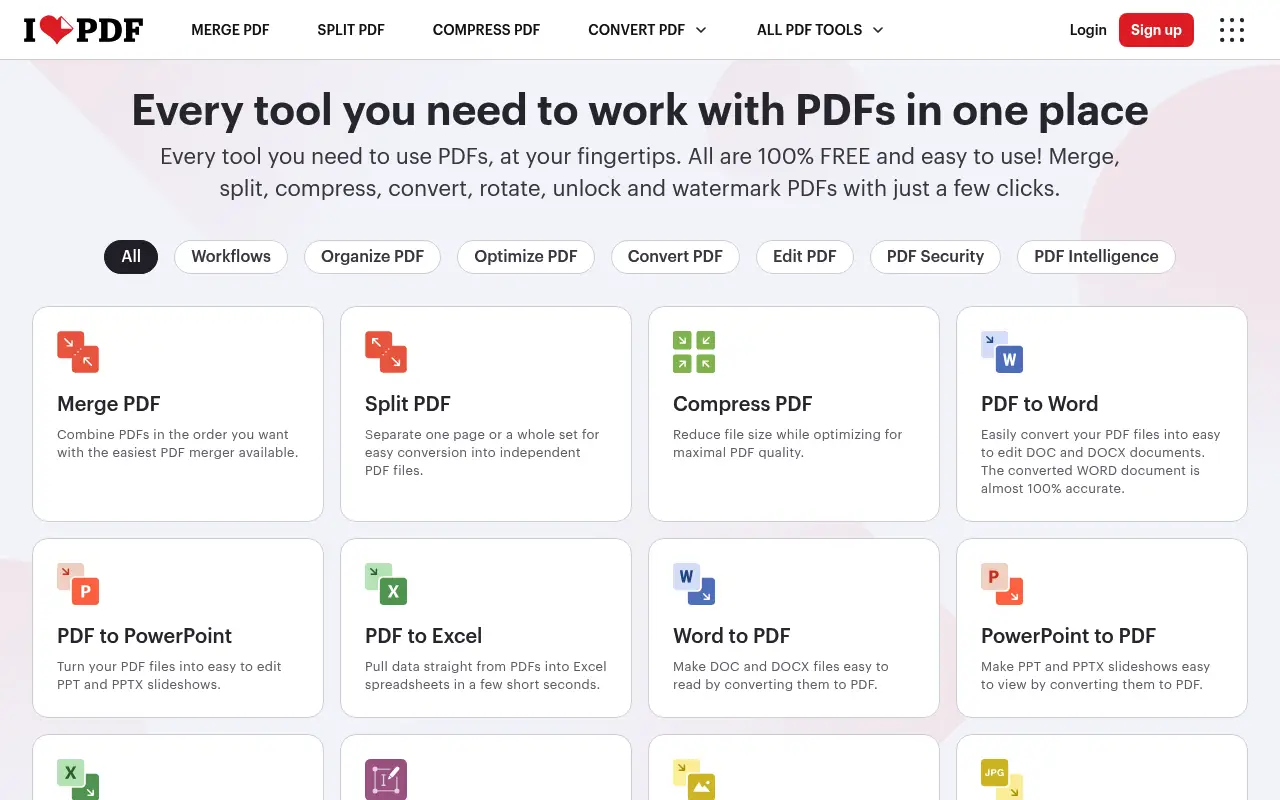
iLovePDF is one of the most popular free PDF tools on the web, offering merging, splitting, compressing, converting, rotating, watermarking, and more. Its interface is simple and colorful, with each tool on its own page. The free tier is relatively generous, though file sizes are capped at around 25 MB.
iLovePDF Premium costs about $7/month (annual billing) and removes size limits, adds batch processing, and unlocks priority processing. All processing happens on iLovePDF's servers, even with the desktop app.
What is Sejda?
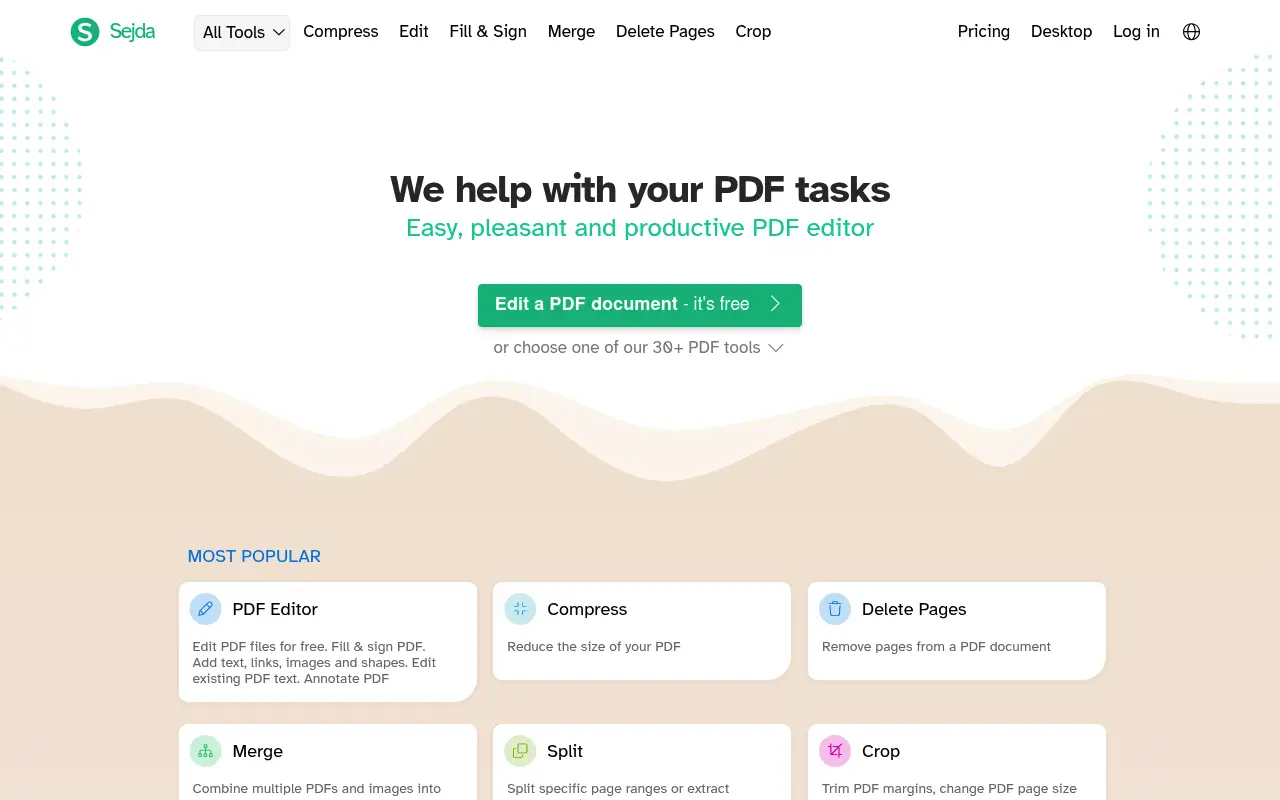
Sejda takes a similar task-based approach with a cleaner, more minimalist interface. Each PDF operation has its own dedicated tool. The free tier allows 3 tasks per hour with 50 MB and 200-page limits.
Sejda's standout feature is its desktop app, which processes files entirely on your computer without uploading them. This gives Sejda a meaningful privacy advantage over iLovePDF. The paid plan costs about $8/month or $63/year.
A closer look at iLovePDF
iLovePDF pricing and plans
iLovePDF Premium costs $7 per month billed annually ($84/year) or $9 month-to-month. The free tier allows several daily operations with a 25 MB file size cap. For web-based PDF tools, iLovePDF occupies a sweet spot between free-but-limited and expensive-but-powerful.
The Business tier at $6 per user per month (billed annually) targets teams with features like priority support, higher API limits, and team management dashboards. This is reasonably priced for organizations needing browser-based PDF tools across multiple employees.
iLovePDF's API is a differentiator for developers. Starting at 250 free requests per month and scaling through paid tiers, it enables automated PDF processing in custom applications. Competitors like Sejda do not offer a comparable API product.
iLovePDF core strengths
The tool selection in iLovePDF is one of the broadest among web-based PDF platforms. It includes niche tools like PDF/A conversion, HTML to PDF, PDF repair, and PDF comparison that many competitors skip. This breadth means users rarely need to look elsewhere for a specific PDF operation.
No-installation accessibility is iLovePDF's fundamental value proposition. Anyone with a browser can process a PDF in seconds, regardless of their operating system or device. This matters in restricted environments like corporate computers where installing software requires IT approval.
The mobile experience through the iLovePDF app on iOS and Android is polished. Users can scan documents with their phone camera, convert them to PDF, and process them through the full suite of tools. For field workers and mobile-first users, this is a practical feature set.
iLovePDF known limitations
All processing requires an internet connection and file upload to iLovePDF's servers. There is no true offline mode. The desktop app improves the workflow but still sends files to the cloud for processing. For users in areas with unreliable internet, this is a real constraint.
The free tier shows banner advertisements and adds iLovePDF branding to some processed files. While the ads are not intrusive, the branding on output files can be unprofessional when sharing processed documents with clients or colleagues.
PDF text editing is not available. You can annotate, add text boxes, and stamp documents, but you cannot modify existing text within a PDF. Users who need to correct typos or update information in existing PDFs need a different tool.
A closer look at Sejda
Sejda pricing and plans
Sejda stands out with its transparent, budget-friendly pricing. The free tier offers three tasks per day with 50 MB file and 200-page limits. The Desktop + Web perpetual license at $69 is a one-time payment that includes all current features and updates within the major version.
The Web Week Pass at $5 for seven days of unlimited web access is unique and practical. It suits users who have a burst of PDF work, like a student writing a thesis or a freelancer compiling a project deliverable, without committing to a subscription.
There is no team or enterprise plan, keeping Sejda focused on individual users and small operations. This simplicity is both a strength (no confusing tier comparisons) and a limitation (no centralized management for organizations).
Sejda core strengths
Sejda's desktop application works fully offline. Unlike iLovePDF's desktop app, which still processes files in the cloud, Sejda's desktop tool handles everything locally. This is a genuine offline solution for users who cannot or prefer not to upload files.
Inline text editing is available in Sejda but not in iLovePDF. You can click on existing text in a PDF and modify it directly. While not as polished as Adobe Acrobat's text editing, it covers common needs like fixing typos, updating dates, or changing names.
The grayscale conversion tool, page cropping, and PDF flattening features are practical additions that many web tools overlook. These are especially useful for preparing documents for print (grayscale to save ink) or reducing file complexity (flattening removes interactive elements).
Sejda known limitations
Sejda's web interface is functional but minimalist. It lacks the visual polish and branding of iLovePDF. The homepage lists all tools in a simple grid without categories or suggested workflows, which can feel overwhelming for new users.
The 200-page limit on the free tier affects users working with long documents. A 300-page manual or report would require either upgrading to the paid tier or splitting the document before processing, adding complexity to the workflow.
Sejda does not offer a developer API, mobile apps, or cloud storage integration. Users who need to automate PDF processing programmatically or work primarily from mobile devices will find iLovePDF better equipped for those use cases.
Feature comparison
iLovePDF vs Sejda vs File Studio
| Feature | iLovePDF | Sejda | File Studio |
|---|---|---|---|
| Pricing | Free; Premium ~$7/month (annual) | Free; Paid ~$8/month or $63/year | $29 one-time or $9.97/year |
| Free tier limits | Daily task limits; 25 MB file size cap | 3 tasks/hour; 50 MB, 200-page limits | No free tier; no limits after purchase |
| Works offline | Desktop app available but cloud-dependent | Desktop app processes files locally | Fully offline, always local |
| Privacy / files stay local | Files always uploaded to servers | Web: uploaded; Desktop: local | Files never leave your device |
| Batch processing | Premium only | Available on paid plan | Unlimited batch processing included |
| File format support | PDF, Word, Excel, PowerPoint, JPG | PDF, Word, Excel, JPG, PNG | PDF and image formats (JPG, PNG, WebP, TIFF, BMP, SVG) |
| PDF editing depth | File-level operations, basic annotations | File-level operations plus basic text editing | File-level operations, password removal |
| Requires account | Optional for basic use | No account needed for free tasks | No account required |
Verdict
Which tool should you pick?
iLovePDF and Sejda are both good at what they do. iLovePDF has a more generous free tier and a lower Premium price. Sejda has a superior desktop app that actually processes files locally, plus basic text editing in PDFs. If privacy matters, Sejda's desktop app is the better web-tool option. For an always-offline experience with no usage limits and built-in image tools, File Studio is worth considering as a desktop alternative to both.
Pricing breakdown
What you actually pay over time
iLovePDF Premium at $84 per year is a recurring cost that accumulates over time. Sejda's perpetual license at $69 is a one-time expense. Over three years, iLovePDF costs $252 versus Sejda's $69, a difference of $183. Even Sejda's annual subscription at $63 per year ($189 over three years) comes out cheaper than iLovePDF over the same period.
The free tier comparison favors Sejda in some ways and iLovePDF in others. Sejda allows larger files (50 MB versus 25 MB) and more pages (200 versus iLovePDF's variable limits). iLovePDF allows more daily operations overall and does not impose a page count limit. The best free tier depends on whether your files are large or whether you process many small files.
File Studio at $29 once or $9.97/year competes with both on price. It costs less than Sejda's perpetual license and far less than a year of iLovePDF Premium. File Studio adds image editing tools that neither iLovePDF nor Sejda provide, but it lacks Sejda's inline text editing and iLovePDF's API access.
Hidden cost considerations include iLovePDF's API pricing for automated workflows (additional charges based on volume) and Sejda's future major version upgrades (the perpetual license covers the current major version, so a new major release may require an upgrade fee). File Studio's one-time purchase includes all updates without version-gated restrictions.
Decision guide
Which tool should you pick?
You need a developer API for automated PDF processing
Pick iLovePDF. iLovePDF offers a documented REST API with free and paid tiers for programmatic access. Sejda and File Studio do not provide API access for integration into custom workflows.
You need to edit existing text within PDFs
Pick Sejda. Sejda includes inline text editing that lets you modify existing content in a PDF. iLovePDF only supports adding new text through annotations, not editing what is already there.
You want a true offline PDF tool with no cloud dependency
Pick File Studio. File Studio processes everything locally with no internet required. Sejda's desktop app also works offline, but File Studio adds image editing tools and costs less ($29 versus $69).
You work primarily from a phone or tablet
Pick iLovePDF. iLovePDF's mobile apps on iOS and Android include document scanning, PDF processing, and access to the full tool suite. Sejda does not offer mobile apps.
You have a one-time burst of PDF work and no ongoing need
Pick Sejda. Sejda's $5 Web Week Pass gives you seven days of unlimited access without a subscription commitment. This is the most cost-effective option for short-term, intensive PDF work.
The third option
Why File Studio might be a better fit
No task-per-hour or daily limits; process as many files as you need.
Unlike iLovePDF, your files are never uploaded anywhere, ever.
Costs less per year ($15) than either tool's paid plan.
Adds image editing capabilities (resize, watermark, compress, convert) that neither iLovePDF nor Sejda offer.
Pricing
Simple, fair pricing.
All tools included. No hidden fees. Processing stays on your device.
Yearly
For short-term projects.
- 1 year of updates
- Image, PDF, SVG, and spreadsheet tools
- Works on Mac & Windows
- All processing done on device
Lifetime
One purchase. Keep it forever.
- Unlimited conversions forever
- 1 year of major updates
- Image, PDF, SVG, and spreadsheet tools
- Watch Folders & Automation
- macOS Notch Drop Zone
- Works on Mac & Windows
Team & Bulk Pricing
Lifetime seats with volume discounts. More seats, bigger discount.
15
lifetime seats
You save
$60
15% off the individual price
Enterprise
50+ seats with custom pricing, centralized license management, and priority support.
FAQ
Frequently asked questions
Which has a better free plan, iLovePDF or Sejda?→
It depends on your usage pattern. iLovePDF allows more daily tasks but caps file size at 25 MB. Sejda allows fewer tasks per hour (3) but supports files up to 50 MB and 200 pages. For occasional use with larger files, Sejda is better. For frequent small tasks, iLovePDF is better.
Does Sejda really process files locally?→
The Sejda desktop app does process files on your machine without uploading them. The web version still uploads files to Sejda's servers. This is a genuine privacy advantage if you use the desktop app.
Can either tool edit text inside a PDF?→
Sejda offers basic text editing within PDFs, letting you modify existing text and add new text. iLovePDF does not support inline text editing; it focuses on file-level operations like merging and splitting.
Why choose File Studio over these free tools?→
File Studio removes all usage restrictions, works fully offline, keeps files completely private, and includes image editing tools. The free tiers of iLovePDF and Sejda are fine for occasional use, but regular users will benefit from File Studio's lack of limits.
Do iLovePDF and Sejda support WebP or SVG conversion?→
Neither iLovePDF nor Sejda supports WebP image conversion. File Studio handles WebP, TIFF, BMP, and SVG conversion natively, which is useful for converting iPhone photos.
@ayysoni · April 15, 2026
Related File Studio tools:
More comparisons: