

WebP to PNG converter
WebP to PNG - Convert WebP images to universally compatible PNGs.
Need to use WebP images in software that doesn't support them? Convert to PNG for universal compatibility while preserving transparency.
Free trial · No account required · Files stay on your device
All conversions happen locally on your computer. No uploads, no subscriptions, and no background syncing.
WebP → PNG
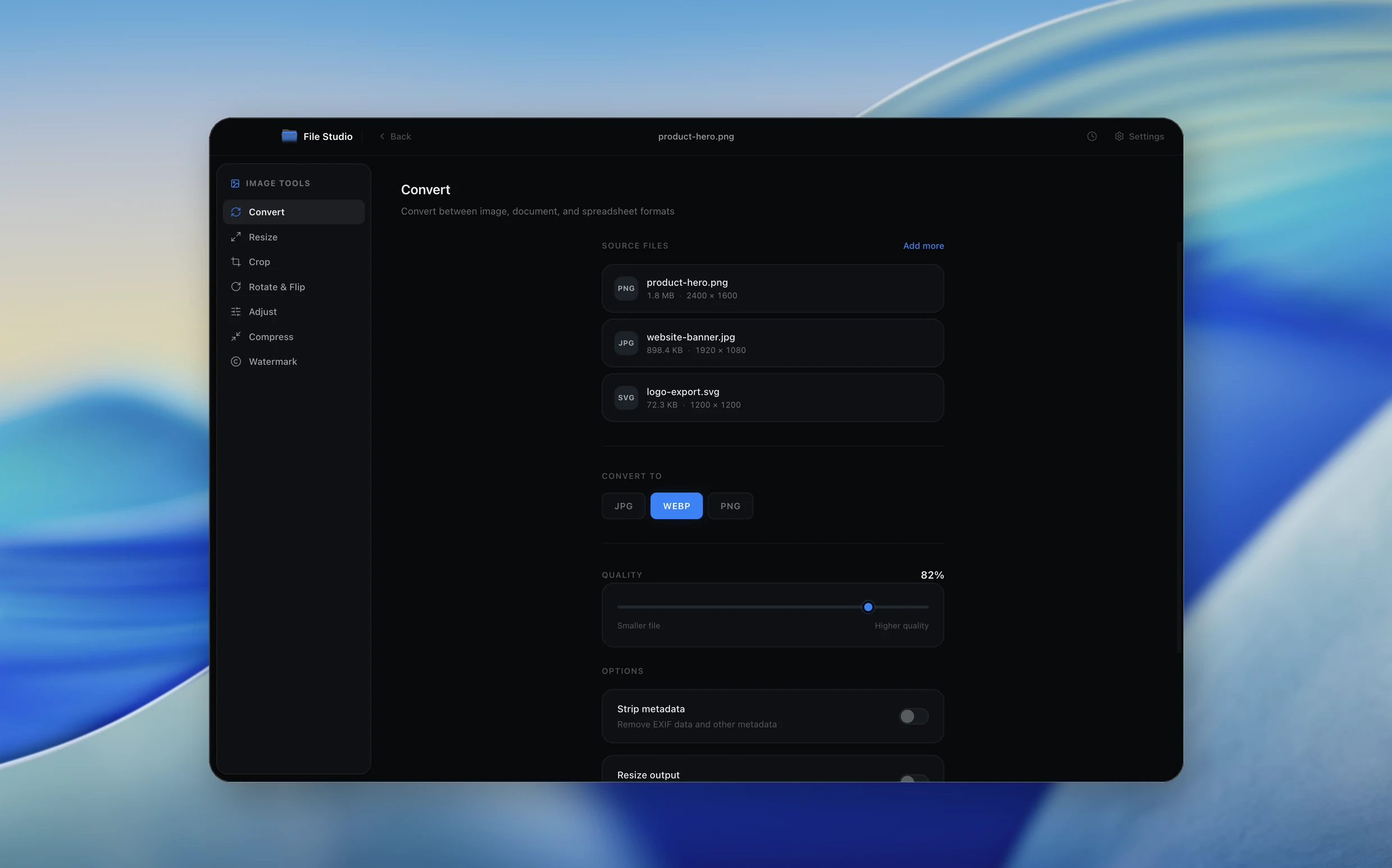
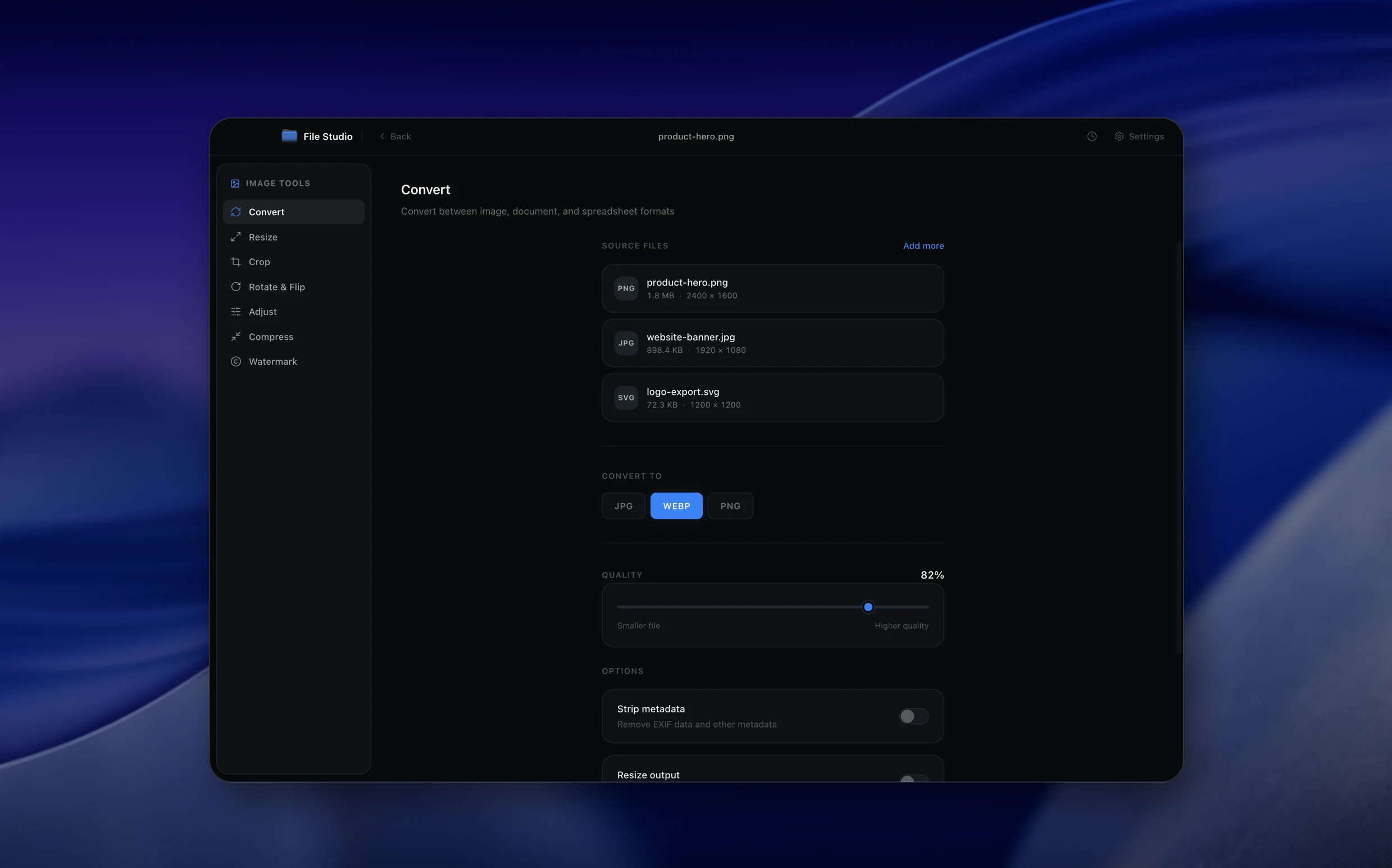
Real File Studio interface, shown in light and dark mode.
Understanding the PNG format
PNG (Portable Network Graphics) is a lossless raster format published in 1996 and standardized as ISO/IEC 15948. It uses the DEFLATE compression algorithm combined with five row prefilters (None, Sub, Up, Average, Paeth) that improve compressibility on natural and synthetic content. PNG supports grayscale, indexed palette, RGB, and RGBA modes at bit depths up to 16 bits per channel, full alpha transparency, gamma correction, and embedded ICC profiles.
Converting WebP to PNG produces a file that is universally compatible but typically much larger than the source. If the source was lossy WebP, the output PNG will be a pixel-perfect copy of the decoded WebP image, including any compression artifacts that were already baked in. If the source was lossless WebP, the PNG will contain identical pixel data but encoded with DEFLATE, which is less efficient than WebP's lossless coder. Expect lossless WebP to grow by 20 to 40 percent when converted to PNG.
The reason to convert is compatibility, not quality. Some image editors, older operating systems, document scanners, print drivers, and enterprise content management systems do not yet read WebP. PNG is supported everywhere, so converting to PNG is a reliable way to make a WebP-sourced asset usable in legacy pipelines. The trade-off is increased storage and bandwidth for the same visual content.
How it works
Convert WebP to PNG in four simple steps.
The flow mirrors the main File Studio experience: install the app, drop in your files, pick the right tool, and export clean, ready-to-share output. All without sending anything to the cloud.
Install File Studio
Download the app, move it to Applications, and open it. No sign-ups or accounts required.
Add your WebP files
Drag-and-drop your webp files into the window or click to browse from disk.
Choose WebP → PNG
Pick the dedicated tool, then adjust resolution, quality, and page range until the preview feels right.
Export & keep working
Select an output folder and run the conversion. Your originals stay untouched on your device.
Best practices for cleaner results
- ·Group related files into folders before converting so your output stays organized and easy to archive.
- ·Use higher resolution presets when you know the result will be printed, zoomed in, or reused in design tools.
- ·Keep an unedited copy of your original WebP files for audits, record-keeping, or compliance workflows.
- ·Combine this tool with other File Studio actions like compress, merge, or split to streamline entire document pipelines.
Why File Studio
Built for trustworthy, everyday WebP to PNG work.
You get precise control over the output, predictable file names, and a private workflow that keeps sensitive documents on your own machine.
Features tuned for this conversion
- ·Lossless conversion preserves all quality.
- ·Full alpha transparency preservation.
- ·Batch convert folders of WebP images.
Why use File Studio for this conversion?
- ·Universal compatibility with any image software.
- ·Preserve transparency from WebP to PNG.
- ·Lossless conversion quality.
Real-world ways people use it
- ·Open WebP downloads in older editing software.
- ·Share images with colleagues using legacy tools.
- ·Prepare WebP graphics for print workflows.
Settings guide
Understanding your conversion options
Color mode
RGB (24-bit) is correct for opaque WebP sources. RGBA (32-bit) preserves the WebP alpha channel and should be selected whenever the source has any transparency. Indexed (8-bit) reduces file size dramatically but only works without quality loss when the image already contains 256 or fewer distinct colors.
Bit depth
WebP is an 8-bit format, so 8 bits per channel is the natural output. Promoting to 16-bit PNG creates a larger file without adding any real fidelity, since the source data was already quantized at 8 bits. Stay at 8-bit unless you need 16-bit headroom for downstream tone mapping.
Compression level
PNG compression level (0 to 9) controls DEFLATE effort. The visual output is identical at all levels. Level 6 is the default, level 9 squeezes out an extra 1 to 5 percent. For maximum compression, run a post-processor such as oxipng or zopflipng on the output.
Interlacing
Adam7 interlacing produces a progressive preview during loading at the cost of about 20 percent extra file size. Skip it unless you specifically need progressive rendering.
ICC profile and metadata
Preserve the ICC profile from the WebP source via the iCCP chunk so color-managed applications render the image correctly. Decide whether to copy EXIF and XMP metadata from the WebP into PNG eXIf and iTXt chunks, or strip them for privacy.
Industry standards and requirements
Government document portals and e-filing systems frequently require PNG. The U.S. Patent and Trademark Office accepts PNG for utility patent drawings, and numerous state court systems list PNG and PDF as the only acceptable raster formats. Converting WebP to PNG is often the only way to submit modern web assets through these legacy pipelines.
Adobe Photoshop did not gain native WebP read support until version 23.2 (2022), and many enterprises still run older versions on locked-down workstations. Converting WebP to PNG is a common preprocessing step before opening images in Photoshop CS6, Photoshop CC 2019, or older Lightroom releases. The PNG output preserves layers and transparency correctly within these tools.
For long-term archival, the Library of Congress lists PNG as a recommended preservation format. WebP is listed as an acceptable format with caveats around encoder maturity and tooling. Institutions that need to guarantee readability decades from now often standardize on PNG (or TIFF) and treat WebP as a distribution format rather than a preservation master.
Troubleshooting
Common issues and how to fix them
PNG output is much larger than the WebP source→
This is expected. PNG cannot match WebP compression. Run an optimizer (oxipng, pngquant, zopflipng) on the output, or quantize to indexed color if the image has limited tones. If small file size is the primary goal, keep the WebP source instead.
Transparency is missing in the converted PNG→
Confirm that the output color mode is RGBA, not RGB. Some converters default to RGB and discard the alpha channel silently. Also verify that the source WebP actually contained transparency by inspecting it in a viewer that shows alpha (a checkerboard pattern is the usual indicator).
Colors appear different in some applications→
The ICC profile from the WebP is not being embedded in the PNG. Enable iCCP preservation in the converter settings. Color-managed browsers and editors will then render the PNG identically to the WebP source.
Animation from animated WebP is lost→
Standard PNG does not support animation. APNG (Animated PNG) is a separate format with limited tooling. To preserve animation, export each frame as a numbered PNG sequence or convert to GIF instead. PNG is fundamentally a single-frame format.
Pricing
Simple, fair pricing.
All tools included. No hidden fees. Processing stays on your device.
Yearly
For short-term projects.
- 1 year of updates
- Image, PDF, SVG, and spreadsheet tools
- Works on Mac & Windows
- All processing done on device
Lifetime
One purchase. Keep it forever.
- Unlimited conversions forever
- 1 year of major updates
- Image, PDF, SVG, and spreadsheet tools
- Watch Folders & Automation
- macOS Notch Drop Zone
- Works on Mac & Windows
Team & Bulk Pricing
Lifetime seats with volume discounts. More seats, bigger discount.
15
lifetime seats
You save
$60
15% off the individual price
Enterprise
50+ seats with custom pricing, centralized license management, and priority support.
FAQ
Frequently asked questions
Why convert WebP to PNG?→
Some software, email clients, and older systems don't support WebP. PNG is universally compatible.
Will converting WebP to PNG increase file size?→
Usually yes. PNG files are typically larger than WebP. This is the trade-off for universal compatibility.
Is quality lost converting WebP to PNG?→
No. PNG is lossless, so all detail from your WebP image is preserved perfectly.
Does transparency survive the conversion?→
Yes. Both WebP and PNG support alpha transparency, which is fully preserved during conversion.
Can I batch convert WebP to PNG?→
Yes. Convert entire folders of WebP images to PNG in a single operation.
When should I keep images as WebP instead?→
Keep WebP for web use where file size matters and browser support is guaranteed. Convert to PNG for maximum compatibility.
Looking for something else? Explore more offline conversions with File Studio: