

iLovePDF alternative
An offline alternative to iLovePDF that keeps your files private.
iLovePDF is a popular web-based PDF toolkit, but every file you process gets uploaded to their servers. File Studio gives you the same core PDF tools while keeping everything on your Mac or Windows PC. No uploads, no accounts, no recurring fees.
Works 100% offline on both Windows and Mac.
iLovePDF
Requires internet and file uploads to work.
Why people use iLovePDF
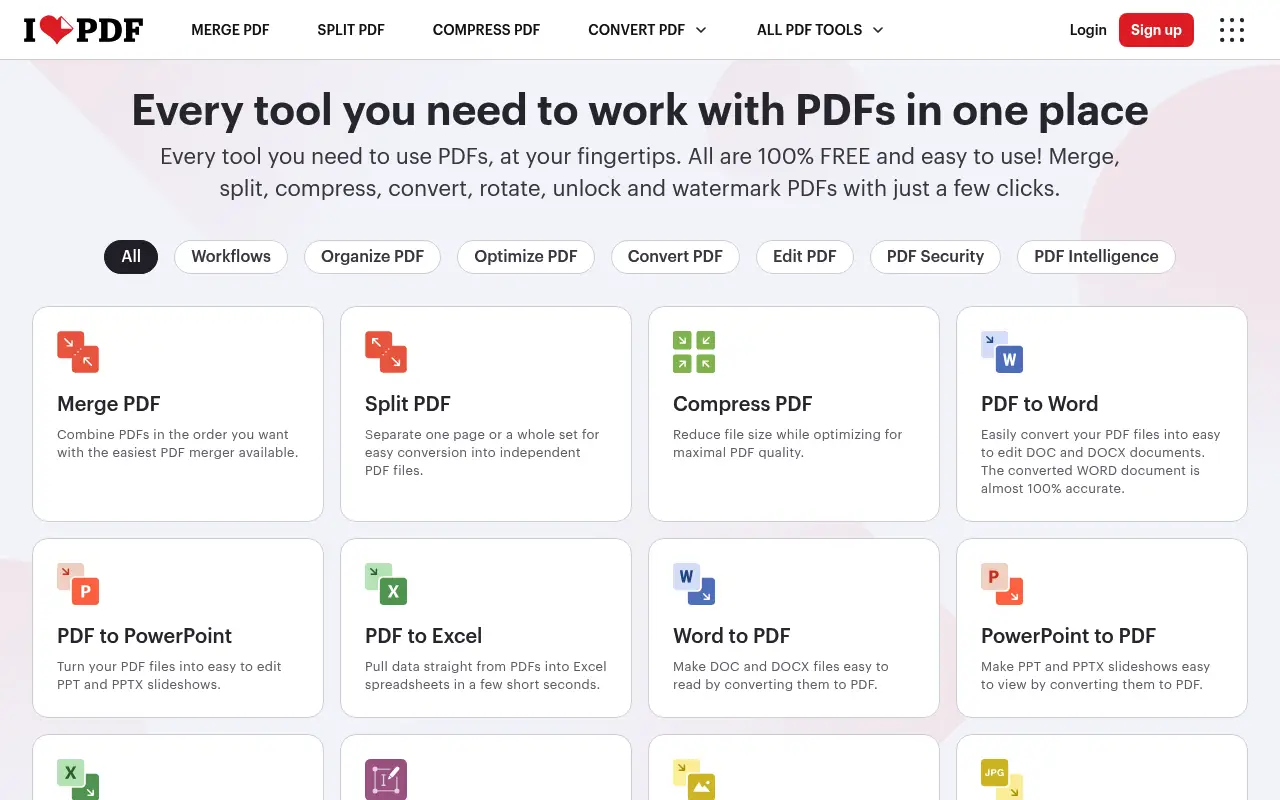
iLovePDF launched in 2010 as a straightforward web tool for merging PDF files. Over the years, it expanded into one of the most popular online PDF toolkits in the world, offering more than 25 distinct tools for manipulating PDFs. Its appeal is easy to understand: you visit the website, pick a tool, upload your file, and get your result back in seconds. There is no software to install, no account required for basic tasks, and the interface is clean enough that even first-time users can figure it out without instructions.
The service is widely used by students assembling coursework submissions, office workers combining reports, freelancers preparing client deliverables, and small business owners who need to compress large PDFs before emailing them. iLovePDF handles merging, splitting, compressing, converting between PDF and image formats, rotating pages, adding page numbers, watermarking, and even basic annotation. For the majority of casual PDF tasks, iLovePDF gets the job done without asking you to learn anything new.
What makes iLovePDF particularly popular is its generous free tier. Many users never pay a cent and still accomplish what they need. The Premium plan, at roughly $7 per month, removes file size caps, increases batch limits, and adds priority processing. For teams, there is a business tier with shared accounts. The pricing is competitive compared to heavier desktop PDF editors, which makes iLovePDF attractive for people who only need PDF tools occasionally.
The main drawback is privacy. Every file you process through iLovePDF gets uploaded to their servers in Spain. They state that files are deleted after a few hours, but the upload itself is the concern for anyone working with contracts, tax documents, medical records, or proprietary business information. There is also the dependency on an internet connection. If your Wi-Fi drops or you are working from a location without reliable connectivity, iLovePDF simply does not work. File Studio addresses both of these concerns by processing everything locally on your Mac or Windows PC, with no files ever leaving your device.
Speed is another factor that separates local and cloud-based processing. iLovePDF's conversion speed depends on your upload bandwidth, the server's current load, and how quickly you can download the result. For a 50 MB PDF, the round trip can take a minute or more on a typical connection. File Studio processes the same file in seconds because everything happens on your local hardware. When you are merging a dozen PDFs into a report or converting a batch of images before a deadline, these time savings accumulate into a meaningful difference in your overall productivity.
Side-by-side comparison
File Studio vs iLovePDF
| Feature | iLovePDF | File Studio |
|---|---|---|
| Works offline | No, requires internet connection | Yes, fully offline |
| File privacy | Files uploaded to iLovePDF servers | Files never leave your device |
| Requires account | Free tier limited; account needed for full access | No account or sign-up required |
| Batch processing | Limited on free plan | Unlimited batch processing included |
| File size limits | Free plan caps files at around 25 MB | No file size limits |
| Pricing model | Free tier plus $7/month subscription | $29 one-time or $15/year |
| PDF editing tools | Merge, split, compress, convert, annotate | Merge, split, compress, convert, remove passwords |
| Image tools | Basic image-to-PDF only | Full image toolkit: resize, compress, convert, watermark, collage |
Why switch
What you get with File Studio instead
Process sensitive contracts, tax forms, and legal documents without uploading them to a third-party server.
No internet connection required, so you can work from planes, remote offices, or anywhere without Wi-Fi.
No recurring subscription fees. Pay once and use File Studio forever.
Batch process hundreds of files at once with no throttling or queue limits.
Get image editing tools alongside PDF tools in a single app, instead of needing separate services.
Pricing
iLovePDF offers a limited free tier, but removing file size caps and daily limits requires a Premium plan at roughly $7 per month ($84 per year). File Studio costs $29 once for a lifetime license, or $15 per year if you prefer an annual plan. Over two years, File Studio saves you well over $100 compared to iLovePDF Premium.
In-depth look
Feature breakdown: iLovePDF vs File Studio
PDF tools comparison
iLovePDF offers a comprehensive set of PDF manipulation tools, including merge, split, compress, rotate, add page numbers, add watermarks, unlock, protect, and organize pages. The merge tool is particularly well-executed, allowing you to drag files into order and combine them with a single click. Splitting is equally intuitive, letting you extract specific page ranges or individual pages. Compression offers three levels: extreme, recommended, and less compression, giving users a simple choice without requiring technical knowledge.
File Studio covers the core PDF operations that most people actually use: merging, splitting, compressing, and converting. It also includes password removal for locked PDFs. While iLovePDF has a broader set of specialized tools like HTML-to-PDF conversion, PDF-to-PowerPoint, and e-signatures, File Studio's focus on the essential operations means the tools it does include are fast and reliable. The key difference is that File Studio processes everything on your machine, so there is no upload wait time and no file size ceiling.
For PDF-to-image conversion, both tools produce clean results. iLovePDF converts PDFs to JPG with configurable quality, while File Studio offers conversion to both JPG and PNG with control over DPI and quality settings. iLovePDF has the edge in format variety, supporting PDF-to-Word, PDF-to-Excel, and PDF-to-PowerPoint conversions that File Studio does not offer. However, those conversions often produce imperfect results regardless of the tool, since translating PDF layout to editable document formats is inherently lossy.
Batch processing capabilities reveal another important difference. iLovePDF's free tier limits the number of files you can process at once, and larger batches require a Premium subscription. Even with Premium, you are limited by upload speed since every file must travel to iLovePDF's servers. File Studio processes batches locally with no limits on the number of files. You can drop 100 PDFs into the merge tool, or convert an entire folder of images to PDF, without worrying about file counts, size limits, or upload times. For professionals who regularly handle large document sets, this unrestricted local processing is a significant practical advantage.
Image handling
iLovePDF's image capabilities are limited to converting images to PDF and extracting images from PDFs. If you need to resize, compress, or convert images between formats, iLovePDF cannot help. Their sister product, iLoveIMG, covers image tasks, but it is a separate tool with its own interface and pricing. This means you end up juggling two different web apps if you need both PDF and image tools.
File Studio includes a full image toolkit alongside its PDF features. You can convert between JPG, PNG, WebP, HEIC, and other formats. There are dedicated tools for image compression, resizing, cropping, watermarking, and even collage creation. For someone who regularly works with both PDFs and images, having everything in one application eliminates the friction of switching between different web services. The image tools also run locally, so large photos process instantly rather than waiting for upload and download cycles.
The practical impact of this difference is clearest in real-world workflows. A real estate agent preparing a property listing might need to compress photos, convert them from HEIC to JPG, add a watermark, and then merge them into a PDF brochure. With iLovePDF and iLoveIMG, that requires switching between two web apps, uploading files multiple times, and downloading intermediate results. With File Studio, the entire workflow happens in one application, on one device, with no uploads at any step. The time savings compound quickly when you repeat this kind of workflow regularly.
Privacy and data handling
iLovePDF processes all files on servers located in the European Union, and they comply with GDPR regulations. Files are encrypted during transfer and are deleted from their servers after being processed, typically within a few hours. For non-sensitive documents, this level of protection is reasonable. However, the fundamental reality is that your files travel over the internet and reside on third-party infrastructure, even if temporarily.
For professionals handling confidential materials, this presents a real problem. Lawyers working with case files, accountants processing tax returns, healthcare providers managing patient information, and businesses dealing with trade secrets all have legitimate reasons to keep files off external servers. Some organizations have compliance policies that explicitly prohibit uploading certain document types to cloud services.
File Studio takes a fundamentally different approach. Files never leave your computer. There is no network request, no temporary server storage, and no third party involved in the processing chain. This is not just a privacy preference; for regulated industries and security-conscious users, it is a requirement. The tradeoff is that you need to install an application, but the privacy guarantee is absolute rather than policy-dependent.
Honest take
What you give up by switching
- *File Studio cannot process files in a web browser, which means you need to install the app before you can start working.
- *iLovePDF supports converting PDFs to Word, Excel, and PowerPoint formats, which File Studio does not offer.
- *iLovePDF includes e-signature and annotation tools that go beyond what File Studio provides for PDF markup.
- *Cloud-based workflows like iLovePDF's let you access your tools from any device with a browser, including phones and tablets.
- *iLovePDF's free tier lets you handle basic tasks without spending anything, while File Studio requires a purchase upfront.
Decision guide
Which tool is right for you?
You need a quick one-off PDF merge from a shared or borrowed computer
Use iLovePDF. Its browser-based approach means no installation, and for a single non-sensitive task, the upload is not a concern.
You regularly handle confidential client documents like contracts, legal filings, or medical records
Use File Studio. The guarantee that files never leave your device is essential for regulated and privacy-sensitive work.
You need to convert PDFs to editable Word or Excel documents
Use iLovePDF or a dedicated converter. File Studio focuses on PDF-to-image and image-to-PDF conversions, not document format translation.
You process large batches of PDFs and images daily and want predictable costs
Use File Studio. Its one-time $29 price and unlimited processing eliminate the per-file and per-month costs of iLovePDF Premium.
You work from locations without reliable internet, such as planes, rural offices, or secure facilities
Use File Studio. It works fully offline with no internet dependency, while iLovePDF requires a connection for every operation.
Pricing
Simple, fair pricing.
All tools included. No hidden fees. Processing stays on your device.
Yearly
For short-term projects.
- 1 year of updates
- Image, PDF, SVG, and spreadsheet tools
- Works on Mac & Windows
- All processing done on device
Lifetime
One purchase. Keep it forever.
- Unlimited conversions forever
- 1 year of major updates
- Image, PDF, SVG, and spreadsheet tools
- Watch Folders & Automation
- macOS Notch Drop Zone
- Works on Mac & Windows
Team & Bulk Pricing
Lifetime seats with volume discounts. More seats, bigger discount.
15
lifetime seats
You save
$60
15% off the individual price
Enterprise
50+ seats with custom pricing, centralized license management, and priority support.
FAQ
Frequently asked questions
Can File Studio do everything iLovePDF can?→
File Studio covers the most-used iLovePDF features: merging, splitting, compressing, and converting PDFs, plus image tools. iLovePDF does offer some niche features like HTML-to-PDF and e-signatures that File Studio does not include. For everyday PDF and image work, File Studio is a capable replacement.
Is File Studio really fully offline?→
Yes. Once installed, File Studio does not require an internet connection to process files. Everything runs locally on your Mac or Windows PC.
Can I merge PDFs with File Studio like I can with iLovePDF?→
Absolutely. You can drag and drop multiple PDFs into File Studio, reorder them, and merge them into a single document. The process works identically to iLovePDF, just without the upload step.
Does File Studio have file size limits?→
No. Unlike iLovePDF's free tier, File Studio does not impose any file size restrictions. You can process large PDFs and high-resolution images without hitting a cap.
What if I need to process files on my phone or a shared computer?→
File Studio is a desktop application for Mac and Windows. If you frequently need mobile or browser-based access, iLovePDF may be more convenient for those specific situations. For desktop work where privacy matters, File Studio is the better choice.
How does File Studio handle PDF compression compared to iLovePDF?→
File Studio compresses PDFs locally using optimized algorithms. The compression ratios are comparable to iLovePDF, with the advantage that your files are never sent over the internet during the process.
@ayysoni · January 6, 2026
Related File Studio tools you might find useful:
Compare File Studio with other tools: