

Soda PDF alternative
A straightforward alternative to Soda PDF, without the upsells.
Soda PDF offers online and desktop PDF tools with a range of features. However, user reviews frequently mention aggressive upselling, auto-renewal issues, and a confusing pricing structure. File Studio takes a different approach: one clear price, no upsells, and offline processing that keeps your files private.
Works 100% offline on both Windows and Mac.
Soda PDF
Requires internet and file uploads to work.
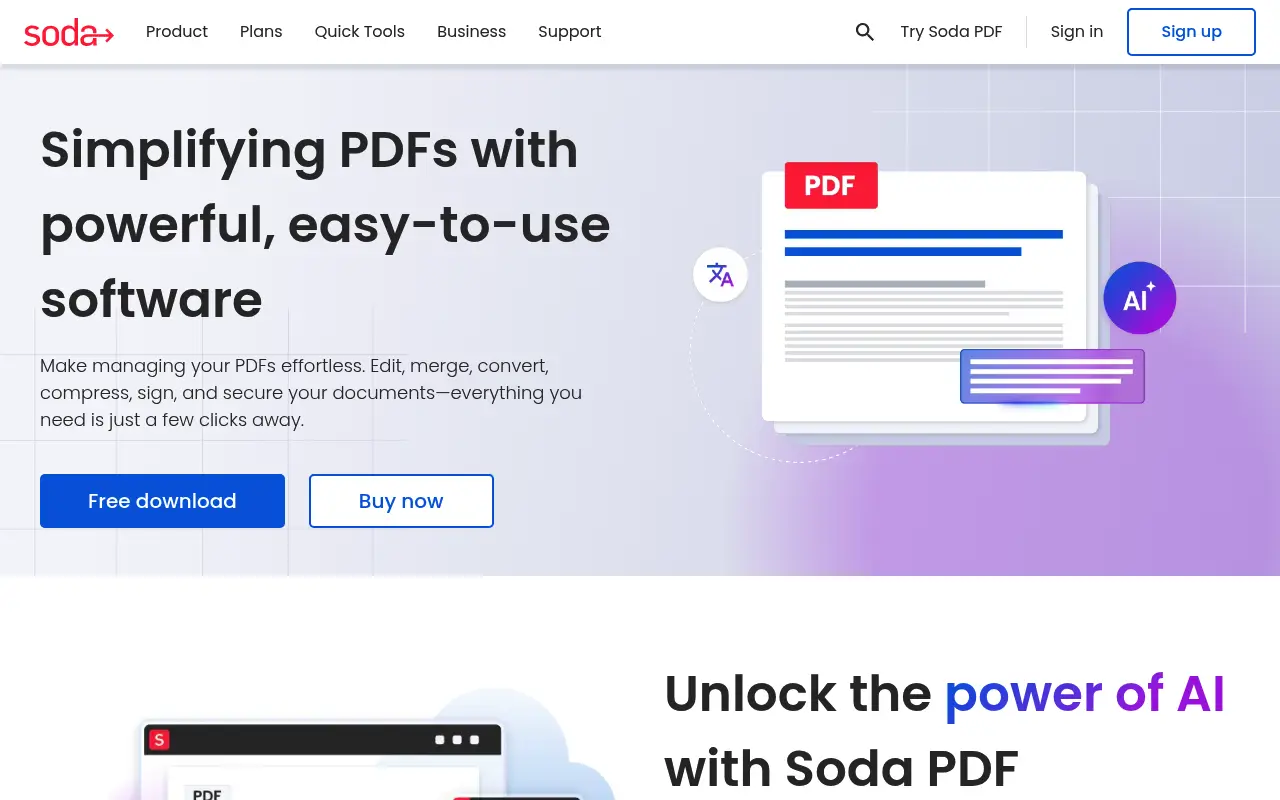
Why people use Soda PDF
Soda PDF is a PDF editor developed by Avanquest, a division of Claranova Group. The product has been available for over a decade in both online and desktop forms, offering a range of PDF tools including editing, conversion, form filling, e-signatures, OCR, and batch processing. Soda PDF positions itself as an affordable alternative to Adobe Acrobat, targeting individuals and small businesses who need PDF editing without Acrobat's price tag.
The most prominent criticism of Soda PDF, found consistently across user reviews on platforms like Trustpilot, G2, and Reddit, relates to its billing and upselling practices. Users report encountering aggressive in-app prompts to upgrade, confusing subscription tiers, auto-renewal at higher rates than the initial promotional price, and difficulty canceling subscriptions. While billing practices may have improved over time, the volume of complaints has impacted the product's reputation and makes many potential users cautious.
Soda PDF's feature set is genuinely comprehensive. The desktop version includes text editing, page manipulation, form creation, OCR, e-signatures, PDF/A compliance, redaction, and batch processing. The online version covers many of the same operations through a browser interface. The gap between what the product offers and how it is sold is the core tension: the tools are capable, but the purchasing experience has frustrated many users.
Soda PDF's desktop application is available for Windows only. Mac users can access the online version, which requires file uploads and is subject to the same billing concerns. File Studio offers a transparent alternative: $29 for a lifetime license or $15 per year, with no upsells, no auto-renewal surprises, and full native support on both Mac and Windows. For users who have been burned by complex subscription models or aggressive in-app marketing, File Studio's straightforward approach is a deliberate contrast.
Trust is a fundamental factor in choosing software, especially software that handles your personal and professional documents. When a product's billing practices generate consistent negative reviews, it raises questions about the company's priorities. File Studio's business model is deliberately simple: you pay once, you get the software, and there are no follow-up charges, upsells, or hidden fees. The pricing page shows exactly what you get, and the app itself contains no prompts to buy anything additional. This transparency is not just a pricing decision; it reflects a philosophy about how software should treat its users.
Side-by-side comparison
File Studio vs Soda PDF
| Feature | Soda PDF | File Studio |
|---|---|---|
| Works offline | Desktop version does (online version requires internet) | Yes, fully offline |
| Pricing transparency | Complex plans; users report unexpected charges | Clear pricing: $29 one-time or $15/year |
| File privacy | Online: files uploaded; Desktop: local processing | Files always stay local |
| PDF editing | Text editing, forms, e-signatures, OCR | Annotations, merge, split, compress, convert |
| In-app advertising | Users report aggressive upselling within the app | No ads or upsells |
| Image tools | Basic image-to-PDF | Full suite: convert, resize, compress, watermark, collage |
| Mac support | Online only for Mac users | Full native Mac app |
Why switch
What you get with File Studio instead
Transparent, straightforward pricing with no hidden fees, auto-renewals, or surprise charges.
No in-app upselling or advertising. The interface is focused entirely on your work.
Native Mac app, unlike Soda PDF which only offers online access on Mac.
One-time $29 purchase means you own the software outright.
Comprehensive image tools alongside PDF features, all included in the base price.
Pricing
Soda PDF's pricing has been criticized for being confusing, with plans that can auto-renew at higher rates. Their standard plan costs about $10/month. File Studio's pricing is simple: $29 once for lifetime access, or $15/year. No surprises, no auto-renewals at higher rates.
In-depth look
Feature breakdown: Soda PDF vs File Studio
PDF tools comparison
Soda PDF's editing capabilities are substantial. The text editor allows inline modifications to existing PDF text, including font changes, resizing, and color adjustments. Form tools let you create interactive forms with text fields, checkboxes, radio buttons, and dropdown menus. OCR converts scanned documents into searchable and editable text. Batch processing handles repetitive operations across multiple files. These are real, functional tools that can serve as a viable alternative to Adobe Acrobat for many workflows.
File Studio focuses on the operational side of PDF work: merging documents, splitting by page range, compressing for smaller file sizes, converting between PDF and image formats, and removing passwords from protected files. These tools are clean, fast, and unlimited. File Studio does not include text editing, form creation, or OCR, which means it cannot serve as a direct replacement for Soda PDF's editing capabilities.
The decision between the two depends on whether you need to edit PDF content or manipulate PDF files. Editing content, including changing text, filling forms, and making scans searchable, requires Soda PDF or a similar editor. Manipulating files, including combining, separating, converting, and optimizing, is what File Studio is built for.
User experience is where File Studio has a clear advantage. File Studio's interface is clean and focused, with each tool clearly presented and accessible. Soda PDF's interface, according to user reviews, can feel cluttered with upsell prompts and advertisements for additional features. The experience of using software that is constantly trying to sell you something more is fundamentally different from using software that simply works on the task at hand. For users who value a distraction-free working environment, this difference matters.
Image handling
Soda PDF's image capabilities are limited to basic image-to-PDF conversion. There are no standalone image editing, compression, or format conversion tools. If you need to work with images outside of the PDF context, you need separate software.
File Studio includes comprehensive image tools: format conversion, compression, resizing, cropping, watermarking, and collage creation. These tools run locally with the same privacy guarantees as the PDF features. For users who handle both document and image files, the integration saves time and reduces the number of applications in the workflow.
The image tool gap matters in practical terms. A small business owner who needs to prepare product images for their website and also merge invoices into a single PDF for their accountant would need Soda PDF plus a separate image tool. File Studio handles both sides of that workflow. The compression, watermarking, and format conversion features for images are particularly useful for e-commerce sellers, real estate agents, and anyone who regularly prepares visual content alongside document work.
File Studio also supports HEIC conversion, which is increasingly important as more business users take photos with iPhones. Soda PDF has no HEIC support at all, which means users who receive HEIC images from colleagues or clients need yet another tool to convert them before they can be used in documents or presentations.
Privacy and data handling
Soda PDF's desktop version processes files locally on Windows. The online version processes files on Soda PDF's servers, which means files are uploaded for any web-based operation. Mac users, who are limited to the online version, must accept cloud processing for all tasks.
Beyond file processing privacy, Soda PDF's reputation for aggressive upselling and complex billing raises broader trust concerns. When users feel that a company's business practices are not transparent, it naturally affects their confidence in how that company handles their data. While billing practices and data handling are separate matters, trust is holistic.
File Studio's approach is deliberately transparent in every dimension. Pricing is clear and simple, there are no upsells or in-app prompts to upgrade, files are processed locally with no cloud involvement, and there is no account or subscription to manage. For users who value straightforward business practices alongside privacy, File Studio's model is designed to be trustworthy from end to end.
Honest take
What you give up by switching
- *Soda PDF includes inline text editing, form creation, OCR, and e-signature features that File Studio does not offer.
- *Soda PDF's desktop version provides a comprehensive PDF editing environment for Windows users who need advanced capabilities.
- *Soda PDF supports PDF/A compliance for archival documents, which is important for government and regulatory submissions.
- *Soda PDF's batch processing handles complex multi-step operations that go beyond File Studio's batch capabilities.
- *For users who need a full PDF editor at a lower price than Adobe Acrobat, Soda PDF offers a middle ground in features and cost.
Decision guide
Which tool is right for you?
You need advanced PDF editing with forms, OCR, and e-signatures on Windows
Soda PDF's desktop version provides these features. Research current pricing and billing practices carefully before purchasing.
You want a tool with transparent pricing and no upselling
Use File Studio. Its pricing is clear, there are no in-app purchase prompts, and you know exactly what you are paying from the start.
You are a Mac user who needs offline PDF processing
Use File Studio. Soda PDF's desktop app is Windows-only, leaving Mac users with the online version that requires file uploads.
You need to merge, convert, and compress PDFs without worrying about subscription management
Use File Studio. Its one-time $29 price has no renewal, no auto-charge, and no subscription to cancel.
Pricing
Simple, fair pricing.
All tools included. No hidden fees. Processing stays on your device.
Yearly
For short-term projects.
- 1 year of updates
- Image, PDF, SVG, and spreadsheet tools
- Works on Mac & Windows
- All processing done on device
Lifetime
One purchase. Keep it forever.
- Unlimited conversions forever
- 1 year of major updates
- Image, PDF, SVG, and spreadsheet tools
- Watch Folders & Automation
- macOS Notch Drop Zone
- Works on Mac & Windows
Team & Bulk Pricing
Lifetime seats with volume discounts. More seats, bigger discount.
15
lifetime seats
You save
$60
15% off the individual price
Enterprise
50+ seats with custom pricing, centralized license management, and priority support.
FAQ
Frequently asked questions
Are the complaints about Soda PDF's billing real?→
User reviews on various platforms do mention concerns about auto-renewal practices and unexpected charges. Your experience may vary, but these complaints are worth considering. File Studio uses straightforward one-time or annual pricing with no auto-renewal surprises.
Does Soda PDF work on Mac?→
Soda PDF's desktop app is Windows-only. Mac users can access the online version, which requires file uploads. File Studio has a full native Mac application.
Can File Studio do e-signatures like Soda PDF?→
File Studio does not include e-signature functionality. If you need built-in e-signatures, a dedicated signing tool or a PDF editor with that feature would be necessary.
Is File Studio's PDF compression as good as Soda PDF's?→
Both tools compress PDFs effectively. File Studio processes files locally, which is faster since there is no upload/download step. The compression quality is comparable for typical documents.
Can I cancel Soda PDF and switch to File Studio?→
Yes. Cancel your Soda PDF subscription through their billing process, then purchase and install File Studio. Both tools use standard PDF files, so no migration is needed.
@ayysoni · February 20, 2026
Related File Studio tools you might find useful:
Compare File Studio with other tools: