

CloudConvert alternative
Convert files without the cloud. A local alternative to CloudConvert.
CloudConvert supports an impressive range of file formats and offers a reliable API for developers. But if you are converting PDFs and images for personal or business use, you may not need 200+ formats or a credit-based pricing model. File Studio focuses on the most common conversions and runs them entirely offline.
Works 100% offline on both Windows and Mac.
CloudConvert
Requires internet and file uploads to work.
Why people use CloudConvert
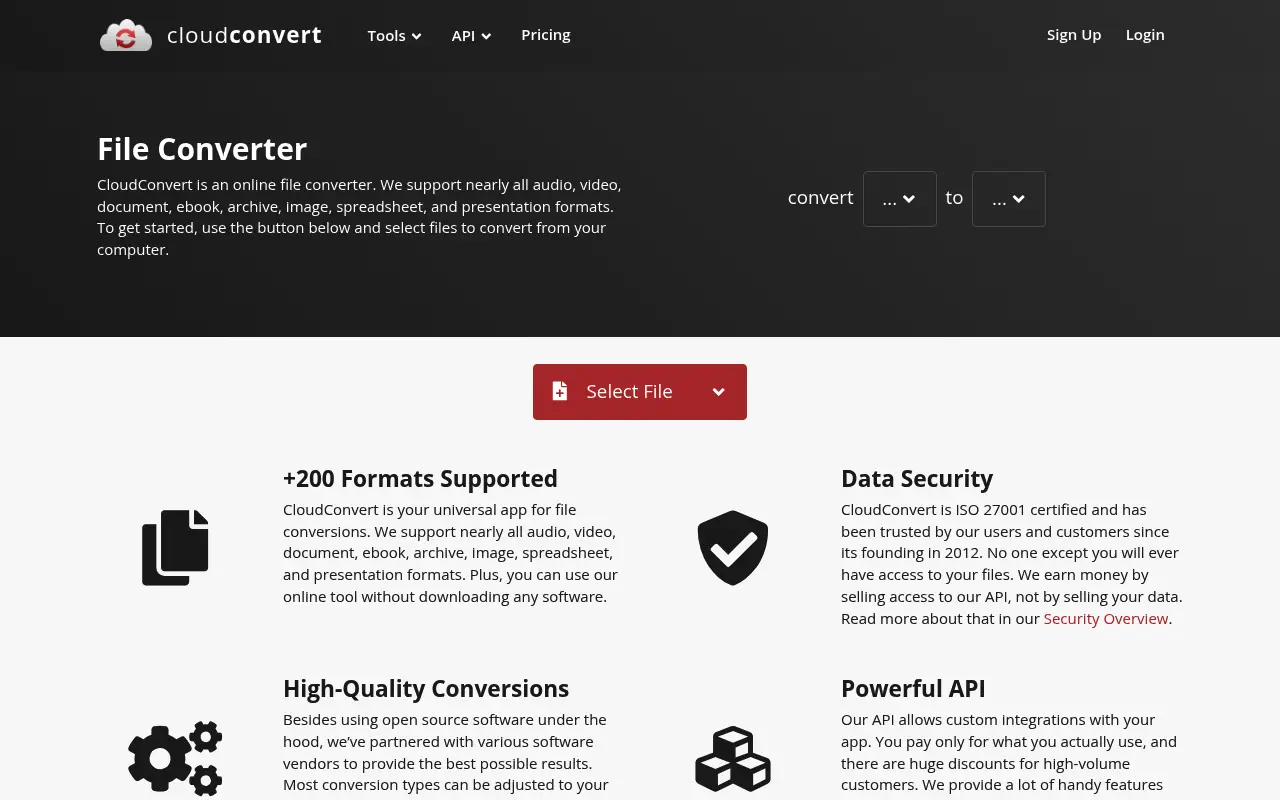
CloudConvert is a German-based online file conversion service that supports over 200 file formats. Founded in 2012 by Lunaweb GmbH, it has built a strong reputation among developers and power users for its reliable API, consistent conversion quality, and transparent pricing. Unlike many online converters that focus primarily on PDFs, CloudConvert handles audio, video, ebooks, spreadsheets, presentations, CAD files, and more, making it a true general-purpose conversion platform.
The service is particularly popular with developers who integrate it into automated workflows through its well-documented REST API. Web applications, content management systems, and automated pipelines use CloudConvert to handle file conversions on the server side. The API supports webhooks, S3 integration, and sandboxed processing, which makes it a serious tool for production environments. For individual users, the web interface is clean and functional, though not as polished as some competitors.
CloudConvert uses a credit-based pricing model where you purchase conversion minutes. A free tier provides 25 conversions per day, and paid packages start at $8 for 500 conversion minutes. Subscriptions are also available starting at $8 per month for higher-volume needs. This per-conversion pricing is fair for occasional use but can become expensive for users who convert files frequently. Tracking your remaining credits adds a layer of friction that flat-rate pricing avoids.
Privacy is handled according to German data protection standards and GDPR compliance. Files are processed on servers in Germany and the EU, encrypted during transfer, and deleted after processing. For an online service, these are strong privacy practices. However, the fact remains that every file passes through external servers, which disqualifies CloudConvert for users with strict local-processing requirements. File Studio offers a flat-rate, offline alternative for the PDF and image conversions that represent the majority of everyday conversion needs.
The credit system, while fair in principle, introduces cognitive overhead that flat pricing avoids. With CloudConvert, you need to estimate your usage, purchase the right credit package, monitor your remaining balance, and potentially buy more credits when you run out. This creates a friction that discourages experimentation and makes users think twice before converting files. File Studio's unlimited model removes this mental cost entirely: you never need to check a balance, estimate usage, or worry about running out of conversions mid-project.
Side-by-side comparison
File Studio vs CloudConvert
| Feature | CloudConvert | File Studio |
|---|---|---|
| Works offline | No, cloud-based only | Yes, fully offline |
| File privacy | Files uploaded to CloudConvert servers | Files never leave your device |
| Format support | 200+ formats including audio, video, CAD, and ebooks | PDF, JPG, PNG, WebP, HEIC, SVG, CSV, and more |
| Pricing model | Pay-per-conversion credits ($8 for 500 minutes) or subscription | $29 one-time or $15/year, unlimited conversions |
| API access | Yes, robust developer API | No API (desktop app only) |
| Batch processing | Yes, via web interface or API | Yes, drag-and-drop batch processing |
| Requires account | Yes, for anything beyond 25 free conversions/day | No account required |
Why switch
What you get with File Studio instead
Unlimited conversions with no credit system to manage. Convert as many files as you want, whenever you want.
No files ever leave your computer, making File Studio ideal for confidential documents and sensitive images.
Predictable pricing with a single payment instead of tracking conversion credits or minute-based billing.
Faster processing for common formats since there is no upload/download overhead.
Works without internet access, which is valuable for fieldwork, travel, or restricted network environments.
Pricing
CloudConvert uses a credit-based system where you buy conversion minutes. Packages start at $8 for 500 minutes, but heavy users can spend significantly more. Subscriptions start at $8/month. File Studio is $29 for lifetime access with truly unlimited conversions. If you convert files regularly, the savings add up quickly.
In-depth look
Feature breakdown: CloudConvert vs File Studio
PDF tools comparison
CloudConvert handles PDF conversions effectively, supporting conversion from PDFs to images, Word documents, and other formats, as well as converting various file types into PDFs. It can also merge PDFs and optimize them for reduced file size. The conversion quality is consistently good, particularly for PDF-to-image and office-document-to-PDF conversions. However, CloudConvert treats PDF operations as part of its broader conversion framework rather than offering dedicated PDF manipulation tools.
File Studio provides dedicated, purpose-built tools for PDF merging, splitting, compressing, and converting. The interface is designed specifically for these tasks, with drag-and-drop reordering for merges, page range selection for splits, and quality controls for compression. File Studio also includes password removal for locked PDFs. These dedicated tools feel more natural for PDF-specific work than CloudConvert's general conversion interface.
Where CloudConvert excels is in format breadth. If you need to convert a PDF to EPUB, or a DOCX to PDF, or handle any of the hundreds of less common format pairs, CloudConvert is the more capable tool. File Studio's advantage is depth within its focus area: the PDF tools are designed specifically for the task at hand rather than being instances of a general conversion engine.
File Studio also includes PDF password removal, which CloudConvert does not offer. If you have a locked PDF where you know the password but want to create an unlocked copy for easier sharing, File Studio handles this directly. CloudConvert can convert the file format but does not address password protection specifically. This is a small but practically useful difference for users who regularly receive password-protected PDFs from clients or colleagues.
Image handling
CloudConvert supports extensive image format conversions, including common formats like JPG, PNG, and WebP, as well as specialized formats like SVG, TIFF, ICO, and RAW camera formats. It can resize, change DPI, and adjust quality during conversion. For one-off conversions between unusual format pairs, CloudConvert is hard to beat. The API also makes it useful for automated image processing pipelines.
File Studio's image tools are more feature-rich for hands-on work. Beyond format conversion, File Studio includes dedicated tools for image compression, batch resizing, cropping, watermarking, and collage creation. These are interactive, visual tools designed for manual use, not API-driven automation. For a photographer preparing images for a website or a designer watermarking client proofs, File Studio's interactive approach is more practical than CloudConvert's conversion-focused interface.
The key distinction is use case. CloudConvert is better for automated, programmatic, or unusual-format conversions. File Studio is better for hands-on image work where you need visual feedback, batch processing controls, and multiple editing operations in a single workflow.
Speed is another practical consideration. When you convert a batch of 50 images through CloudConvert, each file must be uploaded, queued for processing, converted on the server, and then downloaded. Even with a fast internet connection, this round trip adds significant time compared to local processing. File Studio converts the same batch using your computer's processor, which for modern hardware is considerably faster than the upload, convert, download cycle. For photographers processing a shoot or web developers preparing assets for deployment, this speed difference translates directly into productivity.
Privacy and data handling
CloudConvert operates under German and EU data protection regulations, which are among the strictest in the world. Files are processed on ISO 27001-certified infrastructure, encrypted during transfer with TLS, and deleted from servers after processing. The company does not access or analyze uploaded files beyond what is necessary for conversion. For a cloud service, these are exemplary practices.
Nevertheless, every file uploaded to CloudConvert physically leaves your computer and traverses the internet to reach their servers. For many users, this is an acceptable tradeoff for the convenience and format breadth that CloudConvert provides. For users working with proprietary designs, confidential business documents, or personally identifiable information, even well-protected cloud processing introduces risk that local processing eliminates.
File Studio processes everything on your local machine. There are no network requests during file operations, no temporary copies on external servers, and no need to evaluate a third party's privacy policy. This makes File Studio the clear choice for privacy-critical work, while CloudConvert remains the better option for users who prioritize format breadth and API access over local-only processing.
Honest take
What you give up by switching
- *CloudConvert supports over 200 file formats including audio, video, and CAD files, while File Studio focuses on PDFs and common image formats.
- *CloudConvert offers a robust REST API for automated workflows, which File Studio does not provide since it is a desktop-only application.
- *CloudConvert can be accessed from any device with a browser, while File Studio requires installation on a Mac or Windows PC.
- *For unusual format conversions like EPUB-to-MOBI or DWG-to-PDF, CloudConvert is the only option between the two.
- *CloudConvert's free tier of 25 daily conversions may be sufficient for light users who prefer not to pay anything.
Decision guide
Which tool is right for you?
You need to convert between unusual or specialized file formats like CAD, ebook, or audio files
Use CloudConvert. Its 200+ format support covers specialized conversions that File Studio does not attempt.
You process confidential PDFs and images and want zero cloud involvement
Use File Studio. Every operation runs locally with no server communication, which is essential for privacy-sensitive workflows.
You need to integrate file conversion into an automated software pipeline via API
Use CloudConvert. Its REST API is well-documented and designed for exactly this purpose. File Studio is a desktop app without an API.
You regularly convert PDFs and images and want predictable, flat-rate pricing
Use File Studio. Its one-time $29 price eliminates the credit tracking and per-conversion costs of CloudConvert.
Pricing
Simple, fair pricing.
All tools included. No hidden fees. Processing stays on your device.
Yearly
For short-term projects.
- 1 year of updates
- Image, PDF, SVG, and spreadsheet tools
- Works on Mac & Windows
- All processing done on device
Lifetime
One purchase. Keep it forever.
- Unlimited conversions forever
- 1 year of major updates
- Image, PDF, SVG, and spreadsheet tools
- Watch Folders & Automation
- macOS Notch Drop Zone
- Works on Mac & Windows
Team & Bulk Pricing
Lifetime seats with volume discounts. More seats, bigger discount.
15
lifetime seats
You save
$60
15% off the individual price
Enterprise
50+ seats with custom pricing, centralized license management, and priority support.
FAQ
Frequently asked questions
CloudConvert supports 200+ formats. Can File Studio match that?→
No. CloudConvert's format range is much broader, covering audio, video, CAD files, ebooks, and more. File Studio focuses on PDF and image formats, which covers what most office and personal users need. If you need to convert video or 3D files, CloudConvert or a specialized tool is the better fit.
I use CloudConvert's API in my app. Can File Studio replace it?→
File Studio is a desktop application and does not offer an API. If you need programmatic file conversion, CloudConvert's API remains the right tool. File Studio is designed for manual and batch desktop use.
Is File Studio faster than CloudConvert for image and PDF conversions?→
In most cases, yes. File Studio processes files locally, so you skip the upload, server processing, and download steps. For a batch of images or PDFs, the time savings can be significant.
Does CloudConvert delete my files after processing?→
CloudConvert states that files are deleted from their servers after 24 hours. However, your files do travel over the internet and sit on their infrastructure temporarily. File Studio avoids this entirely by never uploading files.
Can I convert HEIC photos with File Studio?→
Yes. File Studio converts HEIC to JPG, PNG, and other formats locally. This is especially useful for iPhone photos that you need in a more universal format.
@ayysoni · January 16, 2026
Related File Studio tools you might find useful:
Compare File Studio with other tools: