

PDF2Go alternative
An ad-free, offline alternative to PDF2Go for everyday PDF tasks.
PDF2Go is a free online PDF toolkit that handles the basics well. However, the ad-heavy experience, file upload requirement, and limited free usage can be frustrating. File Studio provides a clean, ad-free desktop app that processes PDFs and images locally.
Works 100% offline on both Windows and Mac.
PDF2Go
Requires internet and file uploads to work.
Why people use PDF2Go
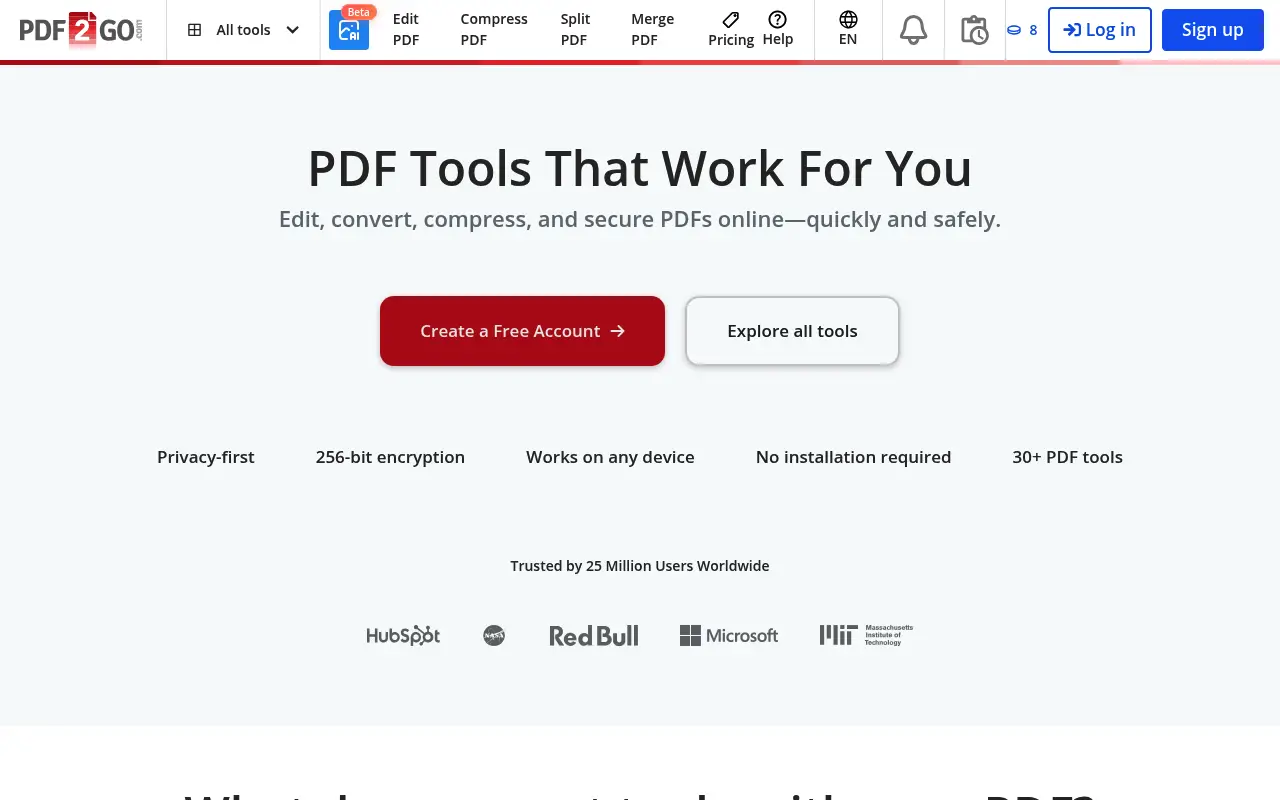
PDF2Go is a free online PDF toolkit operated by QaamGo Media GmbH, a German company. It offers a range of PDF tools including merge, split, compress, convert, edit, protect, rotate, sort pages, and repair damaged PDFs. The service is primarily ad-supported on its free tier, which means you can access most features without paying, though the experience includes banner ads and occasional pop-ups. A premium plan at approximately $6.50 per month removes ads and increases file size limits.
The typical PDF2Go user is someone looking for a free, no-install solution for occasional PDF tasks. Students converting assignments, office workers merging documents, and individuals who need a quick PDF fix without committing to paid software make up the core audience. The site's interface is functional, with each tool on its own page. You navigate to the tool you need, upload your file, adjust settings if available, and download the result.
PDF2Go's free tier is genuinely useful for light work. You can merge, split, and compress PDFs, convert between PDF and image formats, and even make basic edits. The 100 MB file size limit on free accounts is more generous than some competitors. However, the ad-supported experience can be distracting, and the need to upload files for every operation means each task involves wait time proportional to your file size and internet speed.
The privacy implications are standard for an online tool. Files are uploaded to PDF2Go's servers in Germany for processing, and the company states they are deleted after 24 hours. GDPR compliance provides a legal framework for data handling. For non-sensitive documents, this is fine. For anyone working with confidential material, the combination of ad-supported browsing and cloud-based file processing is less than ideal. File Studio provides an ad-free, offline alternative that keeps files on your device and requires no recurring payment.
The ad-heavy experience on PDF2Go's free tier deserves particular mention. Banner ads, interstitial prompts, and occasionally misleading interface elements can make the tool frustrating to use, especially on slower connections where ads load before the actual tool interface. For users who process files regularly, the cumulative friction of navigating around ads, dismissing pop-ups, and occasionally clicking the wrong button adds up. File Studio's desktop interface has no ads, no pop-ups, and no visual clutter. The entire screen is dedicated to your work.
Side-by-side comparison
File Studio vs PDF2Go
| Feature | PDF2Go | File Studio |
|---|---|---|
| Works offline | No, web-based only | Yes, fully offline |
| Ads | Free version is ad-supported | No ads, ever |
| File privacy | Files uploaded to PDF2Go servers | Files never leave your device |
| File size limits | 100 MB on free tier | No file size limits |
| Pricing model | Free with ads; Premium at roughly $6.50/month | $29 one-time or $15/year |
| Batch processing | Limited on free tier | Unlimited batch processing included |
| Image tools | Basic image conversion and compression | Full image toolkit: resize, compress, convert, watermark, collage |
Why switch
What you get with File Studio instead
No advertisements cluttering the interface. File Studio is a clean, focused experience.
Process files locally without waiting for uploads and downloads, especially useful on slower internet connections.
No account registration needed. Install and start working immediately.
Better image tools including format conversion, resizing, compression, watermarking, and collage creation.
One-time purchase means no recurring bills to track or cancel.
Pricing
PDF2Go's free tier is ad-supported and limited. Their Premium plan costs about $6.50 per month, or roughly $78 per year. File Studio's $29 one-time fee is more affordable over any period longer than about four months. The annual plan at $15/year is even more accessible.
In-depth look
Feature breakdown: PDF2Go vs File Studio
PDF tools comparison
PDF2Go offers a solid selection of PDF tools for a free service. The merge tool lets you combine multiple PDFs, the split tool extracts pages or separates a document into pieces, and the compress tool reduces file sizes. There is also a basic PDF editor that lets you add text, shapes, images, and highlights to PDF pages. The repair tool, which attempts to fix corrupted PDFs, is an unusual feature that most competitors do not offer.
File Studio covers the core operations with dedicated, polished tools: merge with drag-and-drop reordering, split by page range or individual pages, compress with quality controls, convert between PDF and image formats, and remove passwords from protected PDFs. The tools are purpose-built and integrated into a native desktop application, which makes them faster to use than navigating between separate web pages for each operation.
PDF2Go has a slight edge in the variety of its PDF tools, including features like PDF repair, page rotation, and PDF protection. File Studio's advantage is in execution quality: no ads, no upload wait times, no file size limits, and no usage caps. For someone who uses PDF tools regularly, the clean, uninterrupted experience of a desktop app is worth the modest investment.
Processing speed is a practical differentiator that compounds with usage. Each PDF2Go operation involves uploading your file, waiting for server-side processing, and downloading the result. For a single small file, this might take 30 seconds. For a batch of large PDFs, the cumulative upload and download time can stretch into minutes or longer, depending on your internet speed. File Studio processes the same operations in seconds because everything happens on your local hardware. Over weeks and months of regular use, the time saved by avoiding repeated uploads becomes substantial.
Image handling
PDF2Go includes basic image tools, primarily converting images to PDF and extracting images from PDFs. It can also compress images and convert between some image formats. However, these tools are scattered across separate pages and subject to the same ad-supported, upload-required workflow as the PDF tools. The image capabilities are functional but limited compared to dedicated image tools.
File Studio's image toolkit is more comprehensive and more convenient. Format conversion between JPG, PNG, WebP, HEIC, and other formats is built into the main application. Dedicated tools for image compression, batch resizing, cropping, watermarking, and collage creation give you a full image workflow alongside PDF tools. Everything runs locally, so there is no upload delay even when processing large batches of high-resolution images.
The workflow efficiency difference is substantial for anyone processing files regularly. With PDF2Go, each tool requires navigating to a separate page, uploading the file, waiting for processing, and downloading the result. If you need to perform multiple operations on the same file, you repeat this cycle for each step. With File Studio, all tools are accessible from a single application window, and files can be processed through multiple operations without leaving the app or performing any uploads. For a user who converts images to PDF and then merges them with existing documents, File Studio completes in seconds what would take several minutes of uploading and downloading through PDF2Go.
Privacy and data handling
PDF2Go operates under German data protection laws and GDPR regulations. Files are uploaded for processing and automatically deleted after 24 hours. The company uses HTTPS for file transfers. These are reasonable practices for an online service, though the ad-supported model means third-party advertising networks also have a presence on the site, which complicates the privacy picture slightly.
The combination of file uploads and advertising trackers makes PDF2Go less suitable for sensitive documents than tools that process locally. Even if PDF2Go handles your files responsibly, the ad networks embedded in the free version add another layer of tracking to your browsing session. The premium plan removes ads but does not change the fundamental cloud-processing model.
File Studio avoids both concerns. Files are processed locally with no network involvement, and there are no ads, trackers, or third-party scripts. For users who value a clean, private working environment, the difference between an ad-supported web tool and a native desktop application is substantial.
Honest take
What you give up by switching
- *PDF2Go is free for basic use, while File Studio requires a $29 purchase.
- *PDF2Go includes a PDF repair tool for corrupted files, which is an unusual feature that File Studio does not offer.
- *PDF2Go works from any browser on any device, while File Studio requires installation on Mac or Windows.
- *PDF2Go offers a basic PDF editor with text and shape overlays that goes slightly beyond File Studio's annotation capabilities.
- *Cloud-based access means PDF2Go works on phones, tablets, and Chromebooks where File Studio cannot run.
Decision guide
Which tool is right for you?
You need free, occasional PDF tools and are not working with sensitive documents
Use PDF2Go. Its free tier handles basic PDF tasks without any payment, which is hard to beat for light, non-sensitive use.
You process PDFs regularly and want an ad-free, unlimited experience
Use File Studio. Its clean interface, no usage limits, and local processing are worth the one-time $29 for anyone who uses PDF tools more than occasionally.
You need to repair a corrupted PDF file
Try PDF2Go. Its PDF repair tool is a niche feature that File Studio and most other tools do not include.
You handle confidential files and want to avoid both cloud uploads and advertising trackers
Use File Studio. Local processing and an ad-free environment protect both your files and your browsing privacy.
Pricing
Simple, fair pricing.
All tools included. No hidden fees. Processing stays on your device.
Yearly
For short-term projects.
- 1 year of updates
- Image, PDF, SVG, and spreadsheet tools
- Works on Mac & Windows
- All processing done on device
Lifetime
One purchase. Keep it forever.
- Unlimited conversions forever
- 1 year of major updates
- Image, PDF, SVG, and spreadsheet tools
- Watch Folders & Automation
- macOS Notch Drop Zone
- Works on Mac & Windows
Team & Bulk Pricing
Lifetime seats with volume discounts. More seats, bigger discount.
15
lifetime seats
You save
$60
15% off the individual price
Enterprise
50+ seats with custom pricing, centralized license management, and priority support.
FAQ
Frequently asked questions
Is PDF2Go safe to use for sensitive files?→
PDF2Go processes files on their servers, which means your documents travel over the internet. They state files are deleted after processing, but for truly sensitive documents, local processing with File Studio eliminates the risk entirely.
Can File Studio edit PDF text like PDF2Go?→
PDF2Go offers basic text editing within PDFs. File Studio focuses on annotation, merging, splitting, and converting rather than inline text editing. If you need to change text content within a PDF, a dedicated PDF editor may be necessary.
Does PDF2Go work on mobile devices?→
Yes, PDF2Go works in any mobile browser. File Studio is a desktop application for Mac and Windows. If mobile access is important, PDF2Go has the advantage there.
Why choose File Studio over PDF2Go when PDF2Go is free?→
PDF2Go's free tier comes with ads, file size limits, and the need to upload files. If you value privacy, work with larger files, or prefer a clean interface, File Studio's one-time $29 cost is a reasonable investment.
Can I convert PDFs to Word with File Studio?→
File Studio focuses on PDF-to-image and image-to-PDF conversions, along with PDF manipulation tools. For PDF-to-Word conversion, a dedicated converter or word processor would be more suitable.
@ayysoni · January 28, 2026
Related File Studio tools you might find useful:
Compare File Studio with other tools: