

Comparison
iLovePDF vs PDF2Go: two free web-based PDF tools compared.
iLovePDF and PDF2Go are both free, browser-based PDF tools that let you perform common PDF operations without installing software. They have different strengths in terms of tool variety, interface design, and file limits. Here is how they compare, plus why an offline tool like File Studio might be a better fit.
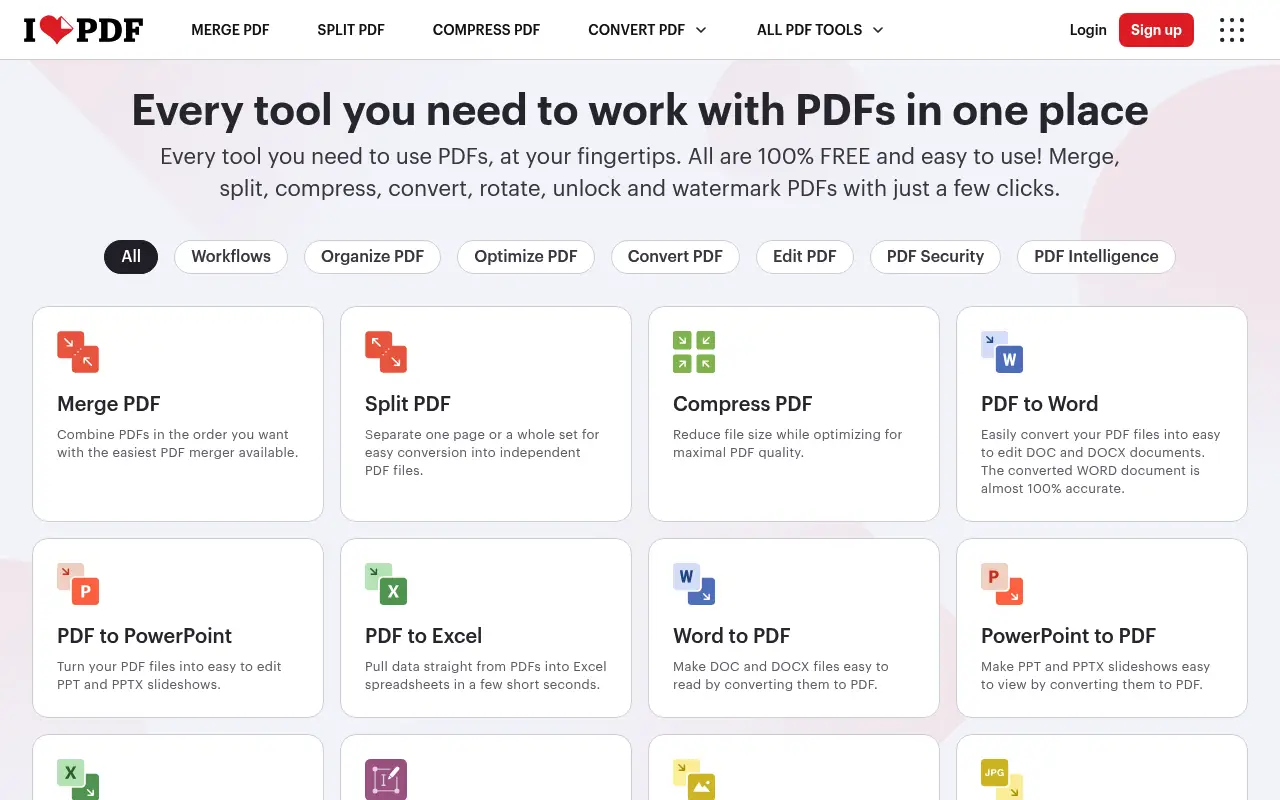
What is iLovePDF?
iLovePDF is one of the most widely used free PDF platforms, covering merging, splitting, compressing, converting, and more. The interface is clean and intuitive, and the free tier allows a reasonable number of daily tasks with a 25 MB file size cap.
Premium ($7/month annual) removes limits and adds batch processing. iLovePDF processes all files on its servers, which is standard for web-based tools but relevant for privacy-conscious users.
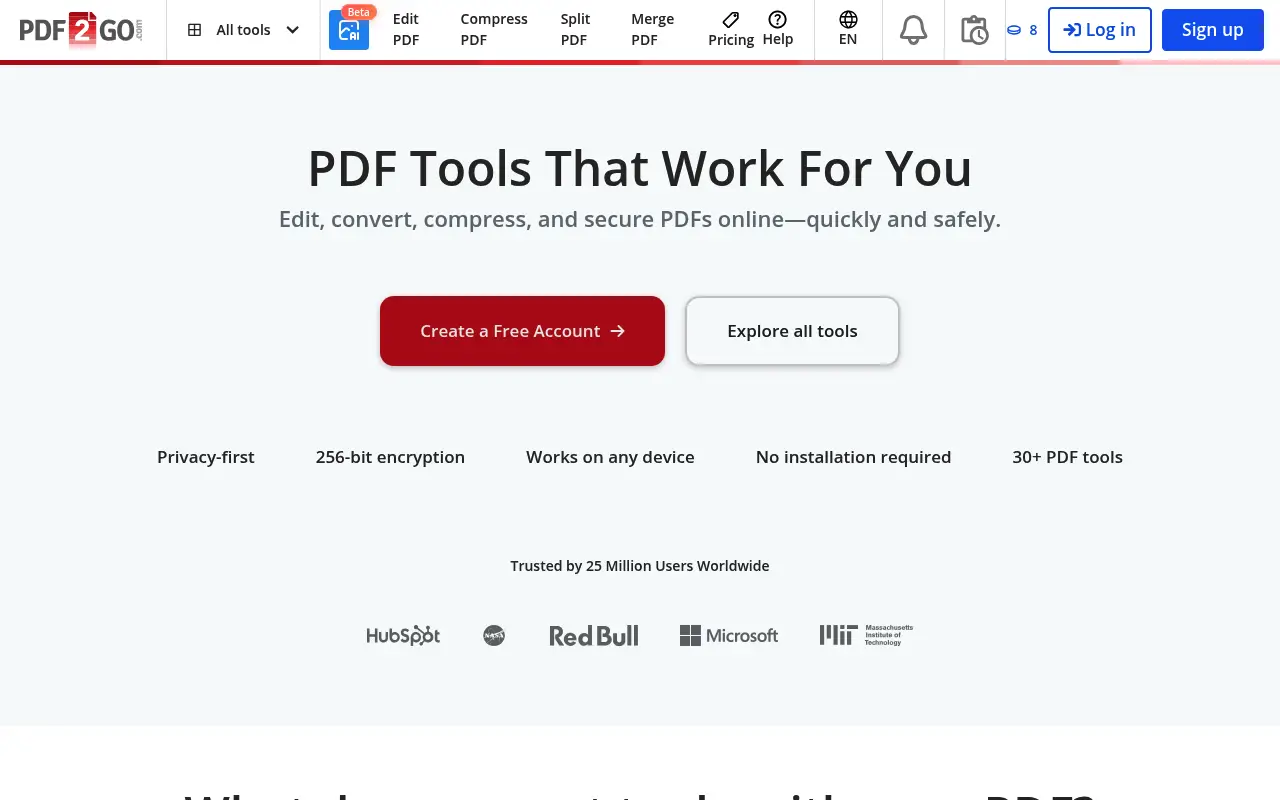
What is PDF2Go?
PDF2Go is a German-based online PDF and document tool that covers PDF editing, conversion, compression, merging, splitting, and more. It also supports file format conversions beyond PDF, including image and document formats.
The free tier has ads and file size limits. PDF2Go Premium removes ads, increases limits, and provides faster processing. Pricing is around $6/month (annual). The interface is functional but feels more dated compared to iLovePDF.
PDF2Go has one interesting feature: it stores processed files for 24 hours, which can be convenient if you need to re-download but is a privacy consideration for sensitive documents.
A closer look at iLovePDF
iLovePDF pricing and plans
iLovePDF Premium at $84 per year ($7/month billed annually) offers unlimited processing, batch operations, and no file size restrictions. The free tier imposes a 25 MB file limit and allows a limited number of daily operations, though it is more generous than many competitors.
The Business plan at $6 per user per month targets teams with centralized billing and admin features. API access starts free at 250 requests per month and scales with paid tiers for higher volumes.
iLovePDF frequently offers discounts through educational partnerships and promotional campaigns. Students and teachers can sometimes access Premium features at reduced rates or through institutional licenses.
iLovePDF core strengths
iLovePDF has built strong brand recognition and trust. With over a billion files processed, the platform has demonstrated reliability at scale. Server infrastructure is maintained across multiple data centers, providing consistent performance and uptime.
The user interface guides users through each task with clear visual cues. Drag-and-drop upload, real-time progress indicators, and automatic download of processed files create a smooth experience. The workflow minimizes clicks between selecting a task and getting results.
Integration with cloud storage (Google Drive, Dropbox, OneDrive) allows direct import and export without downloading files to your local machine first. This is particularly useful for users who work primarily in cloud-based environments.
iLovePDF known limitations
The ad-supported free tier can feel cluttered, especially on smaller screens. Banner ads and promotional pop-ups for the Premium plan appear frequently. While not blocking functionality, they detract from the otherwise clean workflow.
Processing speed on the free tier is throttled during peak hours. Premium users receive priority, which means free-tier users may experience noticeable delays when the platform is under heavy load. This throttling is not documented but has been reported by users.
Privacy policies, while compliant with GDPR, still involve uploading files to external servers. For documents containing personal data, health information, or financial records, the upload step introduces a privacy consideration regardless of encryption and deletion policies.
A closer look at PDF2Go
PDF2Go pricing and plans
PDF2Go operates on a freemium model. The free tier allows basic PDF operations with file size limits and advertisements. The Premium plan costs approximately $6.50 per month billed annually ($78/year) or $8.50 month-to-month.
Premium removes ads, increases file size limits, enables batch processing, and provides priority processing. There is no perpetual license option, so the subscription is ongoing.
PDF2Go does not offer team plans, enterprise licensing, or API access. The product is targeted squarely at individual users who need web-based PDF tools without installing software.
PDF2Go core strengths
PDF2Go differentiates itself with broader format support beyond PDFs. It handles image conversions, document format changes (DOCX, PPTX, XLSX), ebook formats (EPUB), and even video and audio conversions. This makes it more of a general-purpose file conversion tool than a pure PDF platform.
The online PDF editor in PDF2Go allows freeform editing: adding text, drawing, inserting images, and annotating directly in the browser. While not as powerful as desktop editing tools, it is more capable than many web-based competitors for quick visual changes.
No account is required for basic operations. Users can process files immediately without signing up, which is ideal for one-off tasks. The workflow is straightforward: upload, configure settings, process, and download.
PDF2Go known limitations
The interface design feels dated compared to iLovePDF. Pages load with visible ad placements, and the layout is less intuitive. Finding the right tool sometimes requires scrolling through a long list rather than navigating organized categories.
Processing reliability can be inconsistent. Users have reported occasional failures with larger files or complex conversions, requiring retry attempts. Error messages are sometimes vague, making it difficult to understand what went wrong.
The lack of mobile apps and API access limits PDF2Go to browser-based use only. Users who need programmatic access or mobile-native experiences will need to look elsewhere.
Feature comparison
iLovePDF vs PDF2Go vs File Studio
| Feature | iLovePDF | PDF2Go | File Studio |
|---|---|---|---|
| Pricing | Free; Premium ~$7/month (annual) | Free; Premium ~$6/month (annual) | $29 one-time or $9.97/year |
| File size limits | Free: ~25 MB; Premium: larger | Free: limited; Premium: up to 1 GB | No file size limits |
| Works offline | No (desktop app still cloud-dependent) | No, web-only | Fully offline |
| Privacy / files stay local | Files uploaded, deleted after processing | Files uploaded, stored for 24 hours | Files never leave your device |
| File format support | PDF, Word, Excel, PowerPoint, JPG | PDF, Word, Excel, images, and more document formats | PDF and image formats (JPG, PNG, WebP, TIFF, BMP, SVG) |
| Interface quality | Modern, clean, intuitive | Functional but dated | Clean desktop interface |
| Batch processing | Premium only | Limited on free; improved on Premium | Unlimited batch processing included |
| Requires account | Optional for basic use | Optional for basic use | No account required |
Verdict
Which tool should you pick?
iLovePDF has a better interface and is easier to use for most people. PDF2Go supports a broader range of file formats and offers higher file size limits on its Premium plan. Both are competent free tools for occasional PDF tasks. Neither offers true offline processing or guaranteed privacy. File Studio fills that gap as a one-time purchase desktop app with no uploads, no limits, and built-in image tools.
Pricing breakdown
What you actually pay over time
iLovePDF Premium ($84/year) and PDF2Go Premium ($78/year) are priced within $6 of each other annually. Over three years, iLovePDF costs $252 versus PDF2Go's $234, a negligible difference of $18. The pricing is close enough that the decision should be based on features and experience rather than cost.
Both free tiers allow basic use with limitations. iLovePDF's free offering is generally more polished and reliable, with a larger user base driving consistent server performance. PDF2Go's free tier is more prone to performance issues but offers broader format support beyond PDFs.
File Studio at $29 once or $9.97/year undercuts both by a wide margin. Over three years, File Studio saves between $205 (versus PDF2Go) and $223 (versus iLovePDF). The tradeoff is that File Studio operates offline only, with no web-based access, cloud integrations, or non-PDF format conversion beyond images.
For users who occasionally need both PDF tools and broader format conversion (video, audio, ebooks), PDF2Go covers more ground from a single platform. However, the quality and reliability of those extra conversions varies. Dedicated tools for specific conversions often produce better results than PDF2Go's generalist approach.
Decision guide
Which tool should you pick?
You need reliable, polished web-based PDF tools
Pick iLovePDF. iLovePDF has a more refined interface, better server reliability, and stronger brand trust. The experience is smoother and more consistent than PDF2Go for standard PDF operations.
You need to convert files beyond PDFs (documents, ebooks, media)
Pick PDF2Go. PDF2Go supports a wider range of formats including EPUB, DOCX, PPTX, and media files. iLovePDF focuses exclusively on PDF operations.
You handle confidential files and prefer offline processing
Pick File Studio. Both iLovePDF and PDF2Go upload files to their servers. File Studio processes everything on your local device with no internet connection needed.
You want the best free tier for PDF operations
Pick iLovePDF. iLovePDF's free offering is more generous and reliable for PDF-specific tasks. The interface is cleaner, processing is more consistent, and the tool selection is broader within the PDF category.
You need a quick one-off conversion with no account required
Pick PDF2Go. PDF2Go allows immediate file processing without any account creation. While iLovePDF also allows some anonymous use, PDF2Go's no-account policy is more consistently enforced across all tools.
The third option
Why File Studio might be a better fit
Process sensitive files without uploading them to any server, unlike both iLovePDF and PDF2Go.
No ads, no file size limits, and no daily task restrictions.
One-time $29 payment is cheaper than a year of either tool's Premium plan.
Includes image editing tools (resize, watermark, compress, crop) alongside PDF operations.
Pricing
Simple, fair pricing.
All tools included. No hidden fees. Processing stays on your device.
Yearly
For short-term projects.
- 1 year of updates
- Image, PDF, SVG, and spreadsheet tools
- Works on Mac & Windows
- All processing done on device
Lifetime
One purchase. Keep it forever.
- Unlimited conversions forever
- 1 year of major updates
- Image, PDF, SVG, and spreadsheet tools
- Watch Folders & Automation
- macOS Notch Drop Zone
- Works on Mac & Windows
Team & Bulk Pricing
Lifetime seats with volume discounts. More seats, bigger discount.
15
lifetime seats
You save
$60
15% off the individual price
Enterprise
50+ seats with custom pricing, centralized license management, and priority support.
FAQ
Frequently asked questions
Is PDF2Go safe to use?→
PDF2Go uses HTTPS encryption for uploads and states that files are deleted after 24 hours. However, your files are processed on their servers, so avoid uploading sensitive documents. For confidential files, use a local tool like File Studio.
Which tool has better file format support?→
PDF2Go supports a broader range of document formats beyond PDF, including various image and office formats. iLovePDF focuses primarily on PDF operations with some Office format conversion. File Studio handles PDFs and image formats including WebP, TIFF, BMP, and SVG.
Can I use either tool on mobile?→
Both iLovePDF and PDF2Go work in mobile browsers. iLovePDF also has dedicated mobile apps. PDF2Go is web-only. File Studio is a desktop application for Mac and Windows and does not have a mobile version.
Do these tools work without an internet connection?→
No. Both iLovePDF and PDF2Go require an internet connection since they process files on their servers. File Studio works entirely offline once installed.
Which is better for compressing large PDFs?→
PDF2Go Premium allows files up to 1 GB, giving it an edge for large documents. iLovePDF caps free users at 25 MB. File Studio has no file size limit at all and compresses PDFs locally without upload delays.
@ayysoni · April 21, 2026
Related File Studio tools:
More comparisons: