







File StudioFile Studio
Open navigation
100% Offline File Tools For Mac & Windows

Convert, compress, and manage files privately.

File Studio runs entirely on your device. Process PDFs, images, and spreadsheets without sending a single byte to the cloud.

Used By Professionals At Government Offices, Consultancies, And Global Companies

File Studio app interfaceFile Studio app interface

How it works

01

Install the app

Download and open File Studio. No account needed, no browser required.

02

Drop your files

Drag files or folders directly into the app, or use the Notch Drop Zone.

03

Choose a tool

Pick a tool: convert, merge, compress, resize, watermark, and more.

04

Export instantly

Save processed files to any folder. Everything stays on your machine.

Features

The high-impact tools people actually need every week.

File Studio combines everyday file conversion, PDF work, spreadsheet cleanup, and automation into one private desktop app.

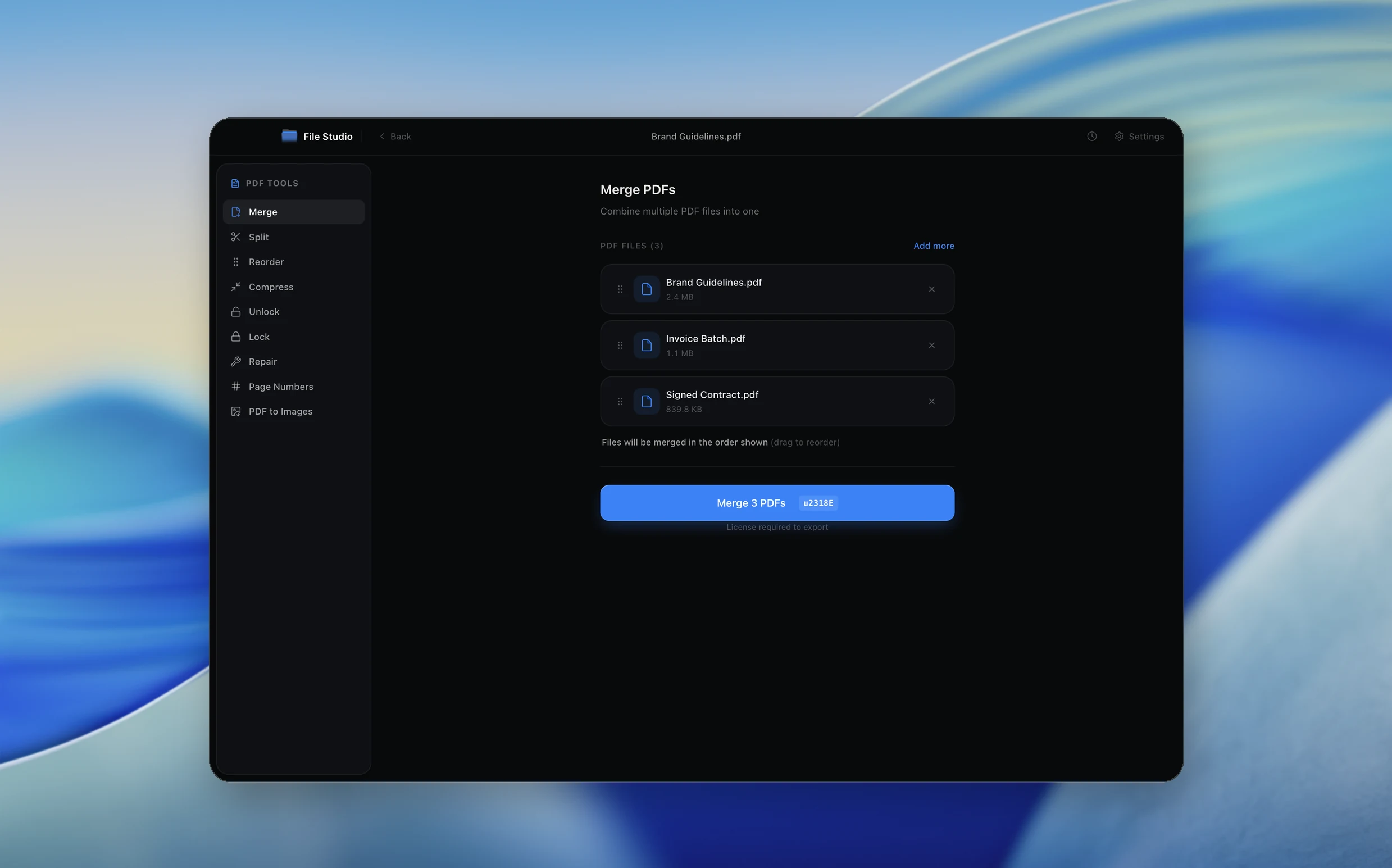
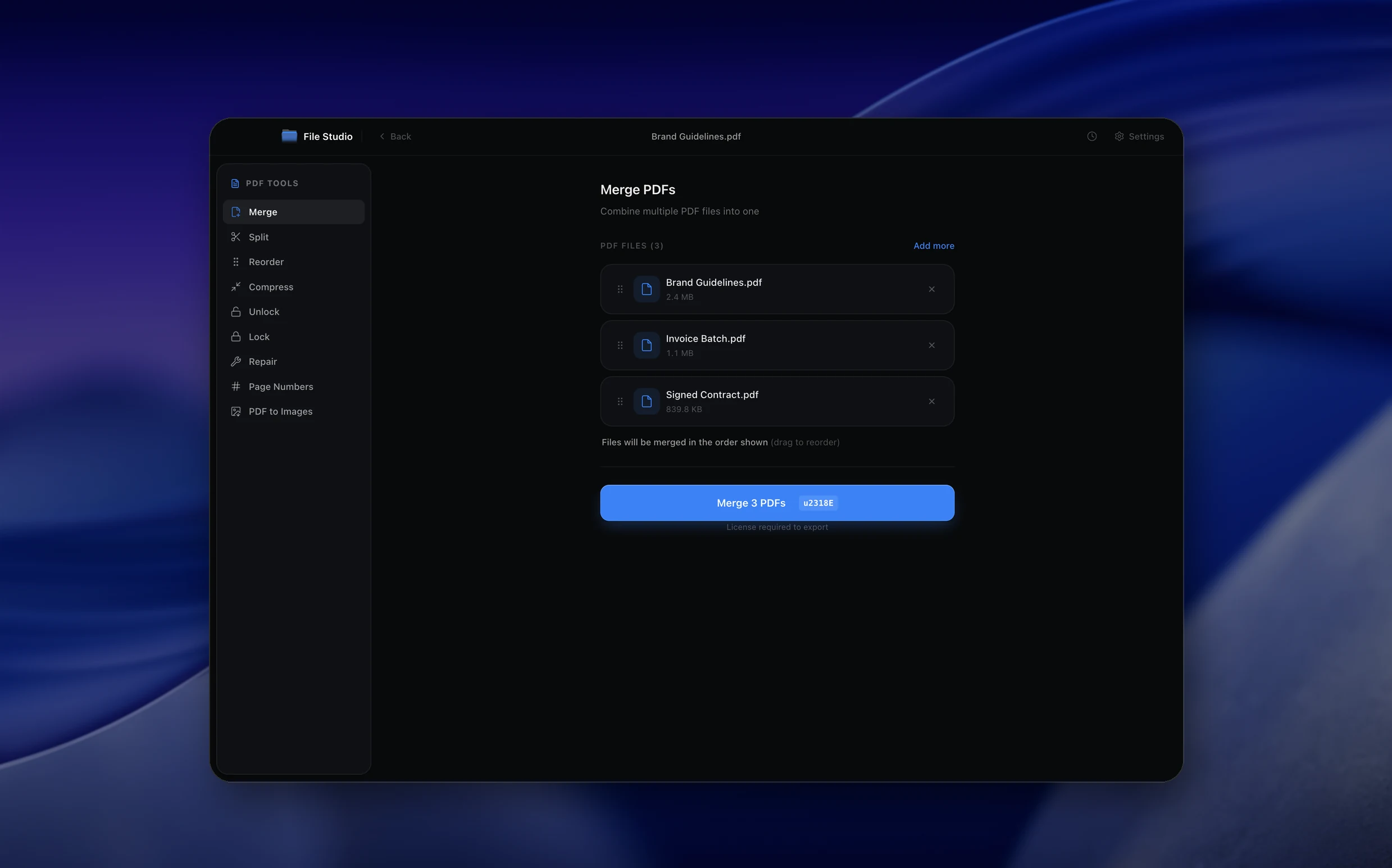
File Studio PDF tools interfaceFile Studio PDF tools interface

PDF workflow

Merge, split, compress, repair, protect, and export PDFs.

Replace a folder of sketchy online PDF utilities with one local workspace for the most common document tasks.

  • Merge multiple PDFs in order with drag-and-drop reordering.
  • Compress, repair, lock, unlock, add page numbers, and convert PDFs to images.
  • Keep contracts, invoices, tax files, and client documents on your computer.
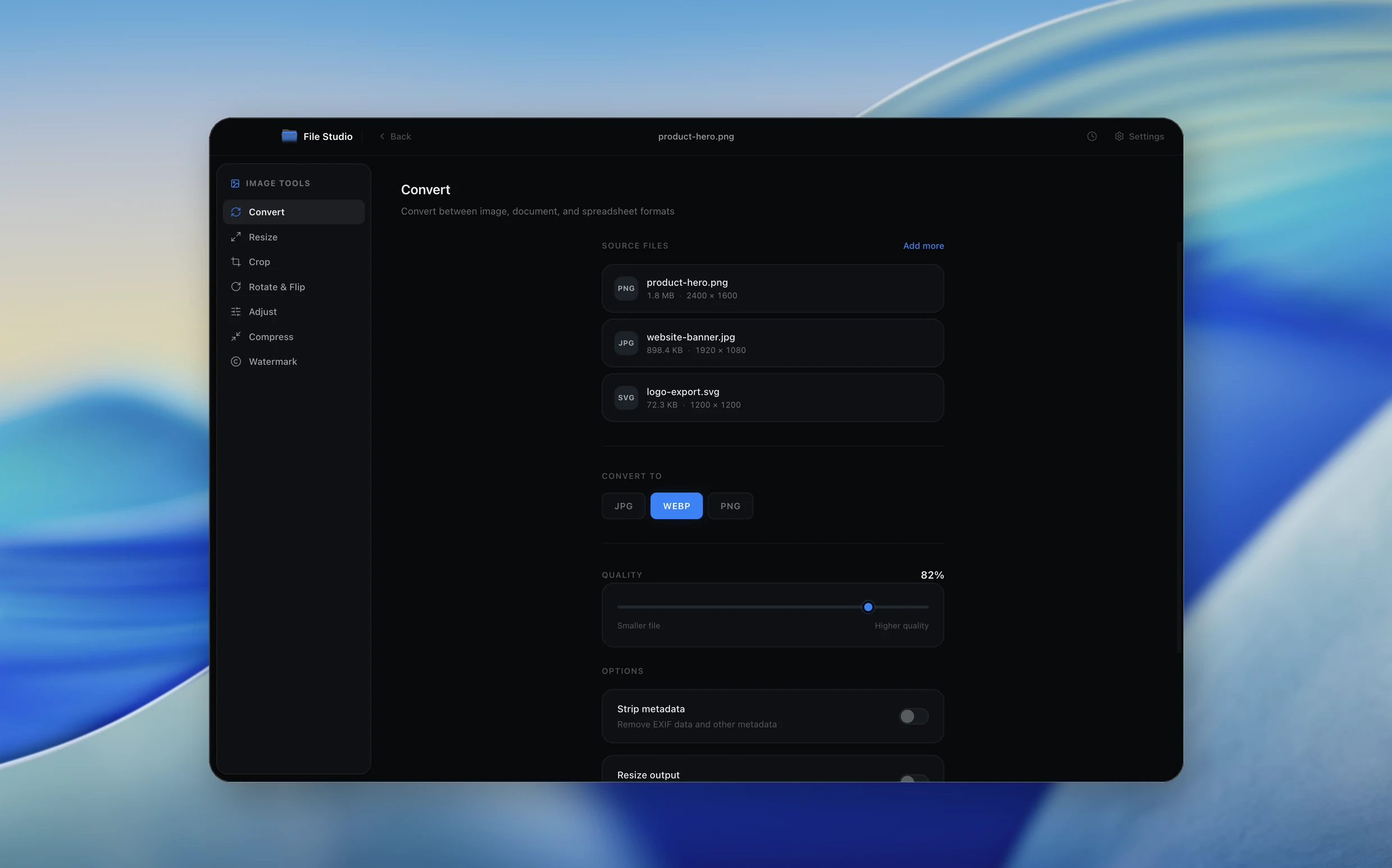
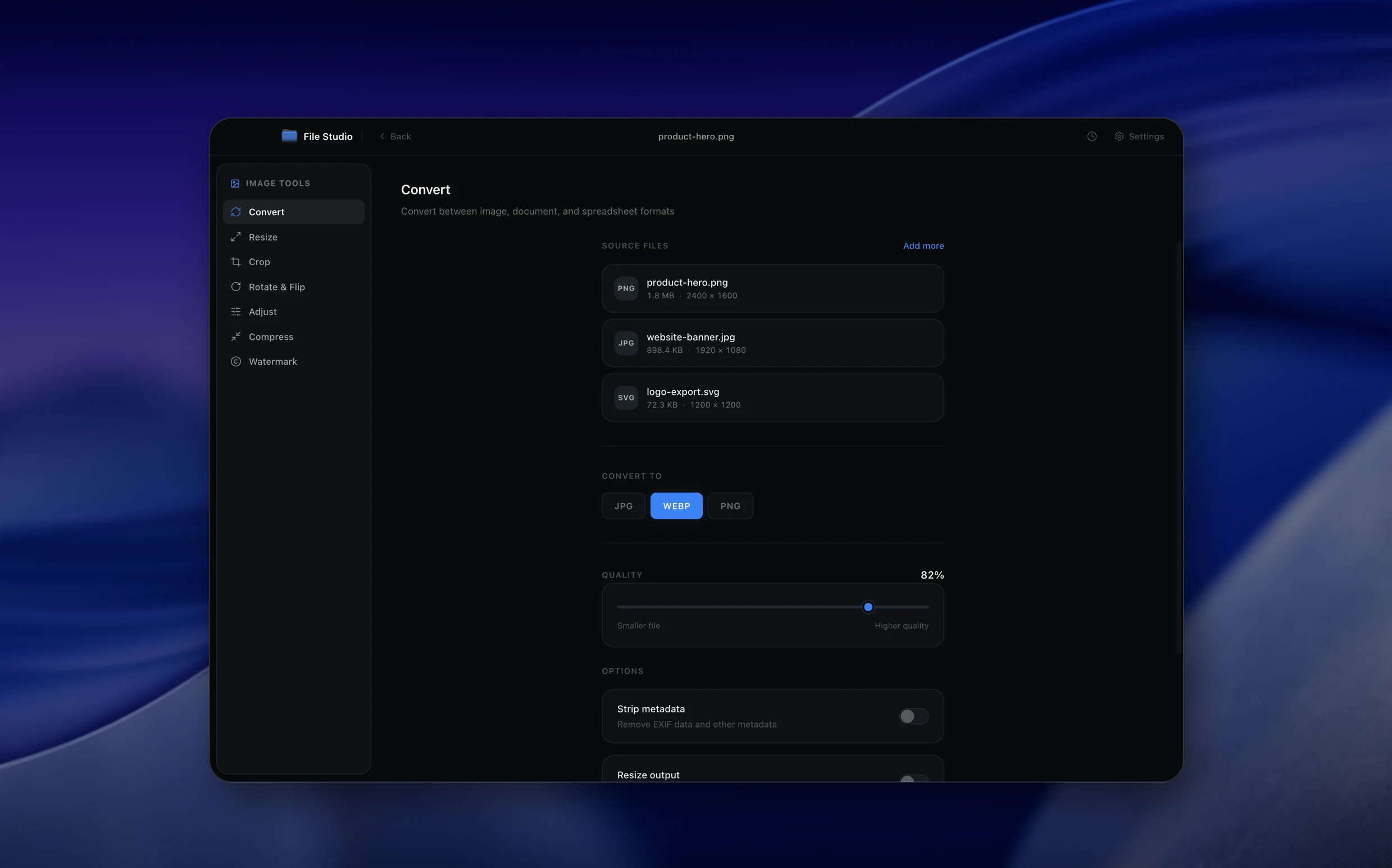
File Studio image and SVG tools interfaceFile Studio image and SVG tools interface

Image & SVG tools

Convert and optimize images without losing control of originals.

Batch-ready image tools for product shots, web assets, social graphics, screenshots, and SVG exports.

  • Convert PNG, JPG, WebP, TIFF, BMP, and SVG exports.
  • Resize, crop, rotate, compress, watermark, strip metadata, and optimize SVGs.
  • Tune quality and output format locally before saving final assets.
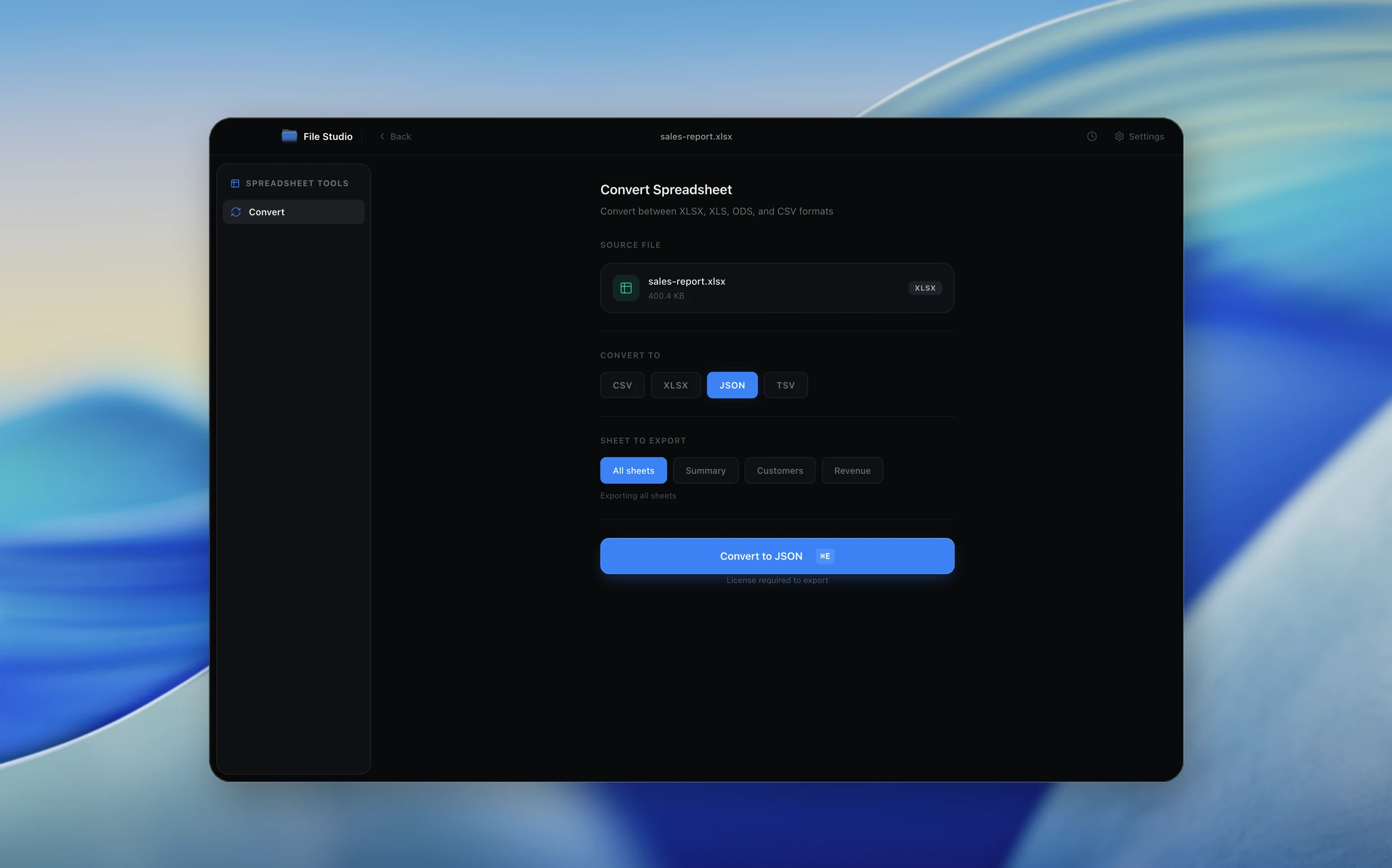
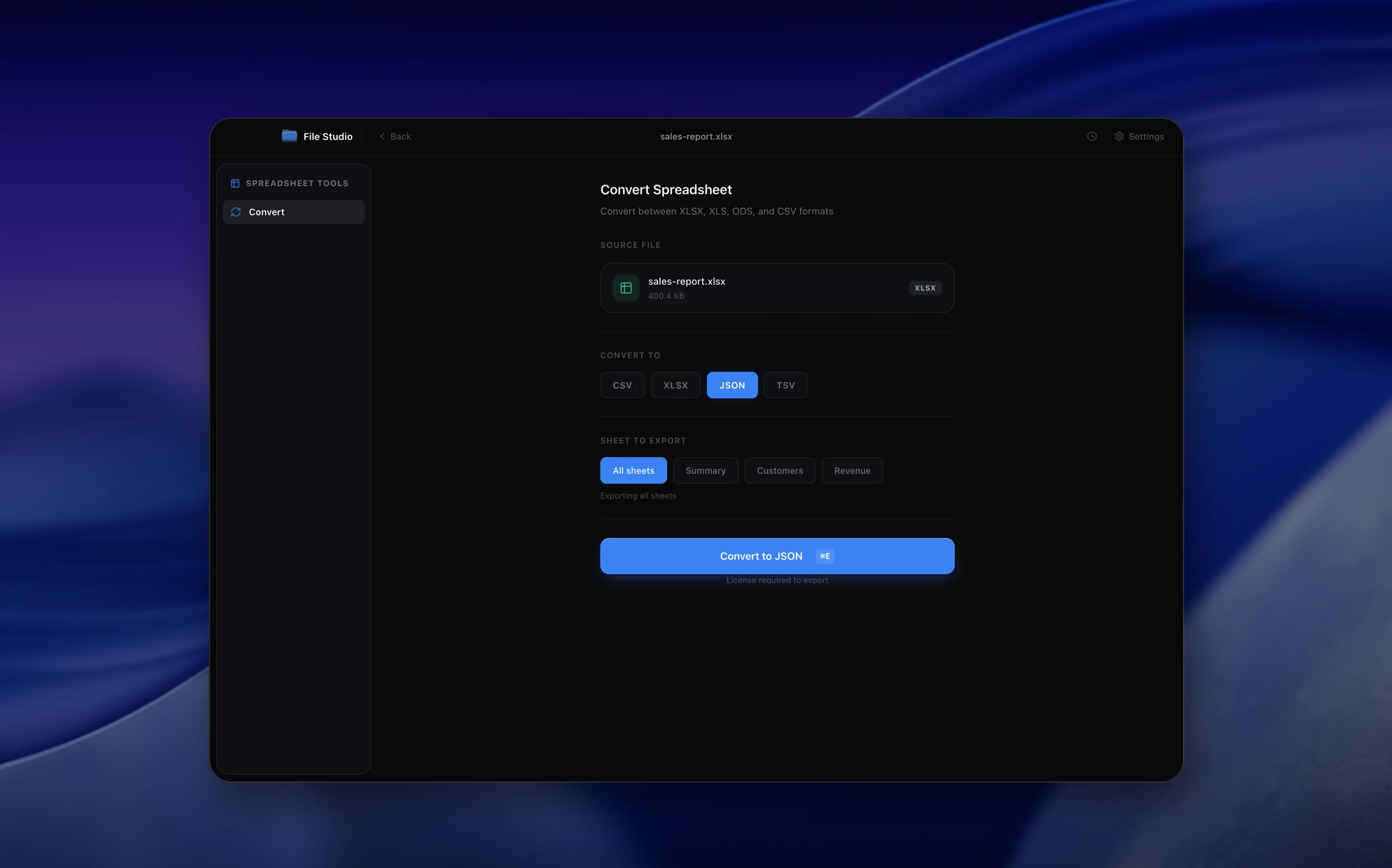
File Studio spreadsheet conversion interfaceFile Studio spreadsheet conversion interface

Spreadsheet conversion

Turn spreadsheets into clean CSV, JSON, TSV, ODS, and XLSX files.

Move reports, exports, and data files between tools without uploading sensitive business data to a web converter.

  • Convert XLSX, XLS, ODS, CSV, TSV, and JSON formats locally.
  • Choose sheets and output formats before exporting.
  • Great for sales reports, Shopify exports, analytics data, and internal ops files.
File Studio batch processing interfaceFile Studio batch processing interface

Batch processing

Drop a folder once and process dozens of files together.

For repetitive work, File Studio is built around multi-file queues instead of one-file-at-a-time web forms.

  • Batch convert images, SVGs, PDFs, and spreadsheet files from one screen.
  • Keep output organized with destination folders and consistent naming.
  • Avoid repeated uploads, downloads, captcha prompts, and browser tabs.
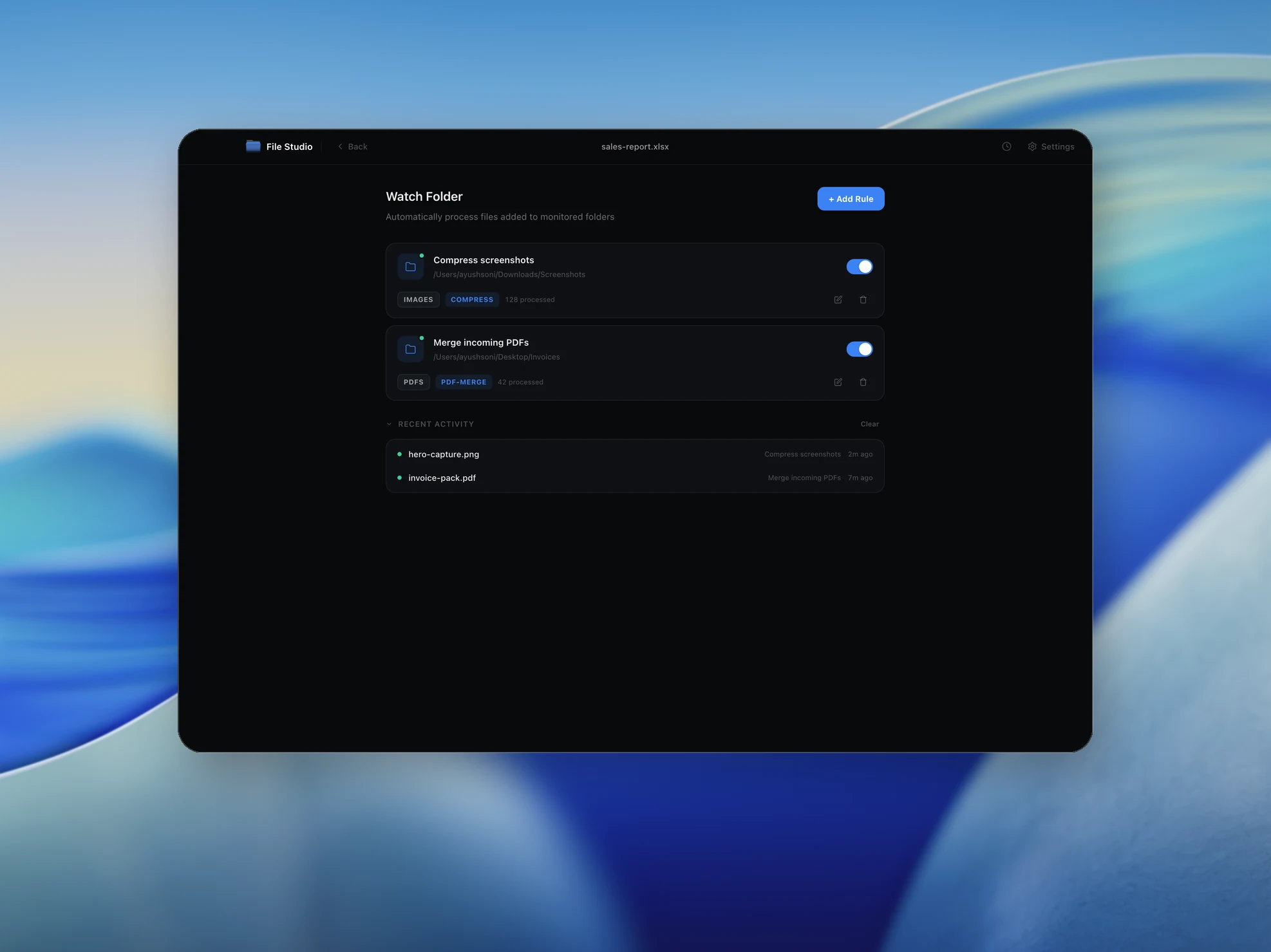
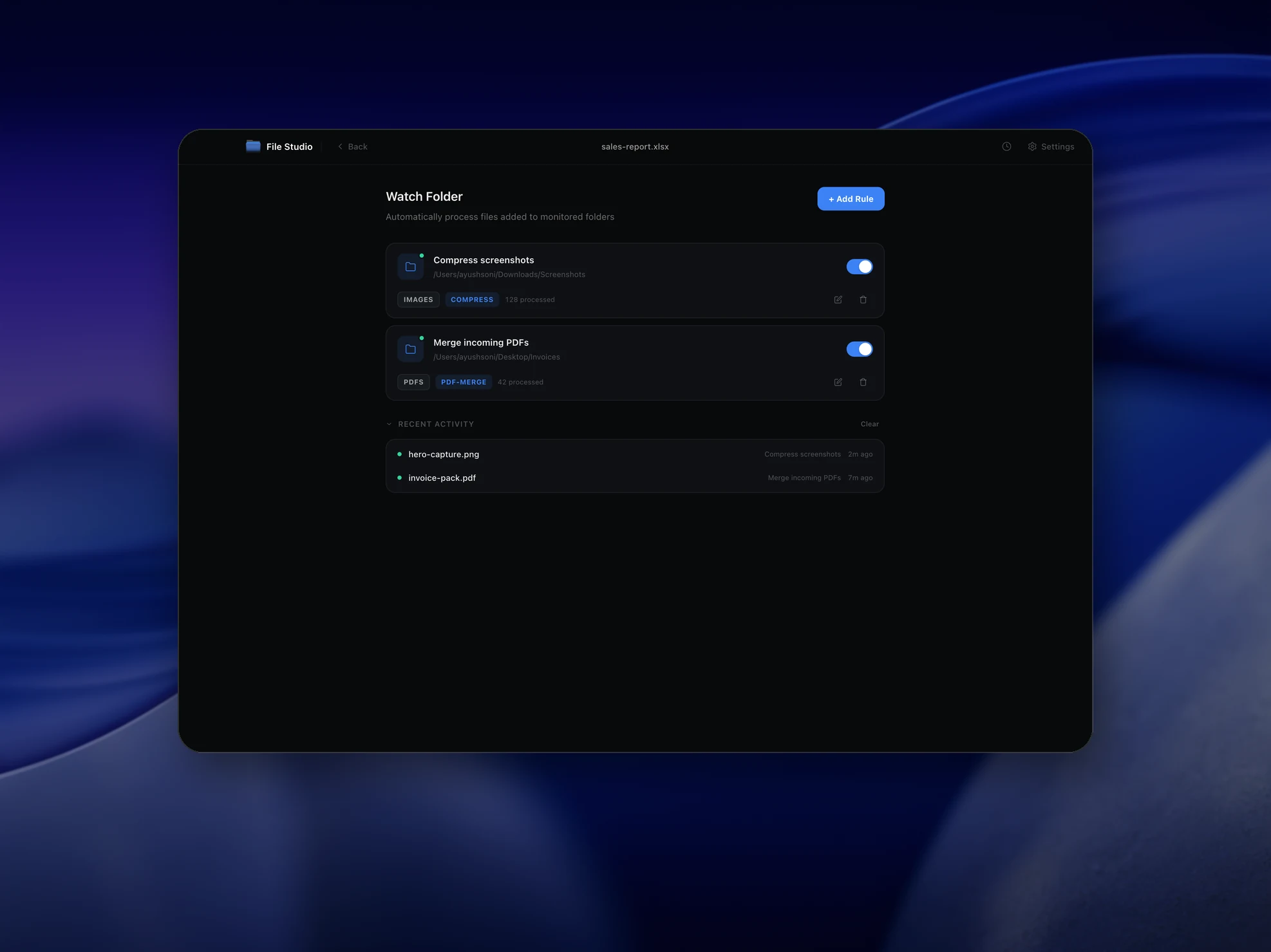
File Studio watch folders automation interfaceFile Studio watch folders automation interface

Automation

Watch folders and let File Studio process files in the background.

Set up local automations for recurring exports, client drop folders, download folders, and team handoff folders.

  • Watch folders trigger conversions automatically when files arrive.
  • Native macOS Notch Drop Zone makes quick file actions feel instant.
  • Perfect for recurring resize, compress, convert, and cleanup workflows.
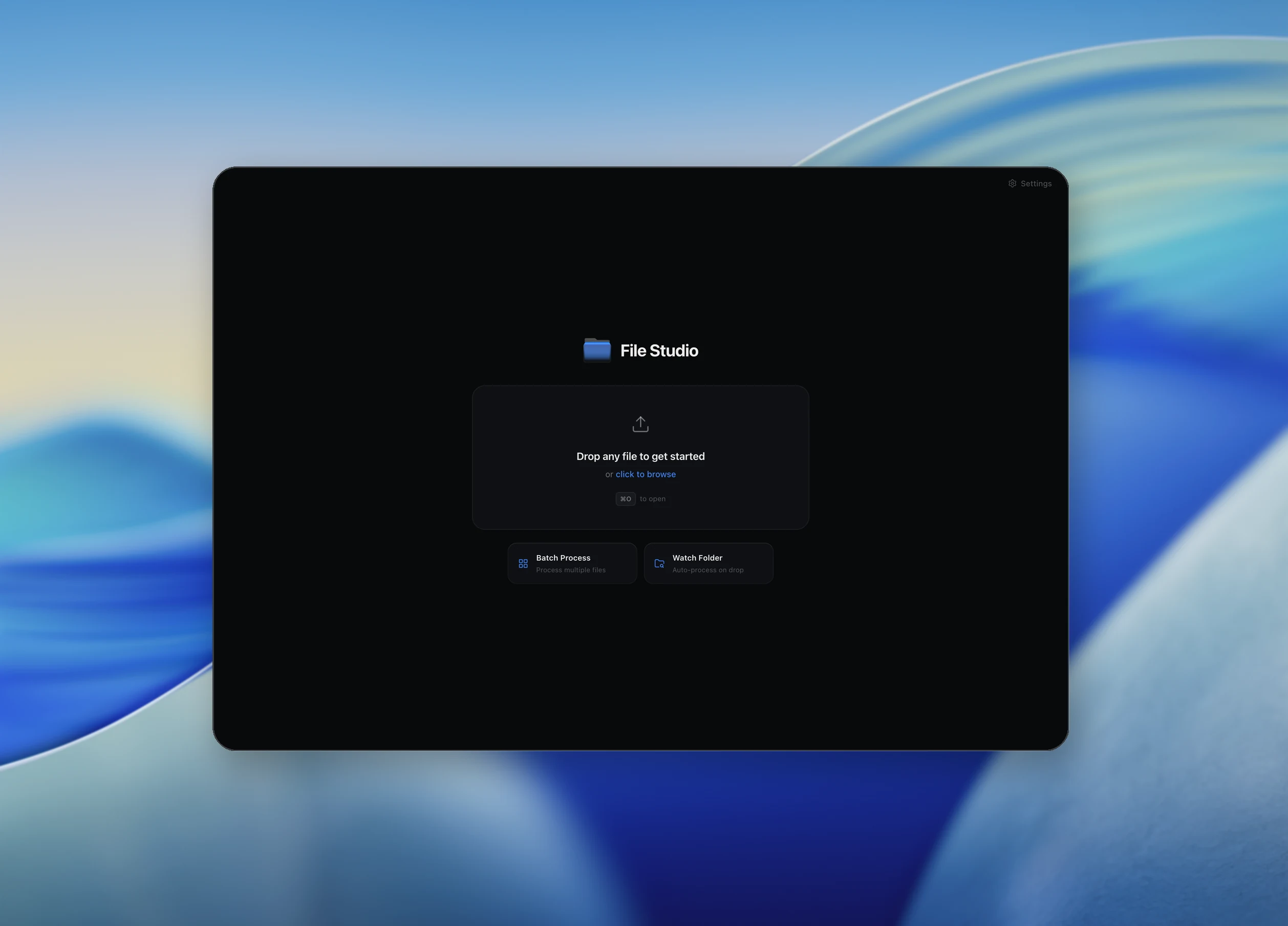
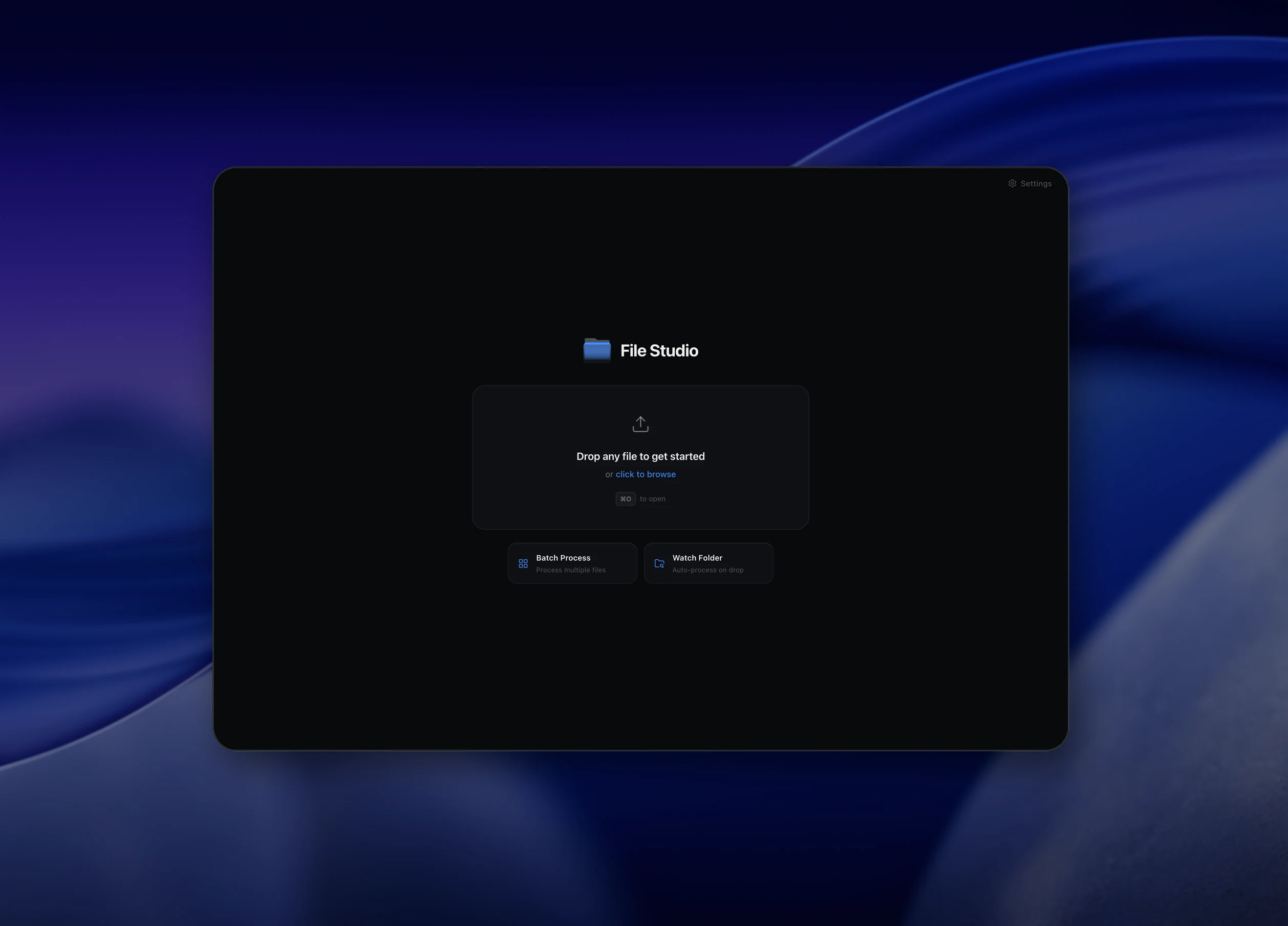
File Studio desktop app interfaceFile Studio desktop app interface

Private desktop app

A professional file utility suite that works fully offline.

File Studio is designed for people who handle real files: documents, exports, client assets, financial reports, and product media.

  • No cloud upload step, no account required, and no waiting on internet speed.
  • One polished desktop app instead of dozens of random single-purpose websites.
  • Start with the free trial, then keep the same app after licensing.

Privacy by design

Cloud tools vs. File Studio.

Cloud tools

  • Upload files to unknown servers
  • Files may be stored, analyzed, or sold
  • Require internet connection
  • Slow upload/download wait times
  • File size limits on free tiers

File Studio

  • Everything stays on your device
  • Zero data retention or telemetry
  • Works fully offline, anywhere
  • Instant native processing speed
  • No file size restrictions

Pricing

Simple, fair pricing.

All tools included. No hidden fees. Processing stays on your device.

Yearly

For short-term projects.

$9.97/year
  • 1 year of updates
  • Image, PDF, SVG, and spreadsheet tools
  • Works on Mac & Windows
  • All processing done on device
Get Yearly
Most Popular

Lifetime

One purchase. Keep it forever.

$29one-time
  • Unlimited conversions forever
  • 1 year of major updates
  • Image, PDF, SVG, and spreadsheet tools
  • Watch Folders & Automation
  • macOS Notch Drop Zone
  • Works on Mac & Windows
Buy lifetime license
14-day money-back guarantee
Payments powered by

Team & Bulk Pricing

Lifetime seats with volume discounts. More seats, bigger discount.

15

lifetime seats

5 seats50 seats
15 seatsx$25=$375
Per seat
$29$25
Team total$375

You save

$60

15% off the individual price

Buy 15 lifetime seats for $375

Enterprise

50+ seats with custom pricing, centralized license management, and priority support.

Contact Sales

FAQ

Common questions.

Is my data ever uploaded?

No. File Studio processes everything locally on your device. Your files never leave your computer.

Do you offer a free trial?

Yes. Try the app with a limited number of exports so you can see how it fits your workflow before purchasing.

Which formats are supported?

Images: PNG, JPG, WebP, TIFF, BMP, and SVG. PDFs: common PDF workflows. Spreadsheets: XLSX, XLS, ODS, CSV, JSON, and TSV.

What image tools are included?

Convert, Resize, Compress, Watermark, Crop, Optimize, and more for both raster images and SVGs.

What PDF tools are included?

Merge, Split, Security, Repair, Page Numbers, PDF to Images, and more.

What are Watch Folders and Notch Drop Zone?

Watch Folders allow automated background processing. The macOS native Notch Drop Zone lets you quickly drag-and-drop files for instant conversions.

Ready to get started?

Private file tools, always.

Download File Studio and start converting, compressing, and managing your files offline. No account required.

Available for macOS and Windows. Free trial included.