

Data Privacy Software: A Guide for Secure Workflows

Ayush Soni
Founder, File Studio
On this page
- Why Data Privacy Software Is Non-Negotiable in 2026
- Risk is already operational
- Privacy software protects revenue, not just compliance
- Understanding Data Privacy Software Beyond the Buzzwords
- Think in layers, not labels
- What privacy software actually does
- Key Features That Define Modern Privacy Tools
- Discovery and classification come first
- The missing feature is often metadata cleaning
- What works and what usually fails
- Cloud vs On-Device A Critical Decision for Your Data
- Where cloud platforms fit
- When on-device processing is the safer choice
- Choosing Your Privacy Toolkit Evaluation Criteria
- Start with your actual threat model
- Questions worth asking before you buy
- Practical Privacy Workflows for Your Team
- Legal teams
- HR and operations
- Creative and image-heavy teams
- Building a Resilient Privacy-First Workflow
You're probably dealing with this already. Someone on your team needs to send a document today. It might be an employee ID for onboarding, a contract with comments removed, a client PDF that needs redaction, or a folder of images that still carries location and device metadata. The work itself is simple. The hesitation comes from the tool choice.
Most businesses now know they need privacy controls. What they often miss is that the last mile of document handling is where preventable exposure happens. A mature privacy program can still fail if staff paste confidential text into an online converter, upload a legal filing to a browser tool, or share a PDF without checking what's embedded under the surface.
Why Data Privacy Software Is Non-Negotiable in 2026
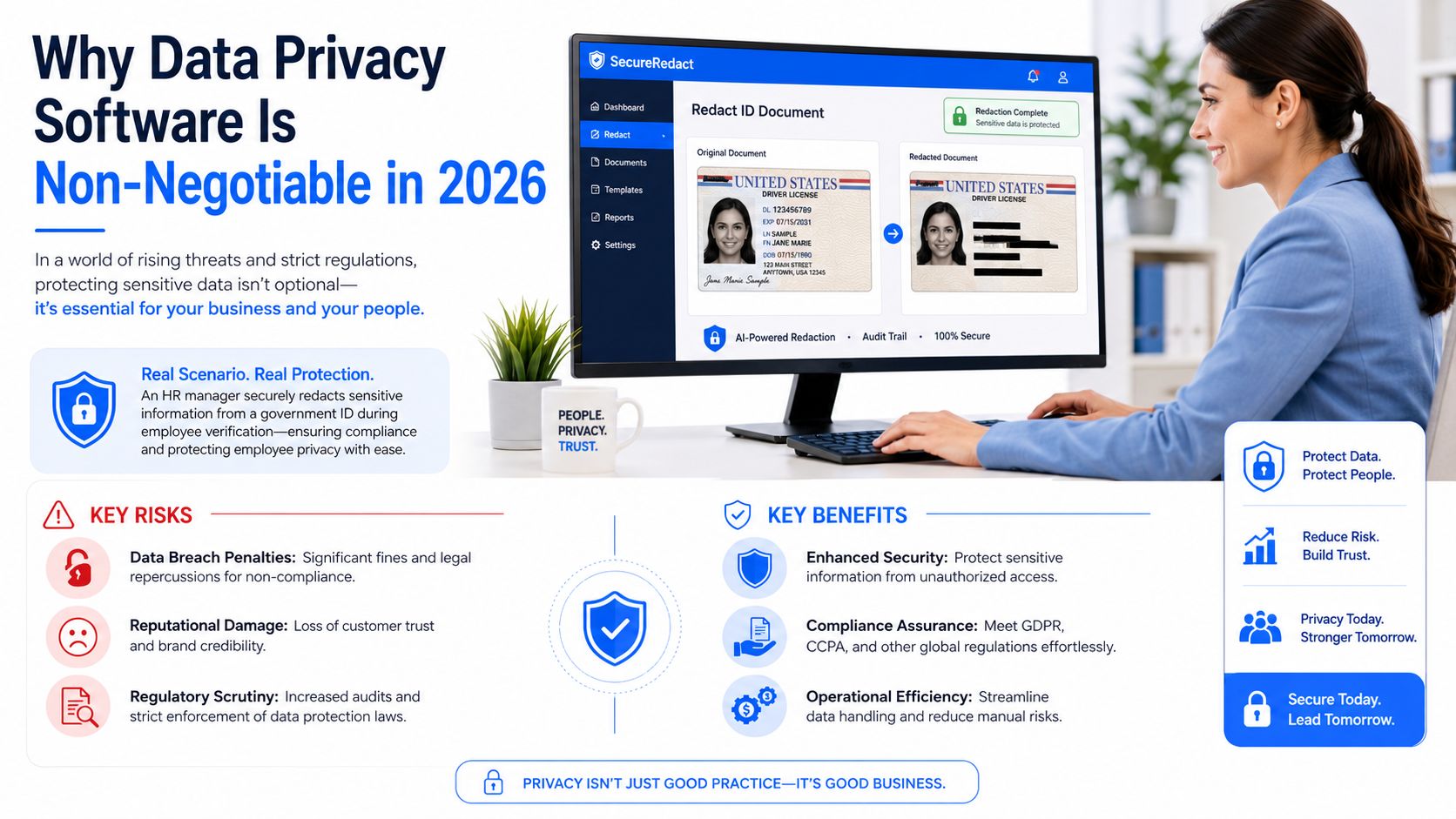
An HR manager needs to send a redacted government ID. A lawyer needs to remove hidden details from a contract before disclosure. A finance lead needs to share a PDF version of internal records without exposing document history. In each case, the task sounds routine until someone asks the right question: where will that file go while we process it?
That's why data privacy software has moved from a specialist purchase to an operating requirement. The financial stakes are already high. The global data privacy software market was valued at $5.37 billion in 2025 and is projected to reach approximately $60.4 billion by 2034, while the average cost of a global data breach reached $4.88 million in 2024. Those figures make the business case plain. Privacy tooling is now part of risk control, not an optional IT add-on based on the verified market and breach data provided in the brief.
Risk is already operational
The hardest privacy failures to fix are rarely abstract. They happen in normal business motion. A document gets converted with the wrong tool. A file gets shared before metadata is cleaned. A team member assumes a browser utility is harmless because the job takes only a minute.
For regulated work, “good enough” handling isn't good enough. If your team deals with identity records, health information, contracts, payroll documents, financial statements, or internal reports, you need software that controls how sensitive data is found, processed, and shared.
Practical rule: If a file would be embarrassing, regulated, or legally damaging if exposed, it shouldn't pass through an unvetted web tool.
Teams that are still sorting out policy basics should spend time understanding GDPR regulations in operational terms, not just legal language. That's where software choices start making sense.
Privacy software protects revenue, not just compliance
Good data privacy software does more than reduce legal exposure. It helps preserve customer confidence and internal discipline. The verified data in the brief shows that 95% of organizations assert that the financial benefits of investing in data privacy significantly exceed the costs, and 48% of users stop purchasing from companies that fail to protect their data.
That changes the conversation. Privacy software isn't only there for audits, policy binders, or DPO checklists. It protects deal flow, retention, reputation, and response speed when something goes wrong.
A useful way to think about it is this:
- Compliance value: It helps teams meet obligations and produce evidence.
- Operational value: It reduces manual handling of sensitive information.
- Commercial value: It lowers the chance that poor privacy practice turns into lost trust and lost revenue.
Most businesses already insure buildings, endpoints, and payment systems. Sensitive documents deserve the same seriousness.
Understanding Data Privacy Software Beyond the Buzzwords
A lot of software gets labeled “privacy” when it's really doing only one narrow job. Cookie banners, consent pop-ups, DLP controls, redaction tools, and data mapping platforms all sit somewhere in the privacy stack, but they're not interchangeable.
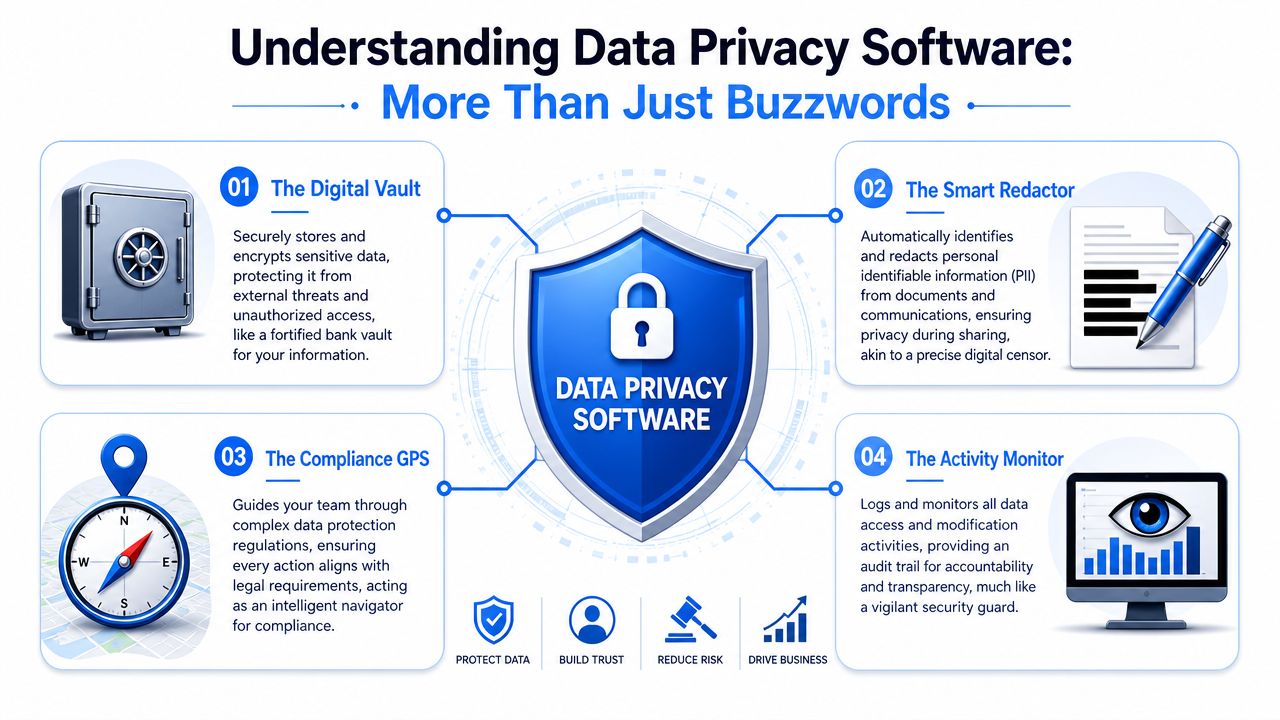
The easiest way to explain data privacy software is to treat it as two roles working together. One part is a digital security guard that watches where sensitive data lives, who accesses it, and whether it moves in approved ways. The other part is a file clerk that knows what's inside your documents, how they should be handled, and what has to be removed before sharing.
Think in layers, not labels
General cybersecurity tools focus on the perimeter, the endpoint, or the network. Firewalls block traffic. Antivirus scans for malicious code. Identity tools control sign-in. Those matter, but they don't answer privacy questions such as:
- What personal data is inside this file?
- Should this document be shared at all?
- Has this PDF retained hidden author information?
- Can we prove how a request was handled?
- Are users processing sensitive material in approved environments?
That's where privacy software earns its place. It deals with the data itself, its context, its movement, and its lifecycle.
A secure network doesn't automatically create a private workflow. Teams still need controls around the files, fields, and metadata they handle every day.
What privacy software actually does
In practice, modern privacy software usually covers four jobs.
| Function | What it means in day-to-day work |
|---|---|
| Discovery | Finds sensitive information across systems, files, or repositories |
| Governance | Applies rules for access, retention, consent, and deletion |
| Protection | Redacts, encrypts, limits access, or prevents risky transfer |
| Evidence | Creates logs, records, and reports that support compliance |
What confuses buyers is that one product may do only one of these jobs well. OneTrust and Osano are often discussed as privacy platforms because they support compliance workflows and consent management. That doesn't mean they're the right answer for someone who needs to sanitize a confidential PDF locally before sending it to opposing counsel or a regulator.
This is the distinction many software evaluations miss. Enterprise orchestration tools govern policy across systems. Document-level privacy tools handle the file in front of the user. Most businesses need both categories, even if they buy them at different times.
Key Features That Define Modern Privacy Tools
When I review data privacy software with a business, I don't start with marketing labels. I start with capabilities. If a tool can't find sensitive information, control its handling, and reduce risky manual steps, it won't hold up under real pressure.
Discovery and classification come first
The strongest enterprise platforms begin with discovery. If you don't know where personal or regulated data lives, every downstream process becomes slower and more fragile. Verified data in the brief states that automated data discovery and classification powered by machine learning can reduce the time required to map sensitive data flows by up to 70% compared to manual audits.
That matters because spreadsheets and ad hoc inventories break quickly. A privacy team may think it has complete visibility, while departments continue creating new stores of files, exports, and attachments.
A modern tool should help with:
- Sensitive data identification: It should recognize common categories such as personal identifiers, financial records, and health-related files.
- Structured and unstructured coverage: Databases matter, but so do PDFs, image folders, archived reports, and shared drives.
- Workflow triggers: Discovery should lead to action such as restriction, review, deletion, or redaction.
If your compliance team is comparing governance products, AuditReady's compliance tool guide is a useful companion because it frames monitoring tools around real oversight needs rather than vendor slogans.
The missing feature is often metadata cleaning
This is the blind spot that gets too little attention. Many privacy guides talk about consent, DSARs, and policy management. Far fewer address embedded metadata in files that employees exchange every day.
The verified data provided for this article states that existing privacy laws and tools largely omit the data minimization of embedded metadata, and standard reviews rarely evaluate on-device metadata cleaning as a core feature. That gap creates risk for anyone sharing PDFs, scans, images, contracts, or exported documents. The supporting context appears in Brookings' discussion of surveillance and privacy implications for exposed metadata in sensitive contexts, especially for communities facing disproportionate harm from data misuse in this Brookings analysis.
Typical examples include:
- PDF authorship data: creator name, software, edit history, timestamps
- Image metadata: GPS coordinates, camera model, device details
- Office exports: revision traces, usernames, hidden properties
For teams handling confidential files, this isn't a niche feature. It's basic hygiene. A practical starting point is to insist on workflows that support local processing and file sanitization, especially for document conversion and cleanup. That's the gap addressed by tools built for privacy-first file conversion.
What works and what usually fails
What works is boring. Clear inventories. Redaction that can be checked. Repeatable handling rules. Local file processing for sensitive materials. Logs that show what happened.
What fails is familiar too.
Teams get into trouble when they combine formal privacy policies with informal file handling.
The most common mismatch is buying a high-level compliance platform and assuming it solves document-level risk. It doesn't. If your staff still rely on browser utilities for conversion, cleanup, and metadata removal, your privacy stack has a hole in it.
Cloud vs On-Device A Critical Decision for Your Data
The most important architectural choice in data privacy software is simple to ask and easy to dodge: must this data ever leave the device to be processed?
Many buyers skip that question because the market pushes them toward cloud-first platforms. Those systems are useful, sometimes necessary. But they're not automatically the right choice for every workflow.
Where cloud platforms fit
Cloud-based privacy software is strong when the job is orchestration across many systems. If your business needs to manage consent across websites, apps, CRMs, analytics tools, and internal workflows, a central platform can make sense. It gives privacy, legal, engineering, and marketing teams one place to coordinate process.
That model fits organizations with distributed infrastructure and ongoing governance needs. It's especially useful when data is already spread across SaaS systems and the challenge is policy enforcement at scale.
When on-device processing is the safer choice
The trade-off is trust and exposure. The verified data for this article states that while the privacy software market is projected to reach $60.4 billion by 2034, 95% of this growth is driven by cloud-compliant orchestration tools, leaving offline-local secure file handling underserved. The same verified data also states that 72% of data breaches in regulated sectors originate from third-party vendor uploads or cloud misconfigurations, which is the core warning raised in the referenced discussion of privacy management software features from Protecto's overview.
If you handle passports, contracts, employee records, investigative material, medical forms, or unreleased creative assets, on-device processing often isn't a convenience. It's the cleaner risk decision. The file stays local. The chain of custody stays tighter. The chance of accidental disclosure through upload drops sharply.
Cloud software is excellent for coordination. It's often the wrong place to process the most sensitive source files.
Here's the practical comparison.
| Attribute | Cloud-Based Software | On-Device Software |
|---|---|---|
| Best use | Multi-system governance, consent, DSAR workflows | Confidential file handling, conversion, redaction, metadata cleaning |
| Data movement | Requires transmission to or through external infrastructure | Keeps processing local on the user's machine |
| Fit for highly sensitive source files | Often depends on vendor trust, policy, and contract controls | Often preferable when uploads are restricted or undesirable |
| Deployment model | Centralized, browser-based, integration-heavy | Desktop-based, local workflow-focused |
| Main strength | Cross-platform orchestration | Data sovereignty and local control |
| Main weakness | Third-party exposure and configuration risk | Limited visibility across broad SaaS ecosystems |
If your team still uploads documents to browser tools because it feels faster, it's worth evaluating offline options for converting files without uploading. That single workflow choice can eliminate a category of preventable privacy risk.
Choosing Your Privacy Toolkit Evaluation Criteria
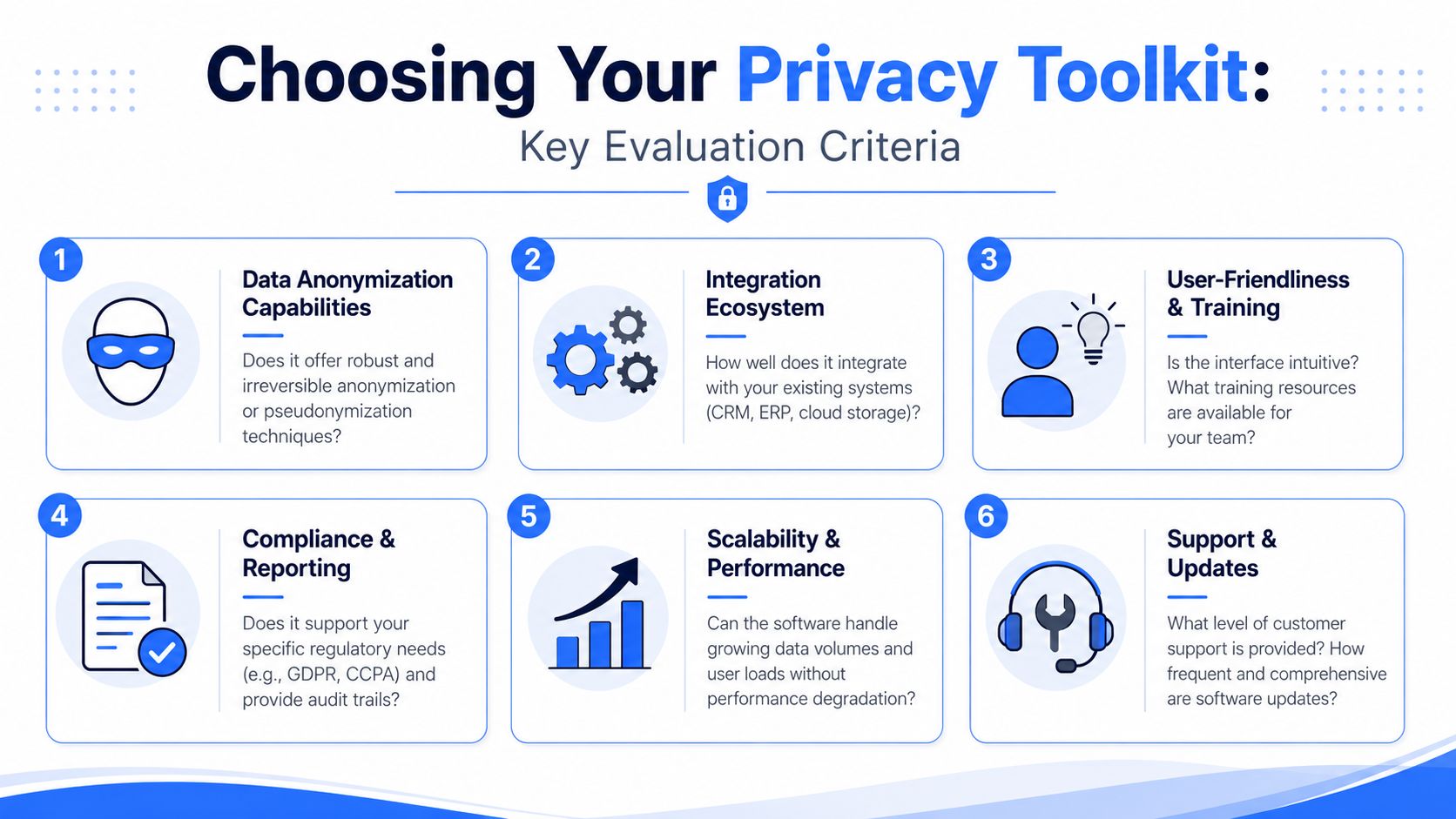
Most companies don't need “the best” data privacy software in the abstract. They need the right mix for the way their work operates. The decision gets easier when you stop comparing product pages and start asking operational questions.
Start with your actual threat model
A privacy officer at a SaaS company and an office manager handling employee paperwork don't face the same daily risk. One may care most about DSAR workflows and audit evidence. The other may care most about whether staff are uploading IDs and payroll forms to web utilities.
Ask yourself:
- Where does your most sensitive data live? In cloud systems, on desktops, in shared drives, or in scanned documents?
- What failure would hurt most? A compliance miss, a vendor exposure, a leaked file, or poor internal handling?
- Who uses the software? Privacy specialists, legal staff, HR generalists, admin teams, or creatives?
- What must stay local? This question is often more important than the feature checklist.
Healthcare-adjacent teams should also review handling requirements in plain operational language. A practical reference is this HIPAA compliance guide, especially for teams that exchange documents outside formal clinical systems.
Questions worth asking before you buy
The best evaluations sound like due diligence, not demos.
- Can the tool reduce manual handling?
If staff still copy, paste, rename, redact, and export by hand, the workflow is still fragile. - Does it support local processing where needed?
This matters for HR, legal, finance, and any team handling personal documents directly. - Can non-specialists use it safely?
If only a privacy expert can operate it correctly, people will work around it. - Does it create evidence?
For governance tools, that means logs and reporting. For file tools, that means consistent, reviewable handling. - What does ownership really cost?
Verified data in the brief notes that enterprise-grade privacy management software can require significant setup and annual maintenance costs, while the benefits can exceed the investment when tools prevent breaches, fines, and trust damage. The practical lesson is to compare recurring platform spend against the actual risks you need to reduce.
A lot of poor software decisions come from buying for the board slide instead of the desk-level workflow. The right toolkit should make the safe path the easy path.
Practical Privacy Workflows for Your Team
Privacy programs become real when they fit everyday work. The best workflows don't ask staff to become privacy experts. They remove the risky shortcuts.
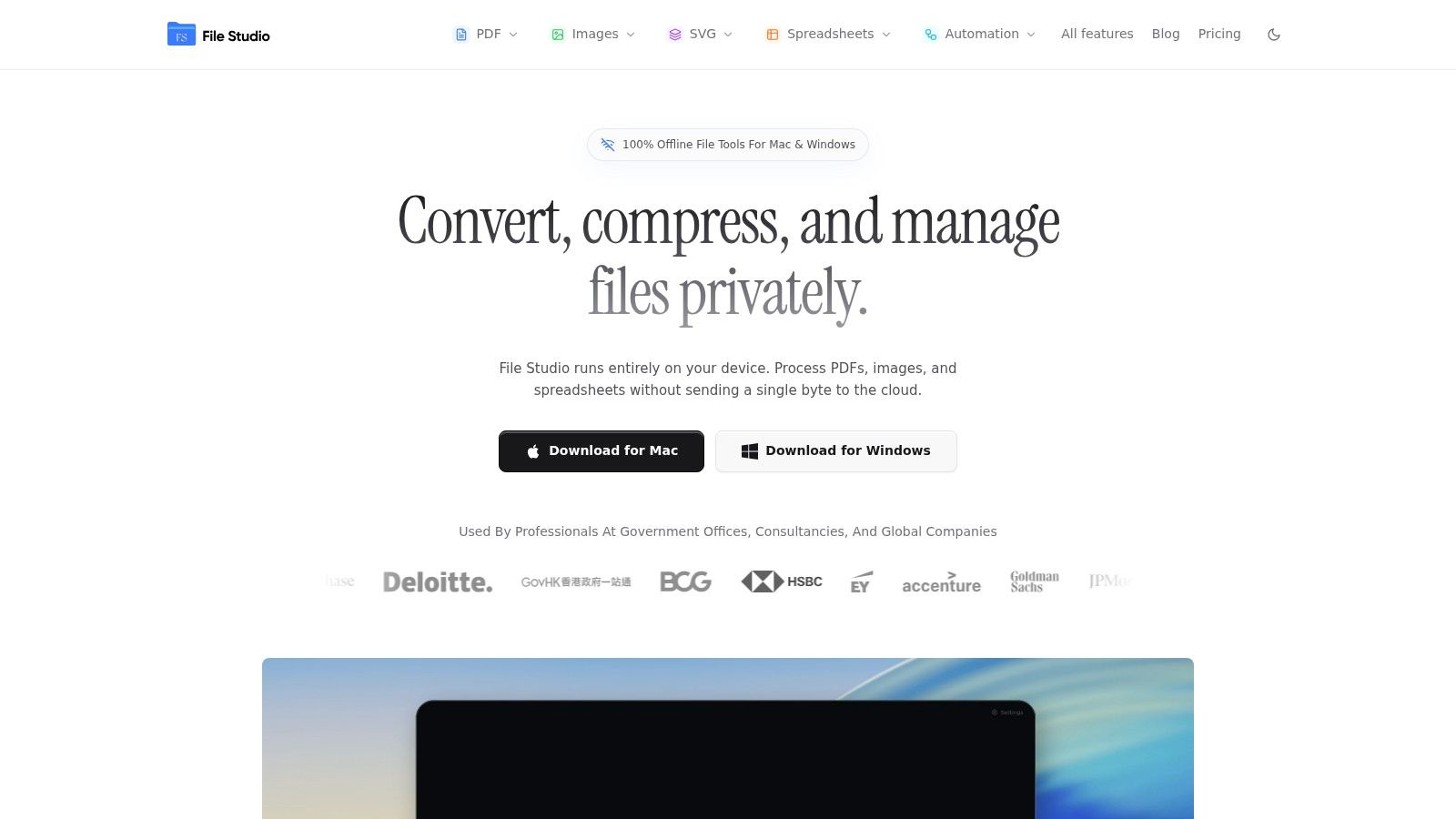
The visual below reflects the kind of file-centric work many teams do locally every day.
Legal teams
A legal team often needs to combine discovery files, remove annotations, flatten documents, and strip metadata before external sharing. Using a web converter for this kind of work creates unnecessary exposure because the source material itself is the risk.
A better workflow is local by default. Prepare the files on a controlled device, clean metadata before output, then generate the final shareable version. If the team also uses enterprise discovery tools, keep those separate from the last-mile file handling step.
HR and operations
HR teams regularly process IDs, signed forms, policy acknowledgments, and onboarding packets. The work is repetitive and easy to underestimate. Staff will choose convenience unless you give them a tool that's just as simple without requiring uploads.
An effective local workflow usually looks like this:
- Collect files securely: Keep scans and source files in approved local or managed storage.
- Convert and assemble offline: Create the final PDF package without sending files to a third-party web service.
- Clean before sharing: Remove unnecessary metadata and export only what the recipient needs.
If your team often shares PDFs externally, this practical walkthrough on how to remove PDF metadata shows the exact issue many HR workflows overlook.
Creative and image-heavy teams
Photographers, designers, and media teams face a different privacy problem. Their files may contain location data, device information, author details, and production traces. Those details can matter when images are sent to clients, press contacts, contractors, or public channels.
The verified data in the brief states that in enterprise privacy work, machine learning-powered automated data discovery can reduce the time to map sensitive data by up to 70%, and that combining automated discovery with on-device metadata cleaning mitigates privacy risk by eliminating cloud uploads and keeping processing local. That logic applies directly to image-heavy environments where file volume is high and manual review is unreliable.
The safer workflow is the one that keeps sensitive source files local until the sanitized output is ready to share.
In practice, the strongest setup is often split in two. Use enterprise privacy software to govern the wider environment. Use an offline document and image workflow for the files people touch directly.
Building a Resilient Privacy-First Workflow
The strongest privacy setup isn't cloud-only or desktop-only. It's selective.
Large organizations often need cloud platforms for consent, governance, reporting, and cross-system coordination. But almost every business that handles sensitive files also needs a local way to convert, clean, package, and share documents without pushing source material through external services. That's the gap many buying guides ignore.
A resilient workflow treats privacy as an operational habit. Keep governance centralized where it helps. Keep high-risk file processing local where it matters. Review metadata before sharing. Give staff tools that reduce shortcuts instead of punishing them after the fact.
If your team needs a practical way to handle PDFs, images, spreadsheets, and metadata-sensitive files locally, File Studio is built for that exact last-mile privacy problem. It runs offline on macOS and Windows, processes files on-device, and gives teams a straightforward way to convert, edit, compress, organize, and sanitize sensitive documents without uploading them to a third-party service.