

Document Confidentiality: A Practical Guide for 2026

Ayush Soni
Founder, File Studio
On this page
- The Hidden Risks in Everyday Document Handling
- What Document Confidentiality Really Means
- The sealed envelope test
- Which documents count as sensitive
- Why Confidentiality Matters for Your Business
- The legal floor keeps rising
- The business damage usually hits first
- Common Threats and Hidden Attack Vectors
- The obvious threats get attention
- Metadata is the quiet leak
- Essential Controls for Protecting Documents
- Start with the device, not the document
- Build a practical control set
- Secure Workflows for Different Professionals
- Legal and HR workflows
- Finance and creative workflows
- Your Document Confidentiality Checklist
- Create and store
- Share and dispose
You're probably doing something that feels routine right now. A contract is ready to send. An employee has emailed over ID documents for onboarding. A client wants a signed PDF back today, and the fastest path looks like “open file, edit, export, send.”
That's where most document confidentiality failures start.
Not with a dramatic breach. Not with an advanced attacker. With ordinary office work done a little too quickly. A PDF gets exported with the author name still embedded. A scan gets converted through a browser tool because it's convenient. A file sits unencrypted on a laptop that travels between home, office, and coffee shops. The document contents may look secure, but the surrounding details often aren't.
Small businesses are especially exposed because they handle the same sensitive material as larger firms, but without a dedicated privacy team watching every workflow. Contracts, invoices, passports, tax records, disciplinary notes, medical paperwork, and internal reports all move through devices that people also use for day-to-day work. If your process depends on “we're careful,” you don't have a process. You have luck.
The Hidden Risks in Everyday Document Handling
A small business owner receives a signed service agreement, opens it to add one last page, exports a fresh PDF, and emails it to the client. The file never touches a shared drive. No public link is created. It feels private.
But several things can still go wrong.
The exported PDF may carry the creator's name, company details, software version, and revision history inside the file properties. A scanned ID converted through a web tool may be copied to a third-party server during processing. An employee might save payroll records to a laptop desktop because it's faster than navigating folders, then leave that laptop in a car overnight. None of this looks like a “breach” in the dramatic sense, yet every step weakens document confidentiality.
That's why I treat document handling as a workflow issue, not just a cybersecurity issue. Sensitive files leak through convenience decisions. The pressure to move quickly creates bad habits: forwarding originals instead of clean copies, reusing files with old metadata, and relying on online converters when the document should never leave the device in the first place.
One of the easiest places to tighten up is PDF cleanup before sharing. If you haven't checked how much a file can reveal beyond the visible text, this guide on removing PDF metadata before sending documents is worth reviewing.
Practical rule: If a document would create a problem if printed and left on a reception desk, treat the digital version the same way.
Most confidentiality failures in small teams come from ordinary habits. This is good news. Habits can be fixed faster than infrastructure.
What Document Confidentiality Really Means
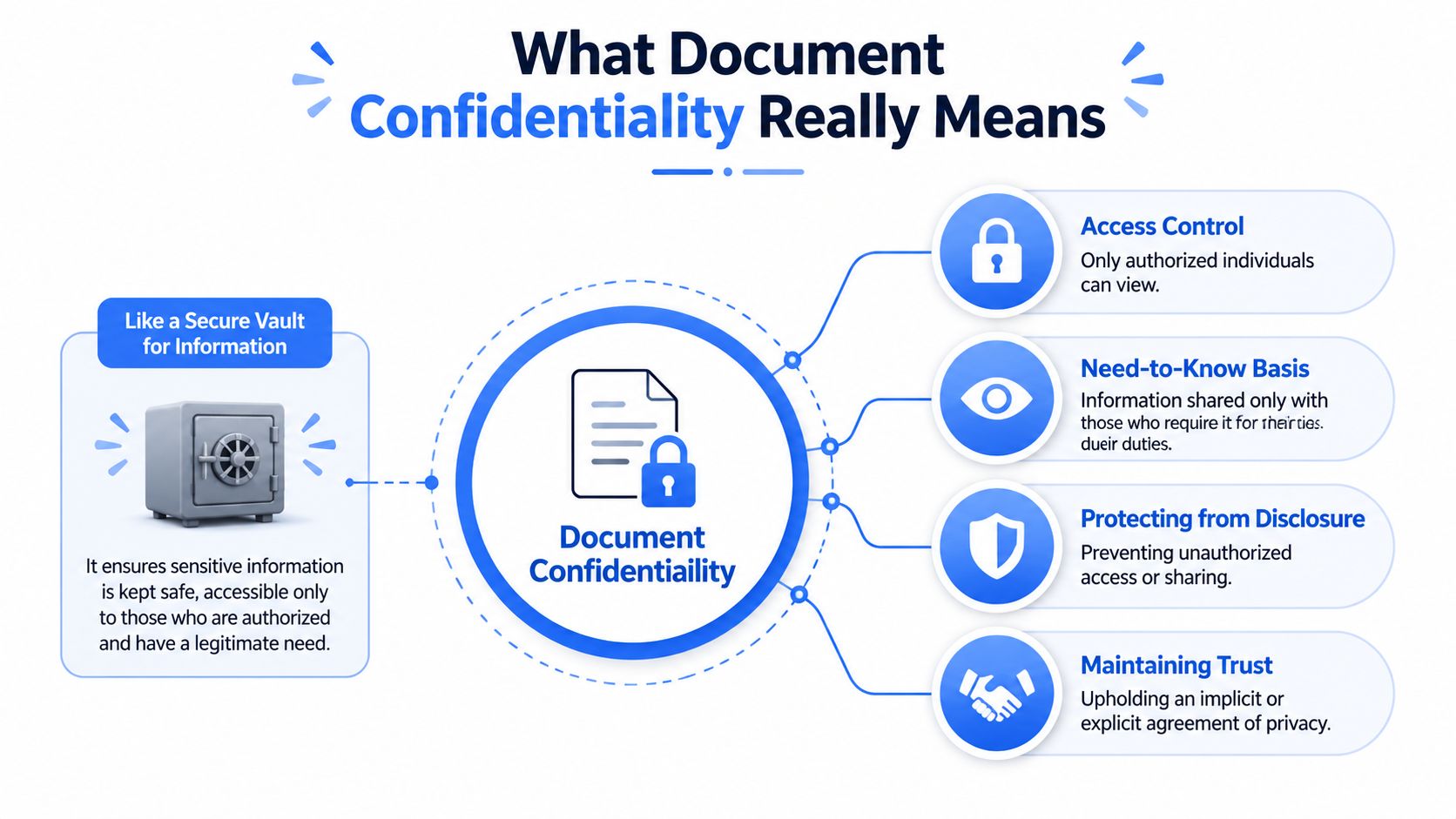
Document confidentiality means only the right people can access the document, and only for the right reason. That sounds simple, but it helps to make it concrete.
Think of a confidential document as a sealed, registered letter. The envelope hides the contents. The named recipient limits who should open it. The delivery record helps prove whether it arrived intact. A non-confidential document is closer to a postcard. Anyone handling it can read the message along the way.
The sealed envelope test
In practice, document confidentiality sits inside the broader security model of confidentiality, integrity, and availability.
- Confidentiality means unauthorized people can't read the document.
- Integrity means the document hasn't been altered without approval.
- Availability means authorized staff can still get the document when they need it.
If you only focus on locking files down, you can still create operational problems. I've seen businesses protect files so aggressively that staff start copying them into less secure locations just to get work done. Good confidentiality controls don't block work. They shape it.
The legal environment is also much broader than many small businesses realize. By the end of 2024, data protection laws covering document confidentiality and privacy had extended to 6.3 billion people, representing 79% of the global population, with 144 countries having enacted specific data and consumer privacy legislation as of early 2025, according to Usercentrics' privacy statistics summary. For a small business, the takeaway is straightforward. Privacy obligations are no longer niche or regional. They're the default operating environment.
If you're mapping confidentiality controls into your software stack, this overview of data privacy software for business workflows helps frame where document handling fits.
Which documents count as sensitive
Many teams underestimate what belongs in the “confidential” category. They think of medical records or legal case files, but the actual list is wider.
A few examples:
| Document type | Why it needs protection |
|---|---|
| Passport scans and driver's licenses | They contain direct identifiers and can enable impersonation or fraud |
| Contracts and amendments | They expose commercial terms, names, signatures, and negotiation details |
| Payroll files and HR forms | They contain personal identifiers, compensation data, and disciplinary history |
| Medical invoices or benefits paperwork | They can reveal health-related details and financial information |
| Internal reports and client spreadsheets | They often combine names, account details, and operational context |
Confidentiality isn't just secrecy. It's controlled access, limited exposure, and careful handling across the life of the document.
If a file contains PII such as names linked to addresses, account numbers, identification numbers, or signatures, it deserves a stricter workflow. If it contains PHI or employment records, the bar should be higher still.
Why Confidentiality Matters for Your Business
Small businesses rarely ignore confidentiality on purpose. They usually treat it as secondary to speed, sales, and service. That works until one exposed file forces the issue.
The damage isn't limited to formal enforcement. Clients notice sloppiness long before regulators do. A password sent in the same email as the attachment, a contract showing another client's name in metadata, or a shared folder with broad internal access tells people more about your business than your privacy policy ever will.
The legal floor keeps rising
The practical reality is that confidentiality has moved out of the “good practice” category and into the “basic governance” category. If your team handles customer records, invoices, onboarding documents, or signed agreements, you're operating inside a legal environment that expects reasonable protection of those records.
That matters because compliance problems often start with poor document processes, not dramatic technical failures. A company may think it has a privacy program because it uses passwords and cloud storage, while overlooking local copies, exports, downloaded attachments, and archived files on staff laptops.
A useful way to assess your exposure is to map the full path each sensitive file takes. Intake, editing, storage, review, approval, sharing, archive, disposal. Most businesses find weak points immediately. If your files bounce between inboxes, desktops, shared folders, and browser tools, your workflow needs tightening. A more deliberate document processing workflow for sensitive files usually solves more risk than adding another policy document.
The business damage usually hits first
Clients and partners don't need a regulator to tell them a process is careless. They see it in the details.
Consider what a confidentiality failure costs in day-to-day terms:
- Lost trust: Clients stop sending high-value work if they doubt your handling standards.
- Internal disruption: Staff spend days tracing who had access, what was shared, and whether copies still exist.
- Commercial exposure: Pricing, draft terms, or internal notes can reach the wrong party.
- Relationship strain: Employees become less willing to share sensitive information if HR records feel loosely managed.
A breach response is always more expensive than a clean workflow, even when the cost is measured in time, not money.
In small organizations, reputation travels fast. You don't need a headline incident to suffer damage. A single mishandled file can change how a client, employee, or partner judges your competence.
Common Threats and Hidden Attack Vectors
When people think about document confidentiality, they usually picture outside attackers. That threat is real, but it's only one category. In practice, documents are exposed through a mix of digital weaknesses, human error, and local file hygiene problems.
The obvious threats get attention
The common attack paths are familiar because they happen every day.
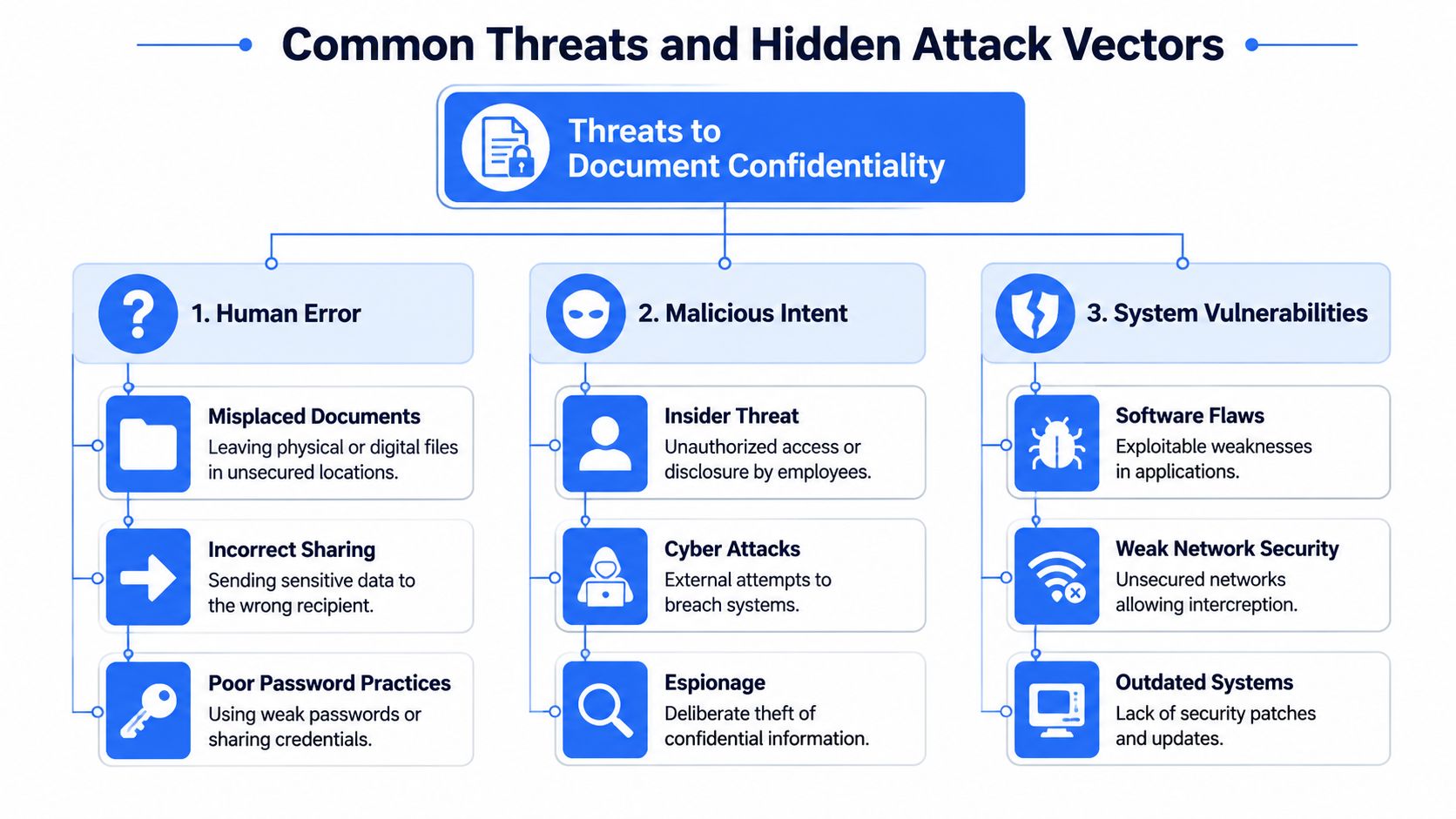
A quick breakdown helps:
- External digital threats: phishing emails, malware, compromised cloud accounts, and unsafe third-party file tools.
- Internal mistakes: sending the wrong attachment, mislabeling a folder, or granting broad access to staff who don't need it.
- Physical risks: lost laptops, stolen external drives, printed packets left in meeting rooms, or documents transported without controls.
Many organizations are familiar with these practices. They train around suspicious emails. They use passwords. They may even have access rules for shared drives. The problem is that they often stop there.
Metadata is the quiet leak
The quieter threat sits inside the file itself. Over 60% of professionally shared PDFs contained unredacted metadata that could identify the original author or organization, yet fewer than 15% of organizations have formal protocols for metadata sanitization, according to the University of Delaware confidentiality resource.
That gap matters because metadata survives ordinary editing. A PDF may still contain the author's name, the company name registered in the software, timestamps, comments, hidden properties, and revision clues. Images can carry EXIF data, including device details and, in some cases, location information.
Here's what that looks like in practice:
| File type | Hidden detail that may remain | Why it matters |
|---|---|---|
| PDF contract | Author, company, software, prior edits | Reveals internal identity or drafting history |
| Scanned image | Device and EXIF properties | Exposes where or how the file was created |
| Spreadsheet export | Creator names, worksheet history, comments | Leaks internal review context |
| Presentation or proposal | Embedded notes and document properties | Reveals strategy or unintended recipients |
Clean copies matter more than polished copies. A beautifully formatted file can still disclose the wrong information.
Offline-first users often miss this because they assume “not uploaded” means “safe.” It doesn't. A local file can still leak details the moment you hand it to a client, opposing party, vendor, or employee.
Essential Controls for Protecting Documents
Confidentiality improves when controls match the actual way your team works. In a small business, that usually means fewer moving parts, clearer rules, and tools that don't require staff to improvise.
Start with the device, not the document
A sensitive file stored locally is only as safe as the device holding it. For documents at rest, AES-256 encryption is the current gold standard recognized by NIST and IRS Publication 1075, and full-disk encryption matters for offline workflows because it protects the entire storage medium if the device is lost or stolen. The same NIST publication also notes AES-128 as a minimum baseline in benchmarks and points to RSA-2048 for digital signatures tied to integrity controls in high-sensitivity contexts, as described in the NIST publication referenced here.
That sounds technical, but the business decision is simple. If your team stores sensitive files on laptops, turn on full-disk encryption. On Windows, that usually means BitLocker. On macOS, that means FileVault 2. If those aren't enabled, a stolen device can become a document breach.
Build a practical control set
The most effective controls are the ones staff will follow. This is the toolkit I recommend most often.
- Use full-disk encryption on every work device: This protects local files even if hardware leaves your control.
- Limit access by role: Contracts, HR records, and finance files shouldn't sit in broad shared folders. Use a need-to-know model.
- Sanitize metadata before sharing: This is separate from encryption. NIST Special Publication 800-122 addresses sanitization of digital media containing PII before disposal or reuse, and the same logic applies to document-level cleanup before external sharing. Remove PDF properties, EXIF data, comments, and hidden fields with on-device tools whenever possible.
- Create clean export habits: Don't edit the master and send it directly. Export a shareable copy, review properties, then send.
- Set retention and disposal rules: Decide how long documents stay on laptops, in local downloads folders, and in archives. Then enforce secure deletion or physical destruction for documents that no longer need to exist.
- Train around real tasks: Staff need examples tied to what they do, such as sending offer letters, combining bank statements, or converting image files for clients.
For local document handling, tools should reduce exposure rather than add another transfer step. File Studio is one example of an offline desktop app for macOS and Windows that can process PDFs, images, spreadsheets, and metadata locally on the device without uploads. That local-first approach is useful when you need to edit, convert, or clean files that shouldn't pass through browser-based services.
If your business uses structured transaction spaces for sensitive deal documents, this deal room guide gives a useful overview of how controlled document access works in practice.
Working rule: Every extra copy, upload, export, and handoff is a new confidentiality decision. Reduce the number of those decisions.
What doesn't work is relying on staff memory alone. If the secure path is slower than the insecure one, people will bypass it under deadline pressure.
Secure Workflows for Different Professionals
The right confidentiality process depends on the job. A legal office, an HR desk, and a finance team don't handle the same documents the same way. But they do benefit from the same principle: keep sensitive files local when possible, clean them before sharing, and avoid unnecessary copies.
Legal and HR workflows
A legal professional working on contracts often receives draft documents from multiple parties, compares versions, and circulates revised copies. The weak point isn't just email. It's version sprawl. Old drafts sit in downloads folders, comments remain embedded, and exports go out with authorship details still attached.
A stronger legal workflow looks like this:
- Save incoming files to a matter-specific local folder with restricted access.
- Edit from that working folder, not from email attachments.
- Export a separate outward-facing copy.
- Remove comments, annotations, and metadata before external sharing.
- Archive the final signed version in a controlled location, then delete stray drafts.
HR teams face a different problem. They handle highly personal records under tight timelines. Offer letters, right-to-work documents, benefits forms, and disciplinary notes often move through ordinary admin channels. That's risky because people treat them like general office paperwork.
For HR, the practical controls are more procedural:
- Use unique internal identifiers: Don't name every file with a full employee name when an internal code will do.
- Keep local storage organized: Separate active casework from long-term personnel files.
- Share minimally: If a manager only needs the signed offer letter, don't forward the full onboarding packet.
Finance and creative workflows
Finance staff often assume risk sits in transmission, yet the local machine is frequently the weak point. That lines up with the broader mismatch in training. A 2025 report from the European Data Protection Board found that 42% of confidentiality breaches in legal and financial sectors occurred not through transmission leaks, but through inadequate local device security, unencrypted local storage, and poor metadata management, while 78% of training materials still focus on cloud risks, as cited in the Georgia Department of Community Affairs document referenced for this point.
That's why invoice handling, bank statement review, and tax document preparation need local discipline. Finance teams should keep active files in encrypted storage, avoid using consumer web converters, and send cleaned exports rather than working originals.
Creative professionals have their own version of the same issue. A photographer sharing proofs may think the concern is watermarking, but the file may also contain location and device metadata. A designer sending mockups may leave client names or internal project details in file properties. For them, a secure workflow means exporting client-ready copies, stripping metadata, and retaining raw originals separately on encrypted devices.
Different roles, same rule: document confidentiality improves when the shareable copy is not the working copy.
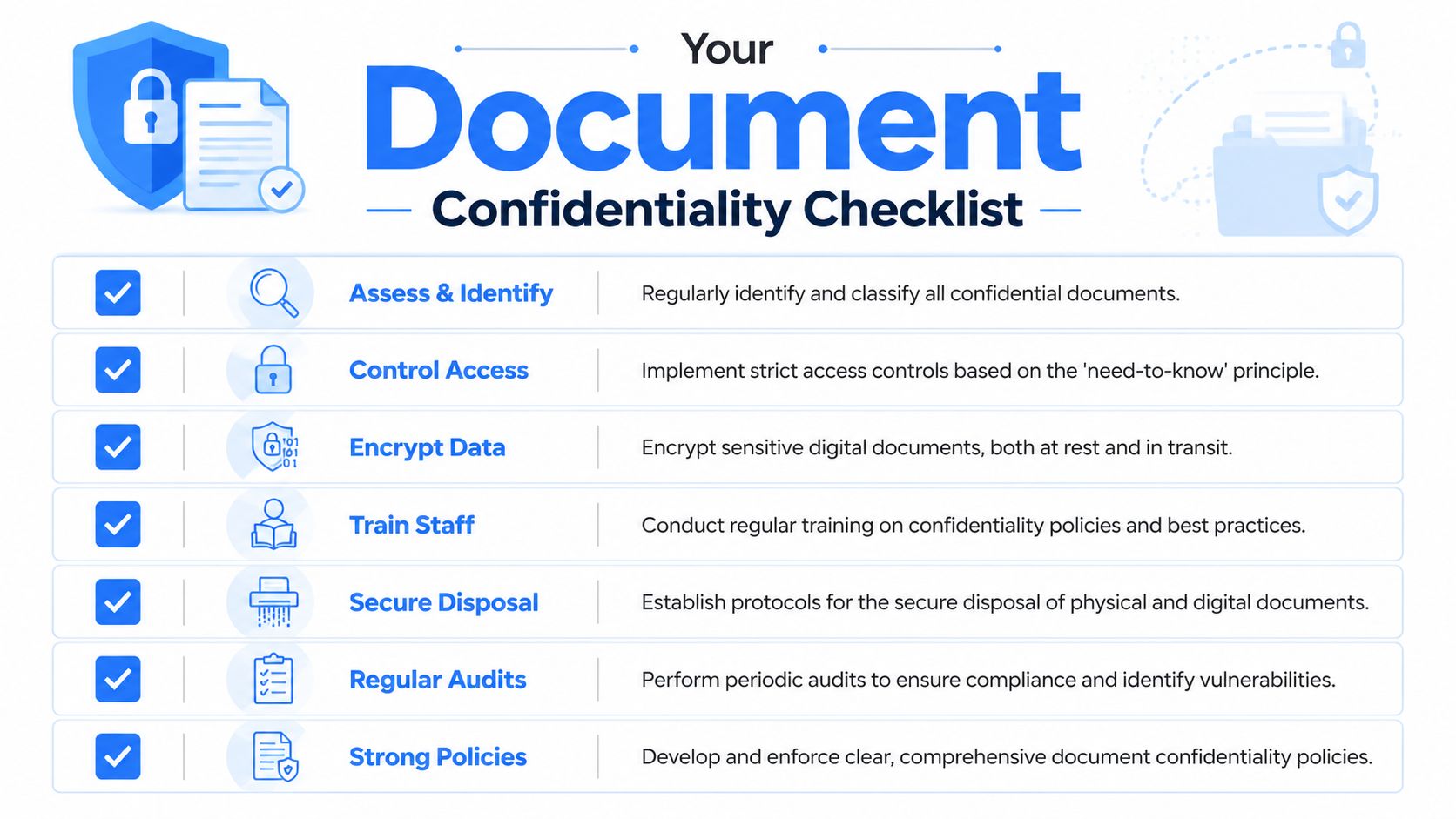
Your Document Confidentiality Checklist
Most businesses don't need a massive policy overhaul to improve confidentiality. They need a checklist people can follow under deadline pressure.
Create and store
- Classify documents early: Identify which files contain personal, financial, legal, or health-related information before they spread through email and folders.
- Encrypt the device: Turn on full-disk encryption for every laptop and workstation that stores sensitive files.
- Use restricted folders: Keep confidential files in clearly defined locations with limited access, not on desktops or mixed into general shared storage.
- Create a clean copy for sharing: Treat the outward-facing file as a separate export, not the same file staff used for drafting.
Share and dispose
- Remove metadata before sending: Check PDF properties, image EXIF data, comments, hidden fields, and revision clues.
- Avoid unnecessary uploads: If a file can be edited or converted locally, keep it on the device.
- Dispose deliberately: Delete unneeded local copies, clear downloads folders, and destroy physical paperwork securely.
- Train using real examples: Show staff what a risky contract export, onboarding packet, or invoice workflow looks like in your business.
Document confidentiality works best when it becomes routine. Not a special project. Not an annual training slide. Just the standard way your business creates, stores, shares, and retires files.
If you want a simpler way to keep sensitive file work off the web, File Studio gives teams a local desktop option for editing, converting, organizing, and cleaning PDFs, images, and other files entirely offline on macOS and Windows.