

AI guide
How to connect File Studio to Cursor
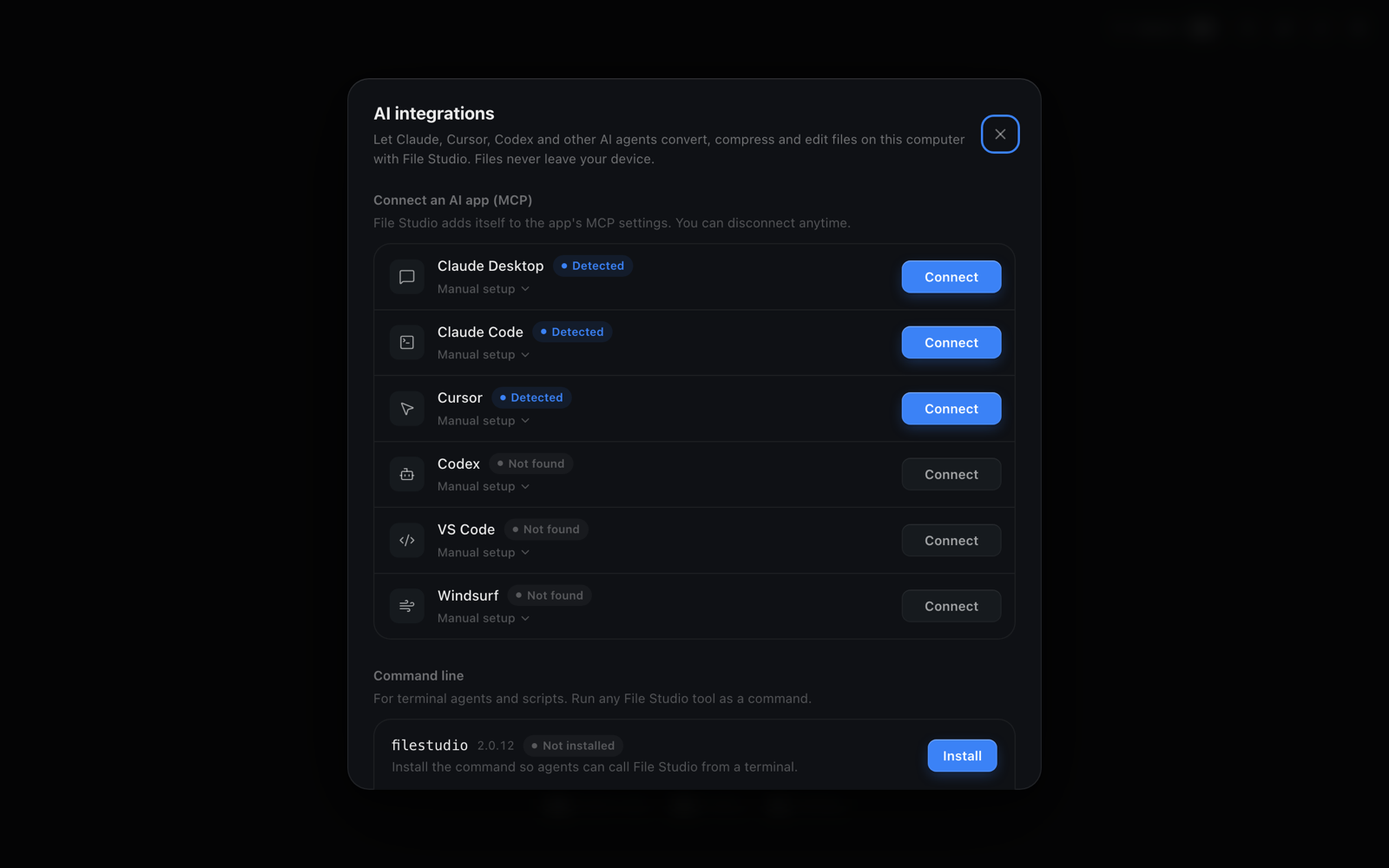
To connect File Studio to Cursor, open File Studio, go to AI integrations, click Connect next to Cursor, and restart Cursor. File Studio adds a filestudio entry to Cursor's MCP settings, so Cursor's agent can convert images, compress PDFs, and export spreadsheets in your project without any upload.
By Ayush Soni · Updated October 21, 2026
Step by step
- 1
Open AI integrations in File Studio
Launch File Studio and open AI integrations. Cursor shows as Detected if it is installed.
- 2
Click Connect next to Cursor
File Studio adds itself to Cursor's MCP configuration. Nothing else in your Cursor settings changes.
- 3
Restart Cursor and check MCP settings
Reopen Cursor and look under Settings, MCP. You should see filestudio listed with its tools enabled.
- 4
Ask the agent to process files
For example: "Convert every PNG in public/images to WebP at 80% quality." The agent calls File Studio, which writes the new files next to the originals.
Manual setup
Manual setup: add the JSON below to ~/.cursor/mcp.json (global) or .cursor/mcp.json in a project, then restart Cursor.
Manual setup needs the filestudio command on your PATH. Install it from AI integrations, under Command line.
{
  "mcpServers": {
    "filestudio": {
      "command": "filestudio",
      "args": ["mcp"]
    }
  }
}
Try File Studio free
Every tool runs locally on Mac and Windows. No uploads, no account.
FAQ
Frequently asked questions
Do my files get uploaded to File Studio or the AI provider?
No file is uploaded by File Studio. The MCP server and the filestudio command run on your computer and read and write files on your disk. Your AI app only sees the text it sends and receives, such as file paths and results, never a copy of the file sent through File Studio.
Can I enable File Studio for just one project?
Yes. Put the JSON snippet in .cursor/mcp.json inside that project instead of the global ~/.cursor/mcp.json.
Can Cursor use File Studio without MCP?
Yes. If the filestudio command is installed, Cursor's agent can run commands like filestudio image convert photo.png --format webp in the terminal.
Related:
More guides: