

Spreadsheets guide
How to convert Excel to CSV offline
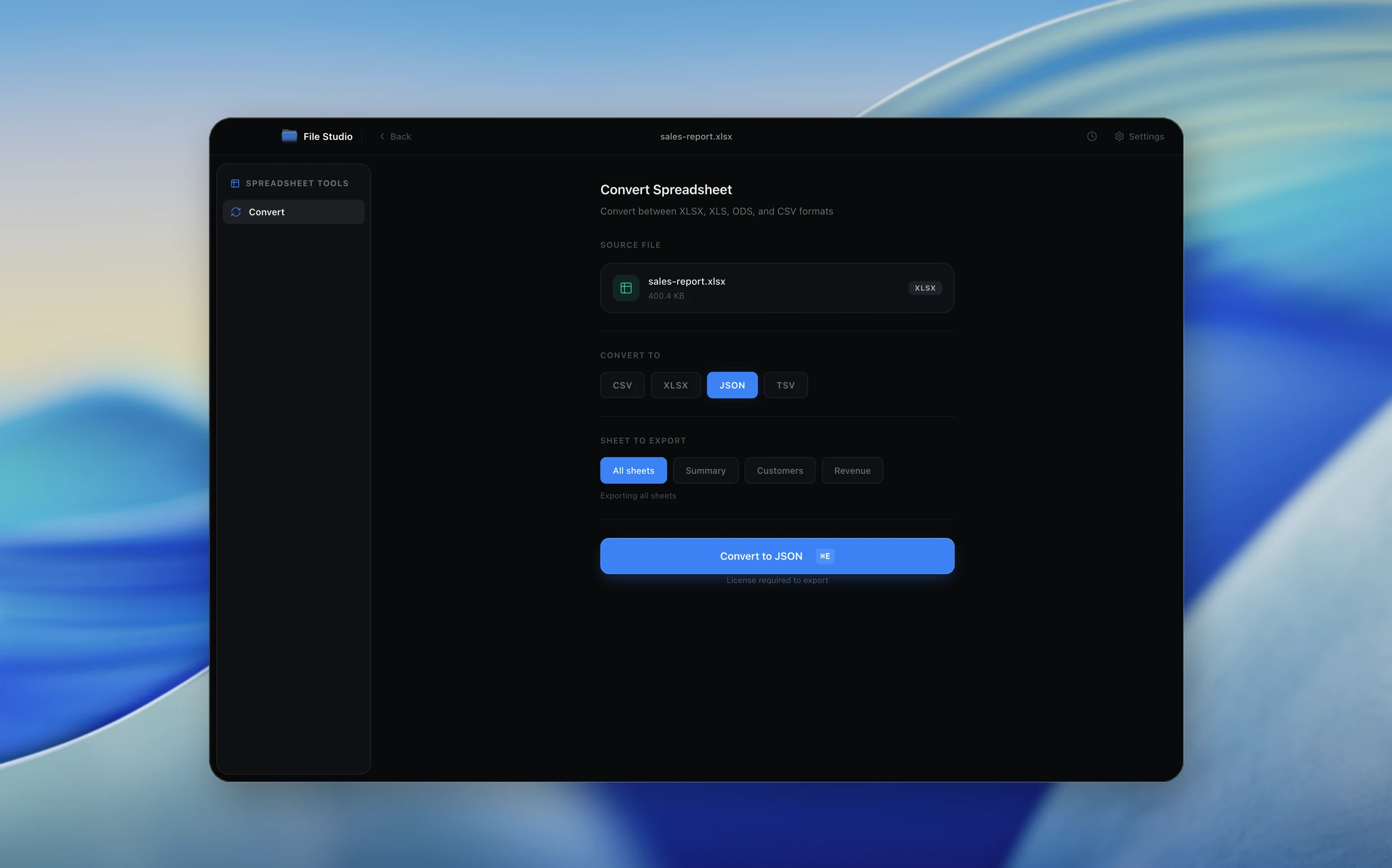
To convert Excel to CSV offline, open File Studio's spreadsheet Convert tool, drop in your XLSX, XLS, or ODS file, choose CSV as the output, and click Convert. You don't need Excel installed, and customer lists or financial data stay on your computer instead of going to an online converter.
By Ayush Soni · Updated October 21, 2026
Step by step
- 1
Open File Studio and choose Spreadsheet, then Convert
Drop in your XLSX, XLS, or ODS file.
- 2
Choose CSV as the output
CSV works with databases, scripts, and almost every other tool.
- 3
Convert and save
Click Convert. File Studio writes the CSV next to your file or to a folder you choose.
Try File Studio free
Every tool runs locally on Mac and Windows. No uploads, no account.
FAQ
Frequently asked questions
Do I need Microsoft Excel installed?
No. File Studio reads XLSX, XLS, and ODS files itself.
What happens to formulas and formatting?
CSV stores plain values only, so formulas are saved as their calculated results and formatting is dropped.
Can I convert CSV back to Excel?
Yes. Pick XLSX as the output in the same Convert tool.
Related:
More guides: